Request an approval
Ask one or more people to approve a task. The task completes when everyone has approved.
Who can do this: Everyone in the organization
Use an approval when a task needs a sign-off before it counts as done, for example a design the creative director has to accept. Everyone you ask has to approve, and only they can decide.
Request approval
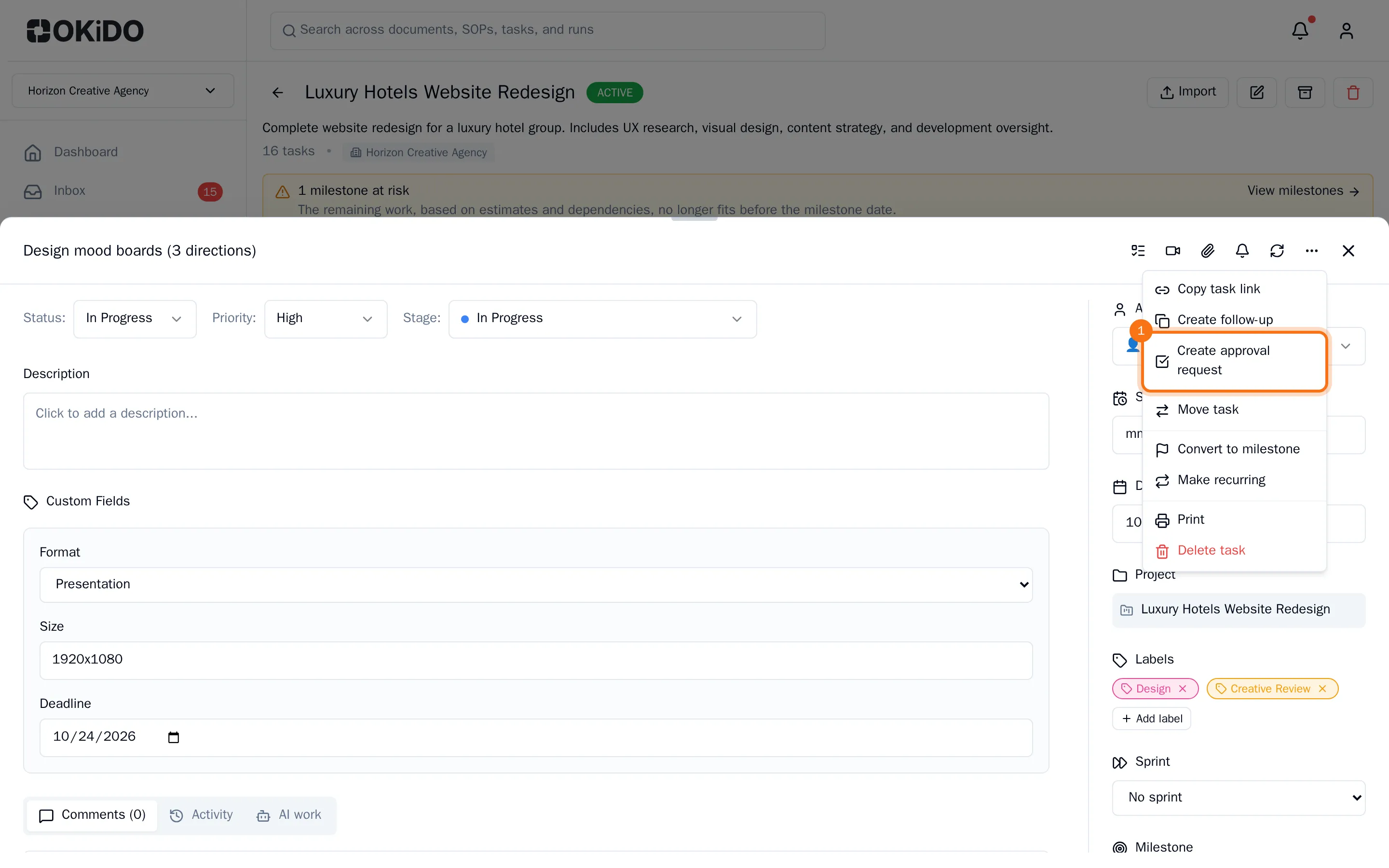
- Open the task, choose More actions (the three dots at the top), then Create approval request.
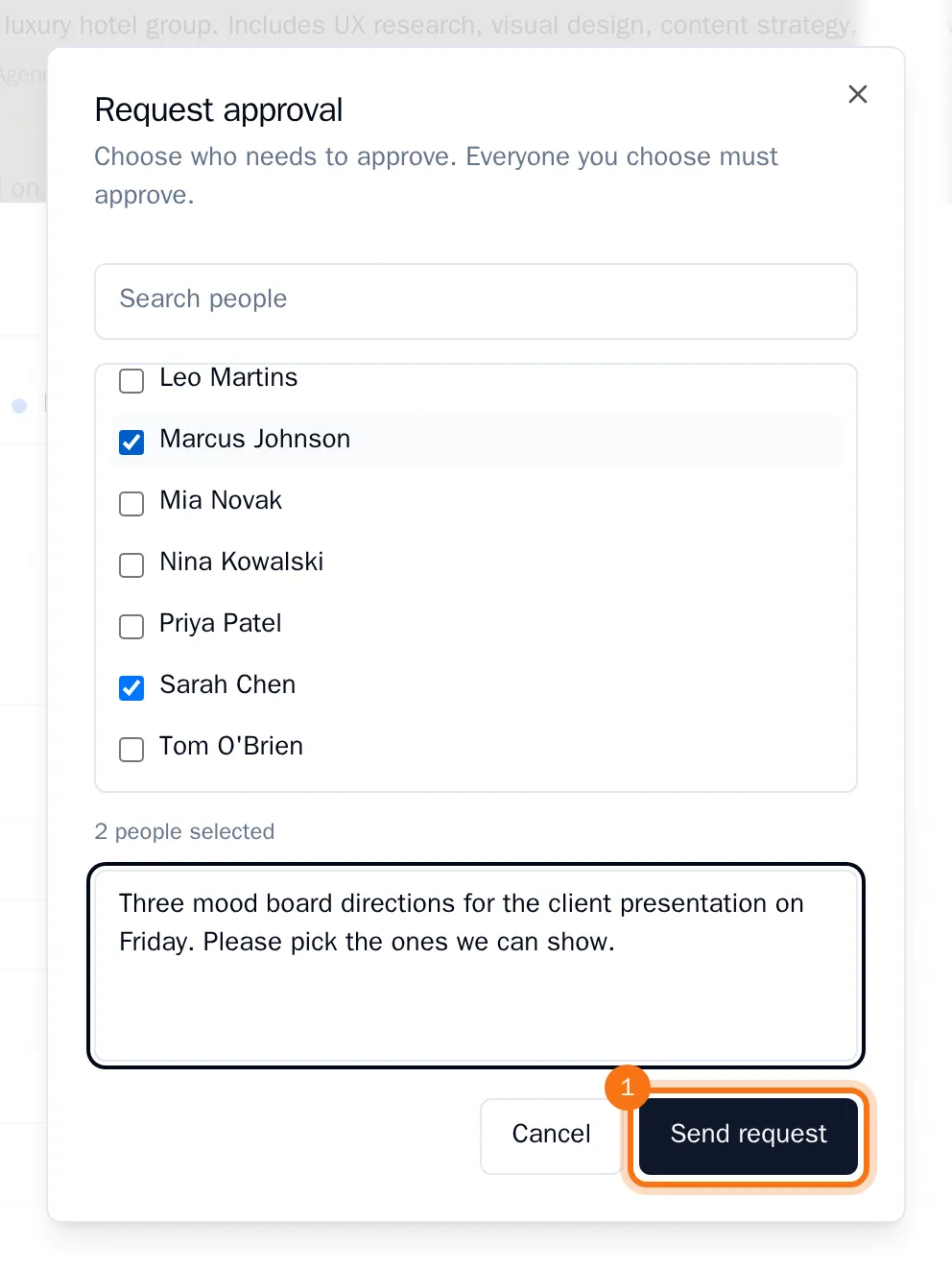
- Select the people who should approve and add a note for them if you like.
- Choose Send request.
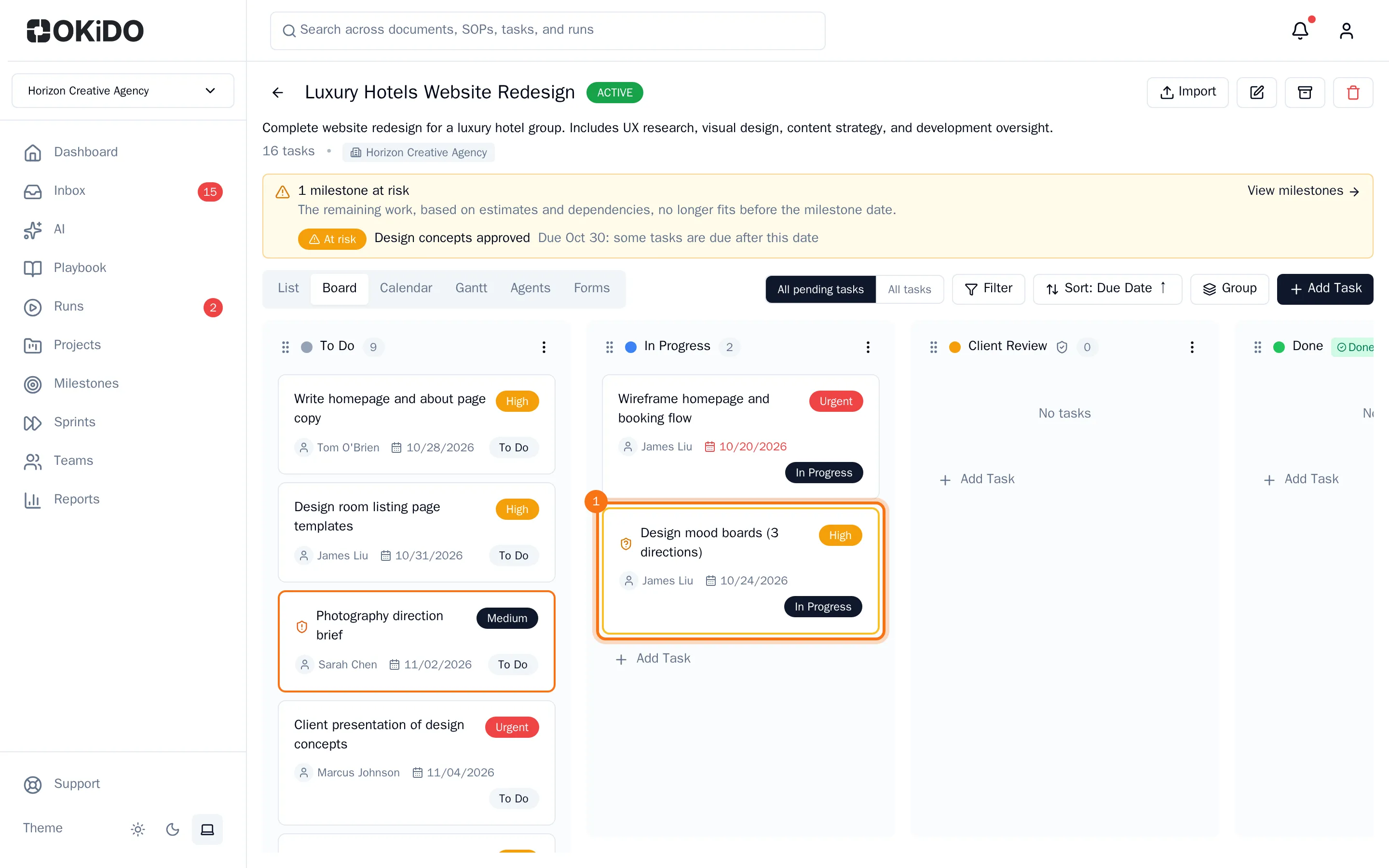
The task now waits for approval. On the board it gets an amber border and an icon that shows who still has to approve. The task keeps its assignee.
Approve, reject or request changes
The people you asked find the request in their Inbox, under Approvals Pending.
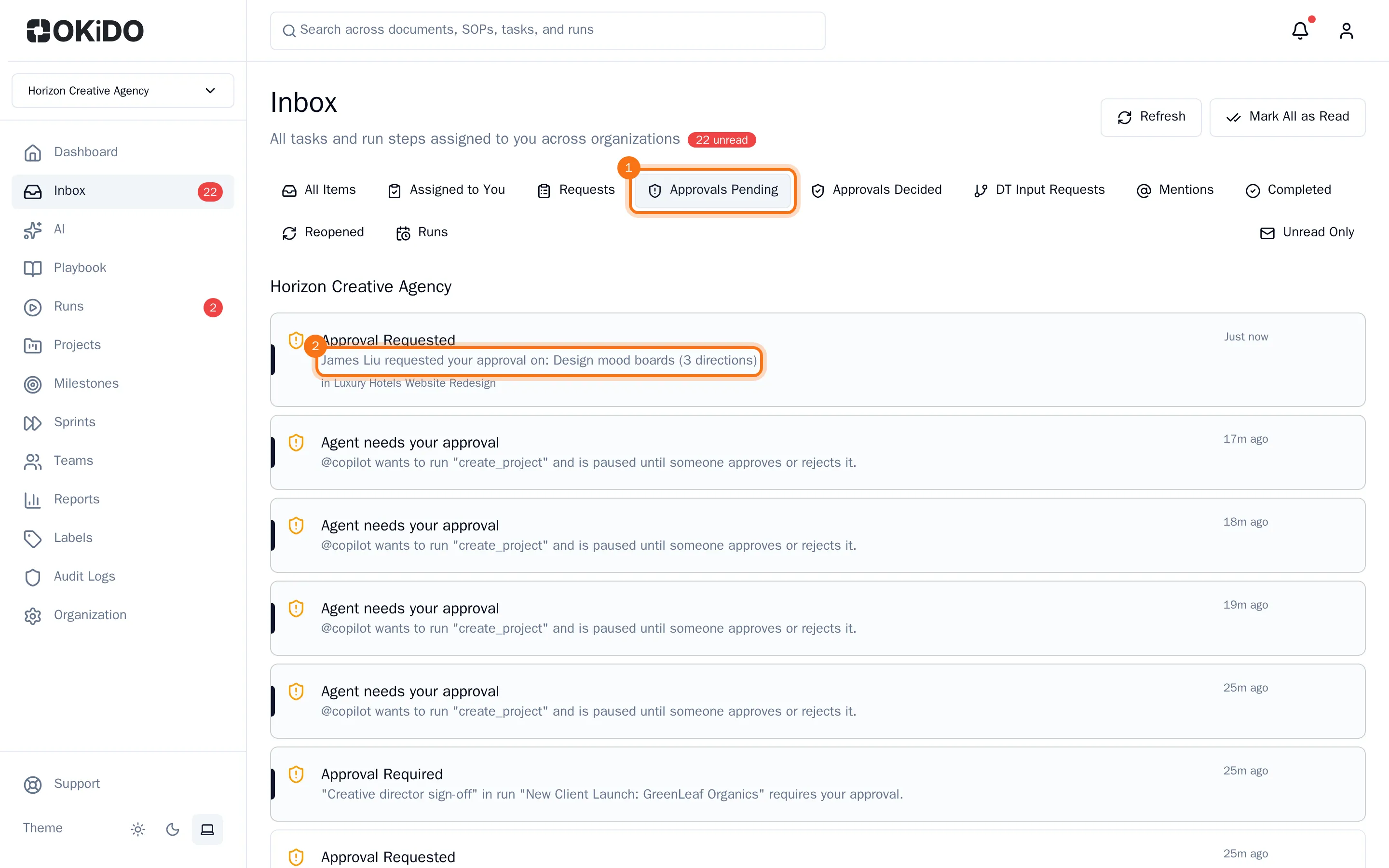
- Open the task from the inbox.
- Add a note if you like, then choose Approve, Request Changes or Reject.
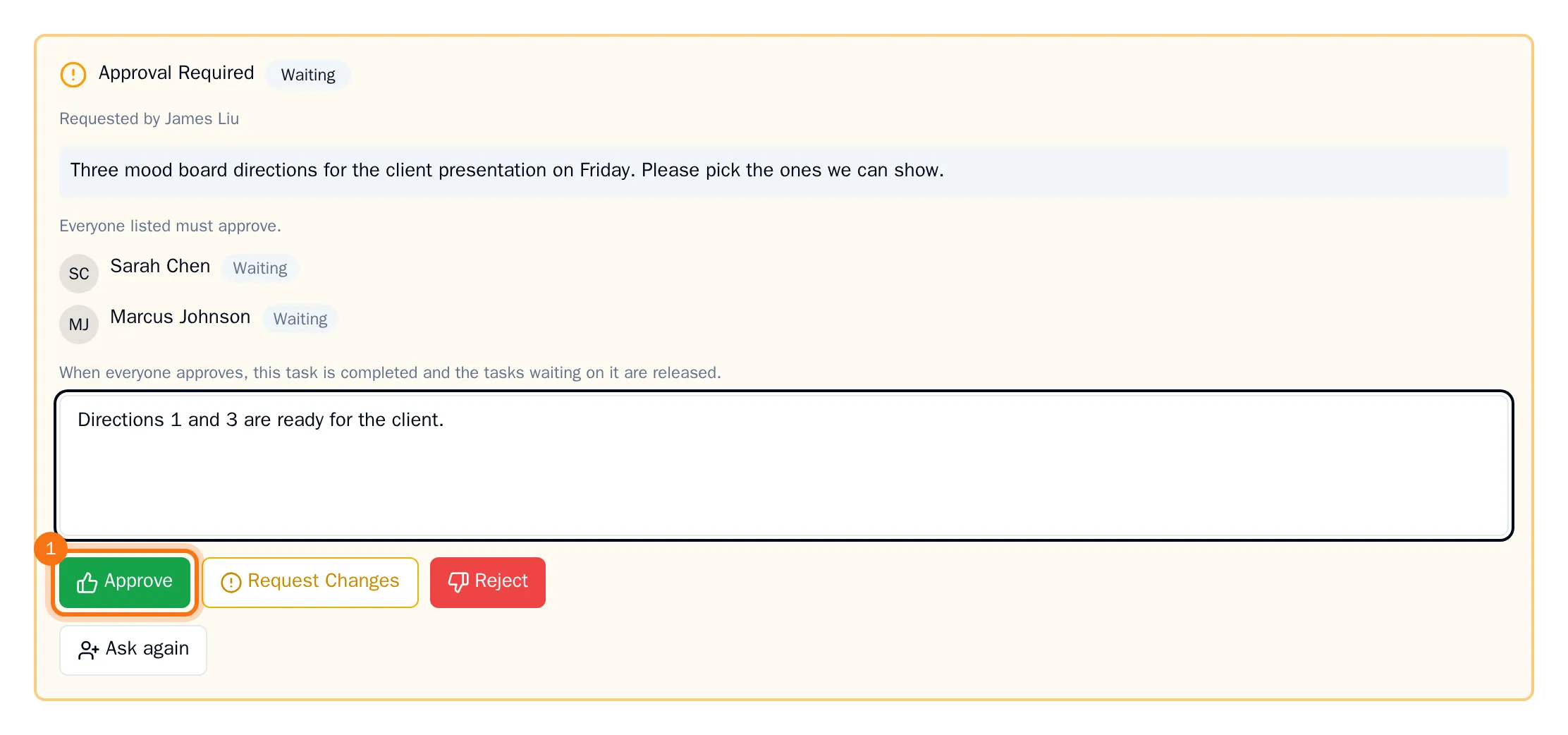
When the last person approves, the task completes on its own. One rejection decides the task, even while others have not answered yet.
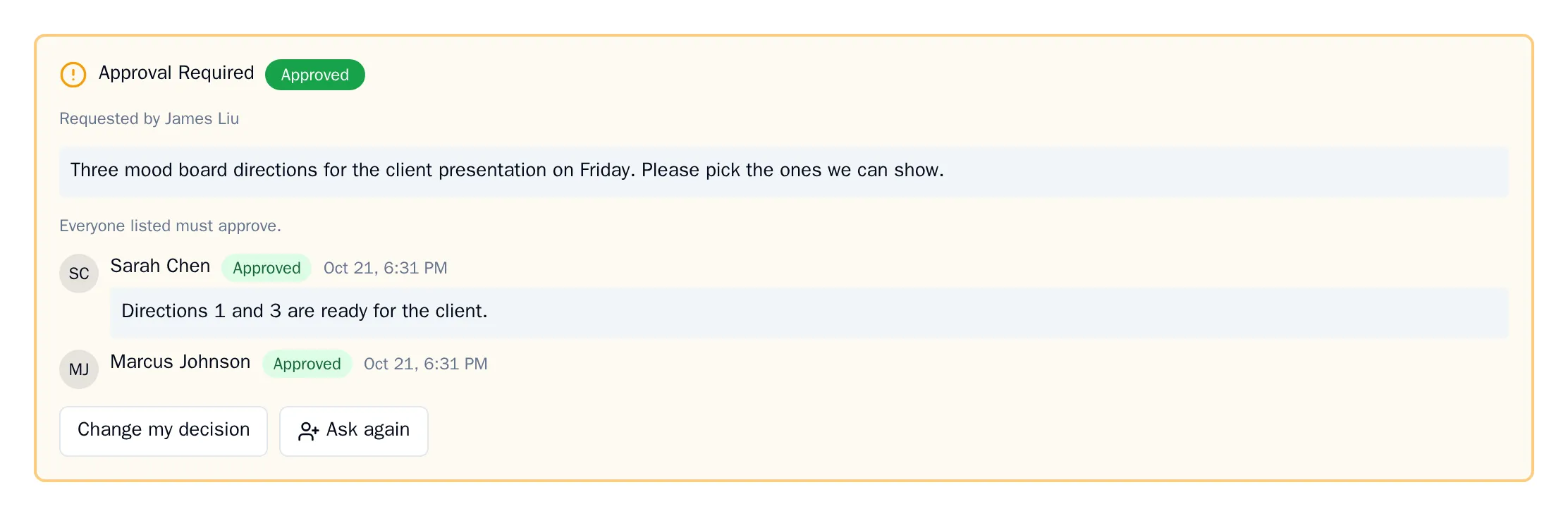
Tip: Made a mistake? Choose Change my decision in the task to answer again. After changes, the person who asked can choose Ask again to start a new round.