Review and publish a document
Send a document for review, approve it, publish it for readers and set how often it must be reviewed again.
Who can do this: Everyone in the organization
Before a document becomes the way your organization works, someone checks it. A new document is a draft. Once it is approved you publish it: from then on, readers see the published version, while you can keep working on the next one.
The review bar at the top of the document shows its status and the next step. You see it when you may edit the document.
Choose a reviewer and a review cycle
- Open the document. In the review bar, choose the reviewer where it says No reviewer.
- Next to it, choose how often the document must be reviewed, for example Every 90 days. The bar then shows the date of the next review.
Send it for review
Choose Submit for Review. The status changes to In Review, and the reviewer gets a notification.

Approve it or ask for changes
- The reviewer opens the document and reads it.
- They choose Approve, then Confirm. If something has to change, they choose Request Changes instead, and the document goes back to Draft.
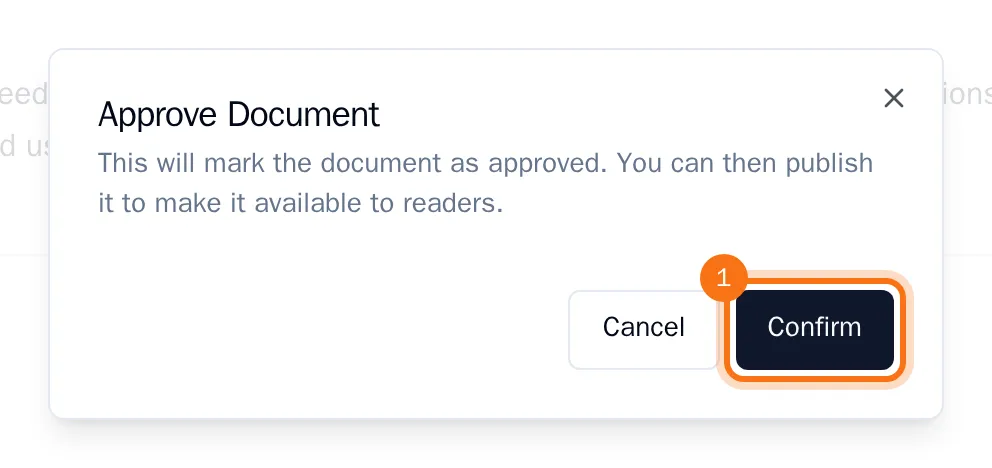
Anyone who may edit the document can approve it; the reviewer is the person who is asked to.
Publish it
Once the document is Approved, choose Publish, then Confirm.
The bar now shows the published version, and the document is locked against changes. Members who may only read the document see this published version.
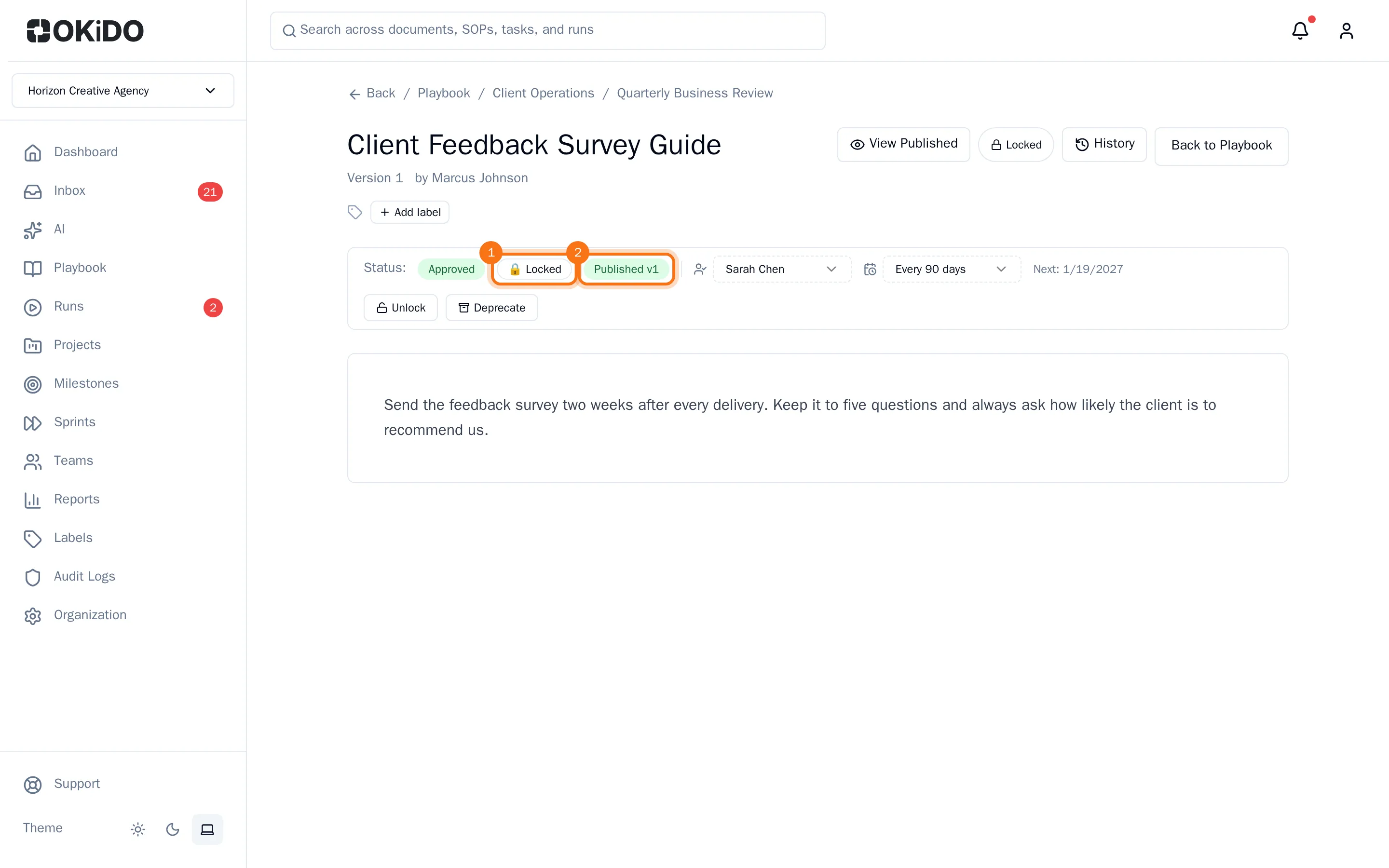
To work on a new version, choose Unlock and confirm. The document becomes a draft again, but readers keep seeing the published version until you publish again. Until then the bar shows Unpublished changes, and Compare shows what changed since the published version.