See all tasks with a label
Open a label's page to see every task that carries it, across all projects.
Who can do this: Everyone in the organization
Every label has its own page that brings together the tasks carrying it, from every project. Use it to see all the design work in the agency, or everything for one client, in one place. Everyone in the organization can open it.
Open a label's page
The Labels page does not link to a label's page yet, so open it by its address: your OKiDO address followed by /labels/ and the label's name in lowercase, with dashes instead of spaces. For example, the page of the Design label is at /labels/design. For a label in a category, the category's name comes first, as in /labels/work-type-design.
What the page shows
At the top are the label, its description, the number of items that carry it and the label's custom fields, if it has any. Below is the list of tasks, each with its project, assignee, status and priority.
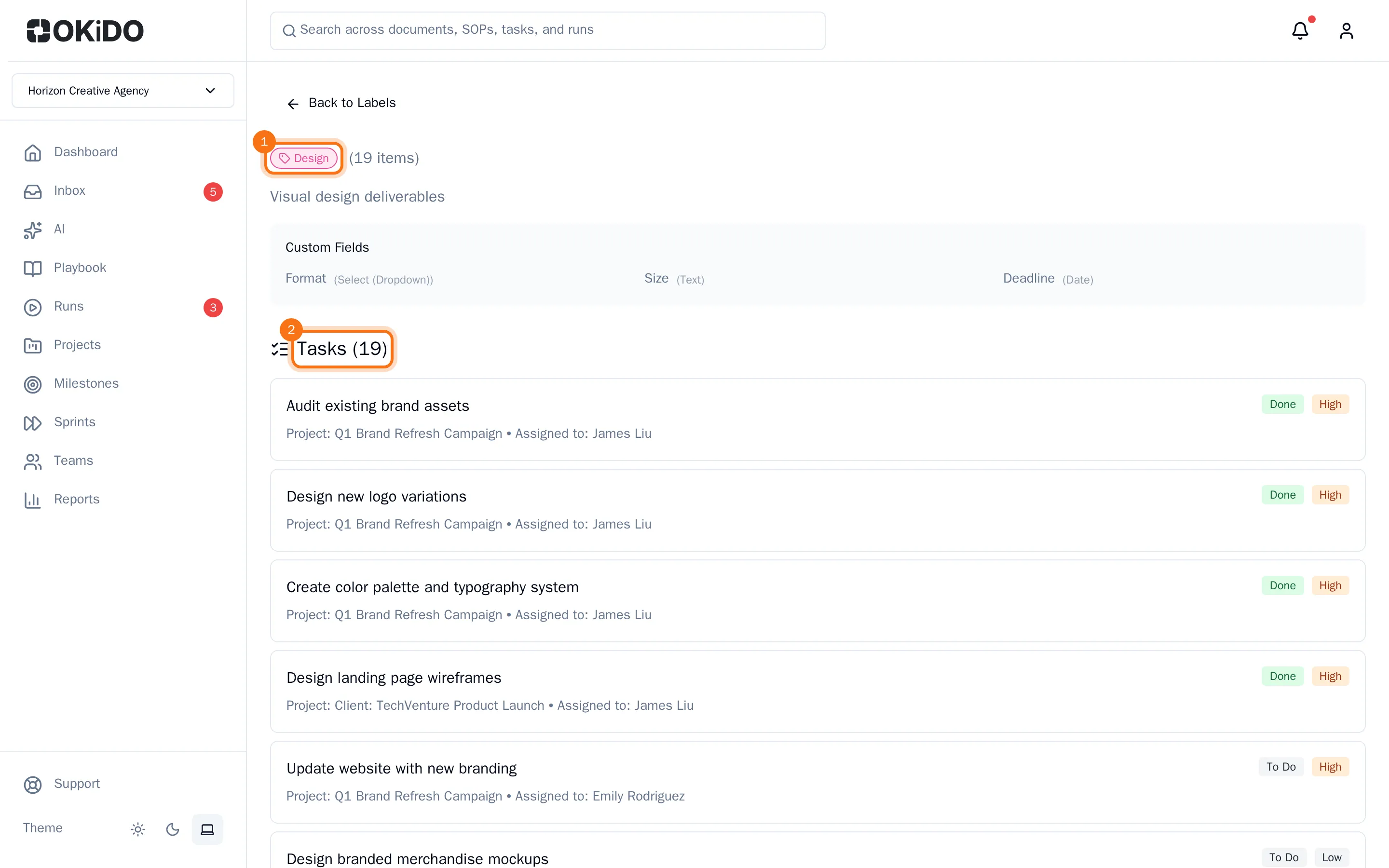
Click a task to open its project. Choose Back to Labels to go to the Labels page.
To put a label on a task, see Add Smart Labels to a task.