Set agent budgets and watch AI spending
Give an agent a token budget, and follow how many tokens your agents use on the budget dashboard.
Who can do this: Owner, Admin
Everything an agent does costs tokens: the AI reads and writes in tokens. Each agent has a token budget, so one busy agent cannot use up what your organization has. The budget dashboard shows how much every agent and every project used.
Give an agent a token budget
- Open the agent: AI, the Agents tab, then the agent.
- On the Configuration tab, under Runtime Limits, enter the Token Budget.
- Choose Save at the top of the page.
- Choose the Budget tab to check it.
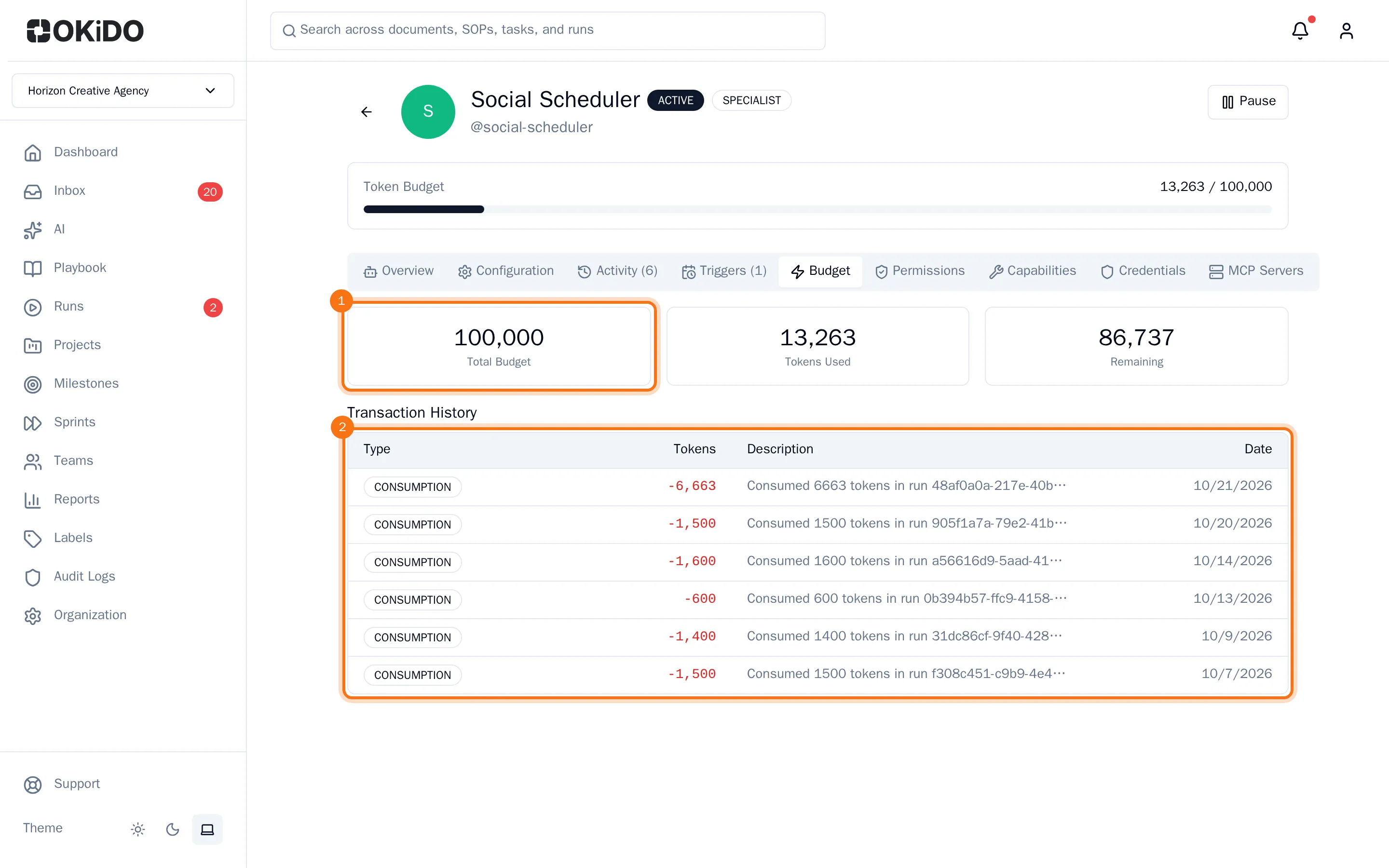
The Budget tab shows the agent's Total Budget, the Tokens Used and what is Remaining. Below, the Transaction History lists the tokens each run used. The bar at the top of the agent's page turns yellow and then red as the agent gets close to its budget.
Watch AI spending across agents
- In the menu on the left, choose AI, then the Budget tab.
The Agent Budget Dashboard adds up the budgets of all your agents and shows how much of it is used and what is left. Under Per-Agent Breakdown you see each agent's use against its own budget, and under Per-Project Usage the projects the tokens were used for. Choose an agent's name to open its page.
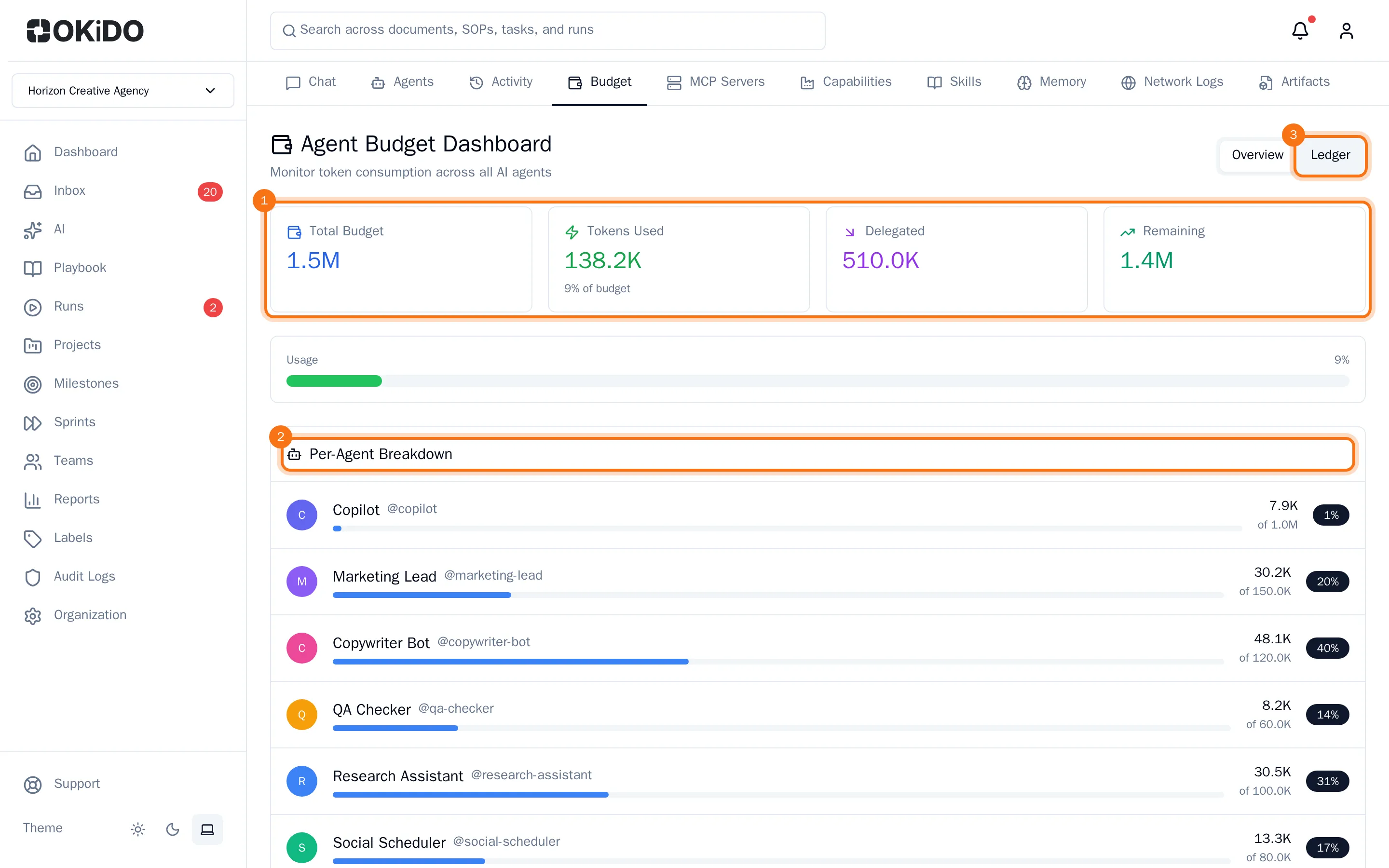
Choose Ledger at the top right to see every transaction, newest first, with the agent, the amount and the balance after it.