Start a run
Start a run from an SOP template with its own name, priority and due date, and fill in its variables right away.
Available onAll plans
Who can do this: Everyone in the organization
A run is one pass through an SOP template, for example the onboarding of one new client. It gets its own copy of the template's steps, so your team can work through them while the template stays as it is.
Start a run
- Open the SOP template in the Playbook. (On the Runs page, Create Run takes you there too.)
- Choose Start Run.
- Under Run Name, replace the suggested name with one you will recognize, such as the client's name.
- Choose a Priority and, if the run has a deadline, a Due Date.
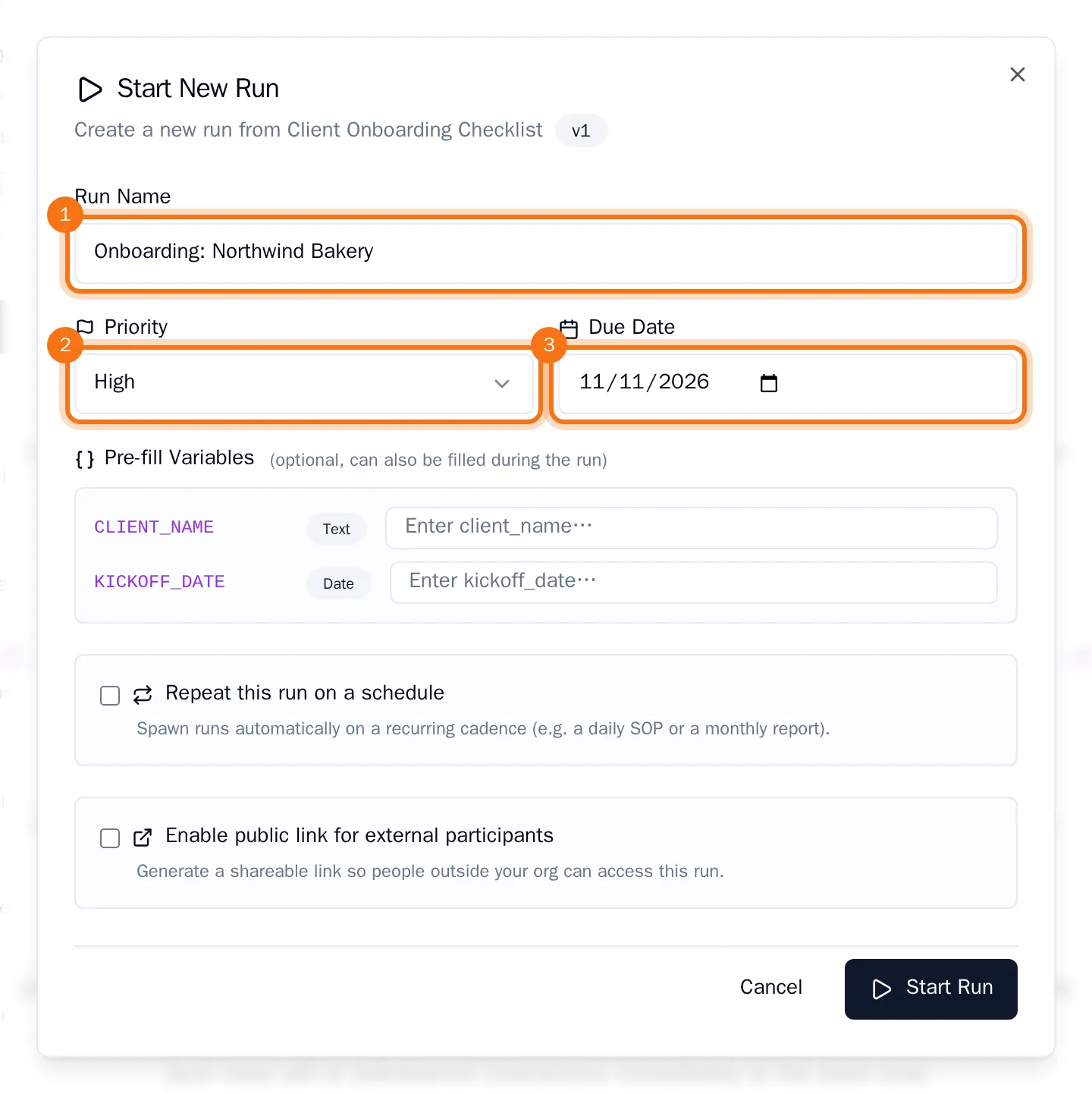
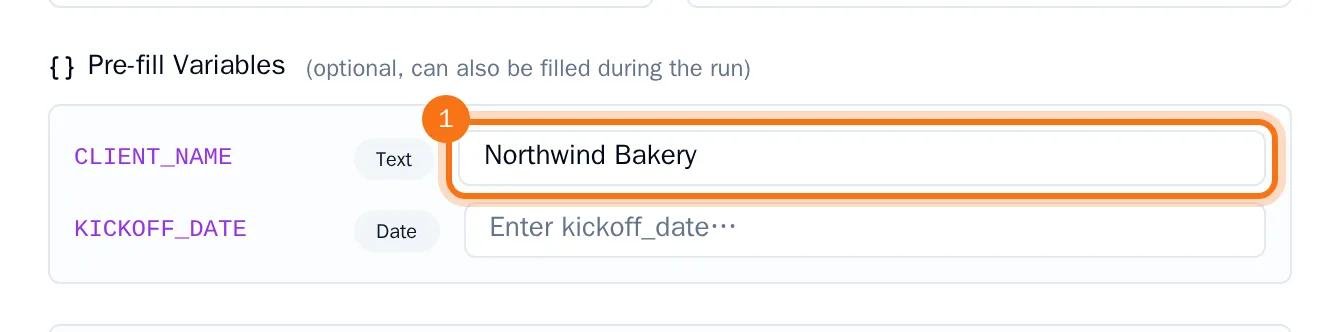
- If the template has variables, fill in the ones you already know under Pre-fill Variables. Leave the others empty: they can be filled in during the run.
- Choose Start Run.
The run opens with all the steps of the template. The values you filled in already show in the step text.
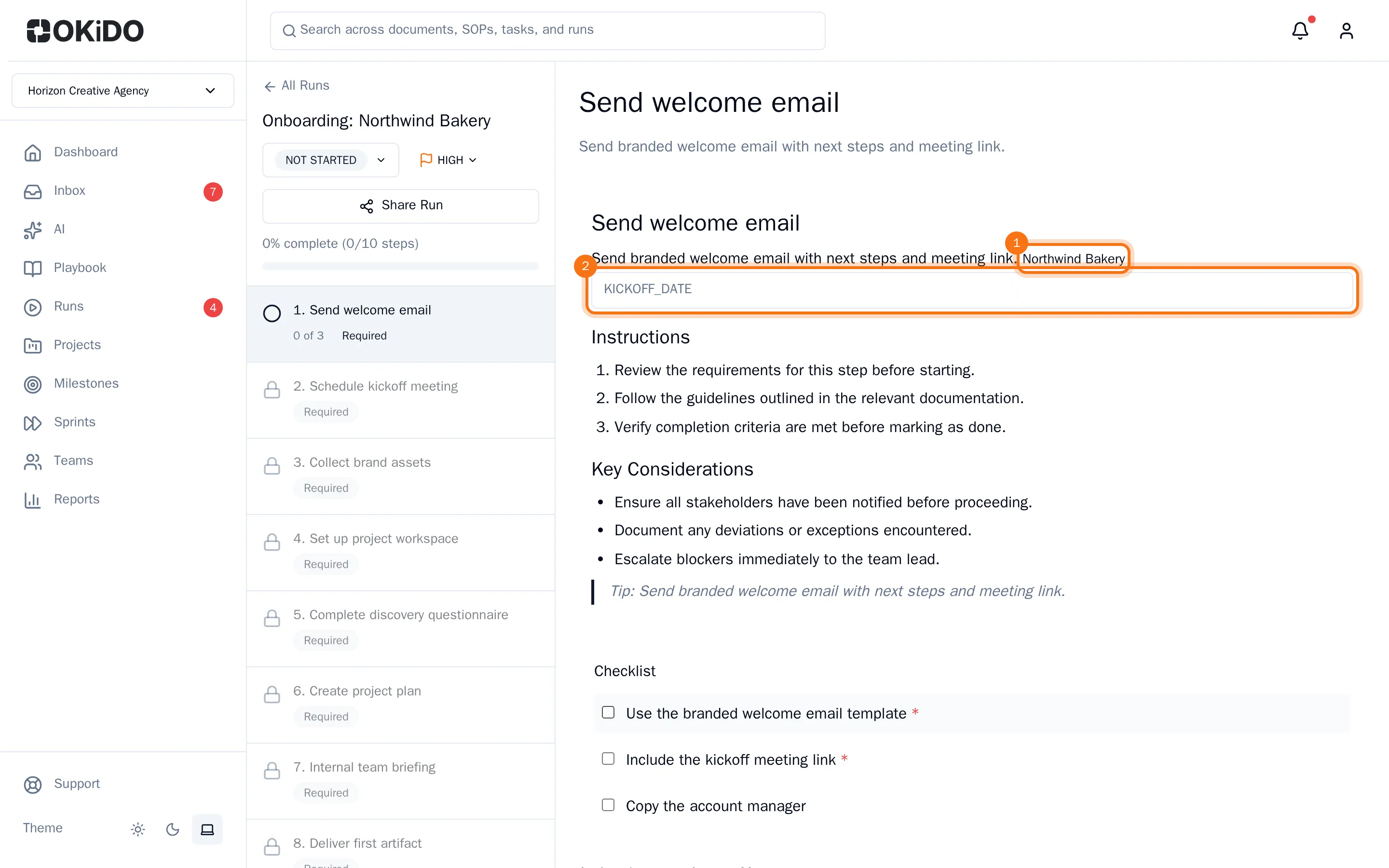
You find the run on the Runs page, under SOP Runs.
Tip: In the same window you can make the run repeat on a schedule or share it with a customer.