See your agents and their org chart
Browse your AI agents as an org chart or as a list, and see who reports to whom.
Who can do this: Owner, Admin
Your AI agents are organized like a team. Copilot (@copilot) is at the top as the CEO. Managers report to Copilot and hand work to the specialists who report to them. The Agents page shows them all, with their place in that hierarchy.
Owners and admins see this page, and members who have the Advanced AI features (see Change a member's role or Advanced AI access).
See the org chart
- In the menu on the left, choose AI, then the Agents tab.
The page opens with the org chart. Each agent shows its name, its handle and its role. Agents are indented under the agent they report to, and the dot after the name shows the status: green while the agent is active, yellow when it is paused. At the top you see how many agents you have, how many are active and how many runs they did in total.
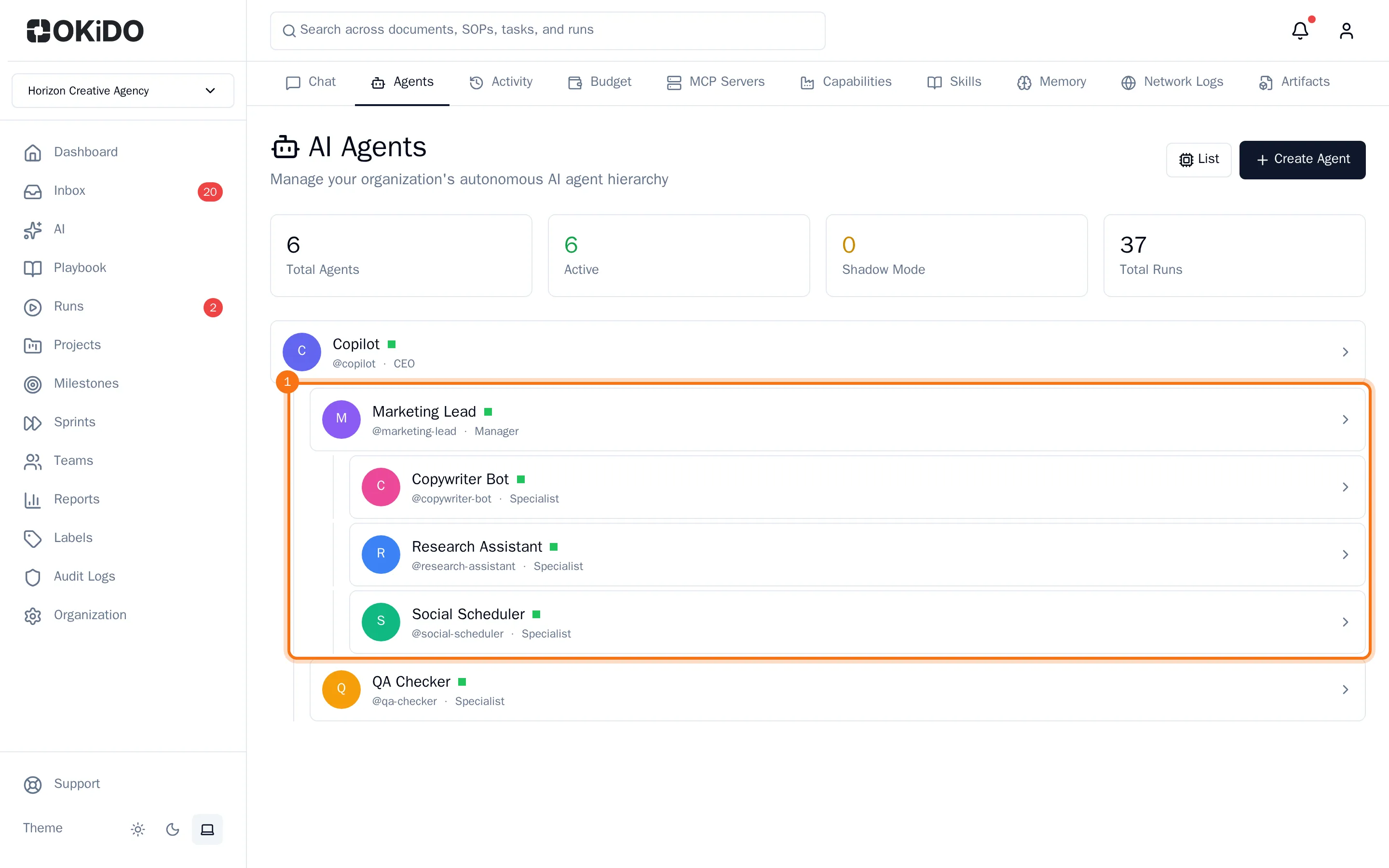
Choose an agent to open its page.
Find an agent in the list
- Choose List. The list shows each agent's status, role and description, the tokens it used out of its budget, and its number of runs.
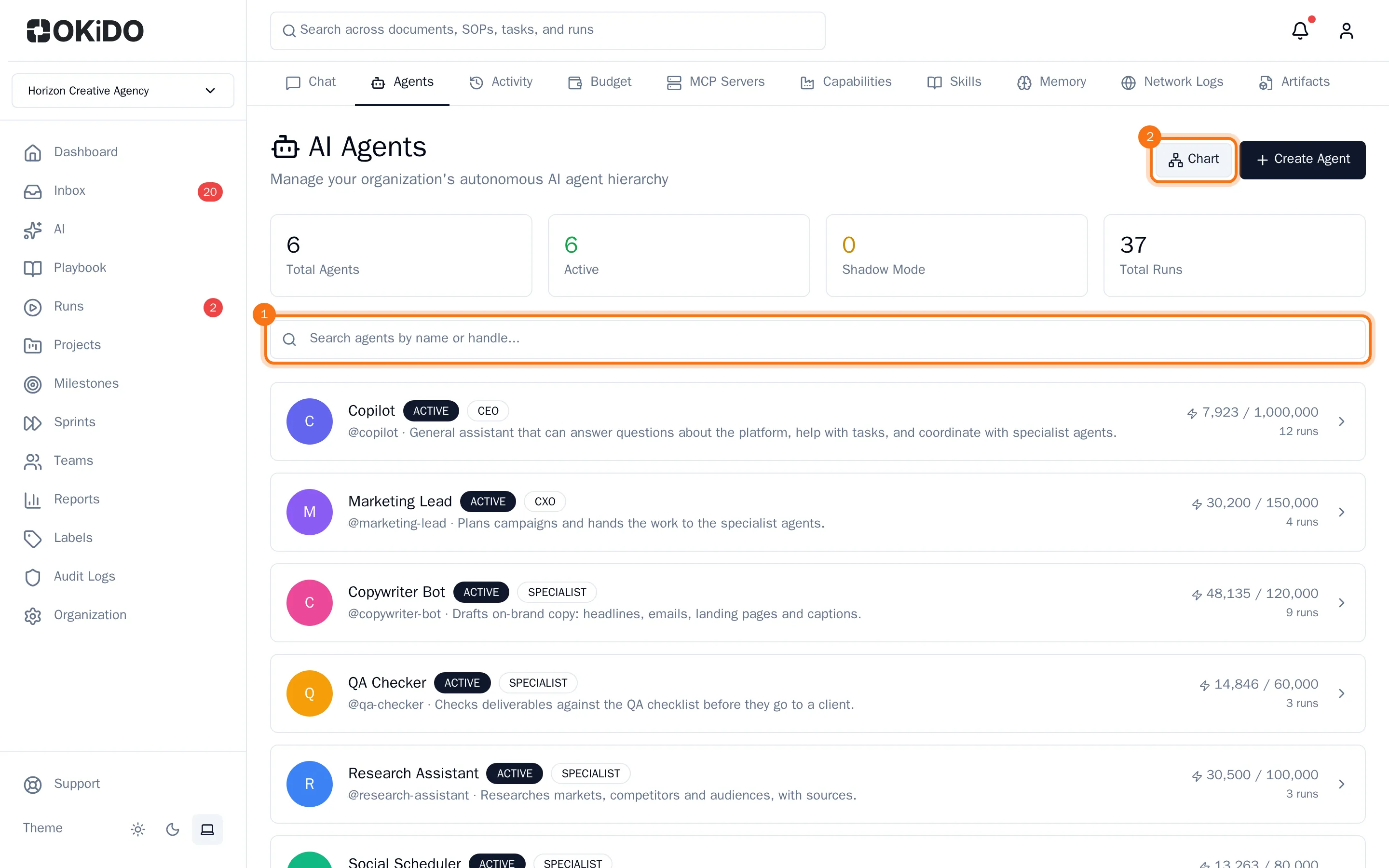
- Type part of a name or handle in the search box (Search agents by name or handle...).
Only the agents that match stay in the list. Choose Chart to go back to the org chart.