Run a decision tree
Answer a decision tree's questions to reach a decision, and keep the decision log as a PDF.
Available onAll plans
Who can do this: Everyone in the organization
Run a decision tree when you have to make the decision it describes, for example which campaign package to offer a client. OKiDO asks the questions one by one, takes the branch that fits each answer, and shows the decision at the end, with a log of every answer.
Answer the questions
- In the Playbook, open the folder and the process, and choose the decision tree. You see its questions and outcomes, and on the right its Recent Sessions.
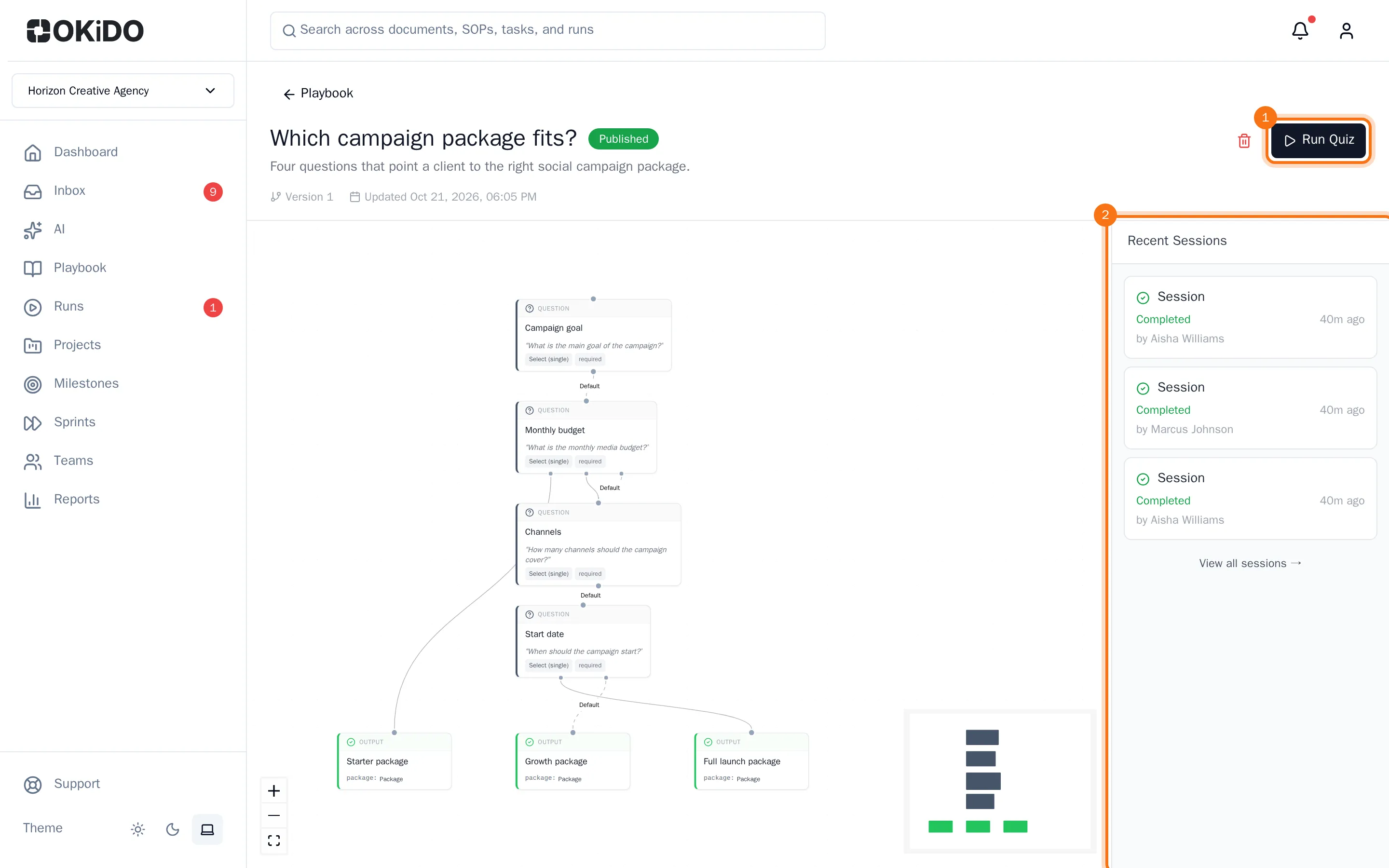
- Choose Run Quiz. The first question opens. Above it you see which step you are on and how far you are.
- Choose your answer, then Next.
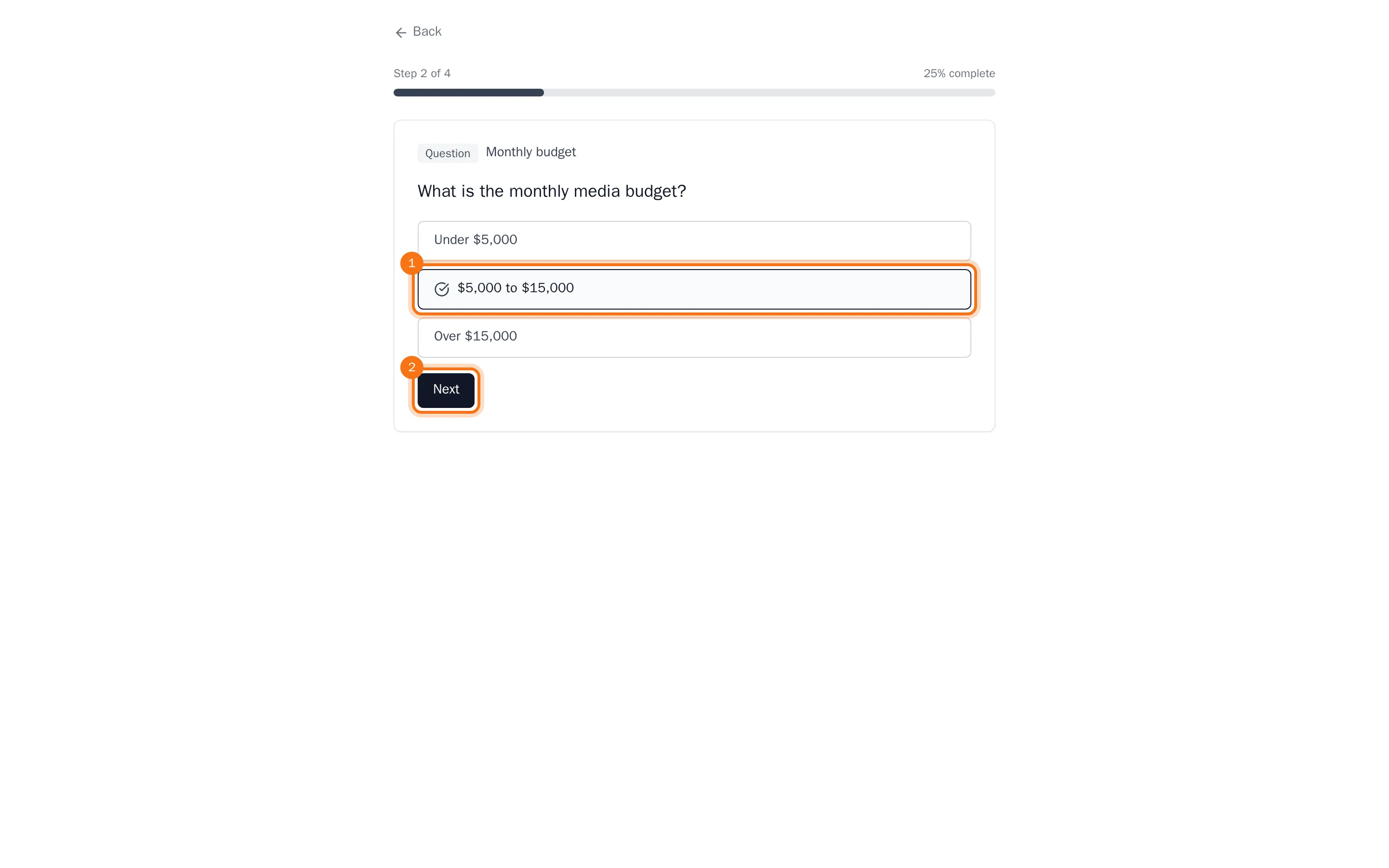
- Answer the next questions in the same way. Which questions come next depends on your answers.
After the last answer you see Decision Complete: the Decision Reached, its Outputs, and the Decision Log with every question and your answer.
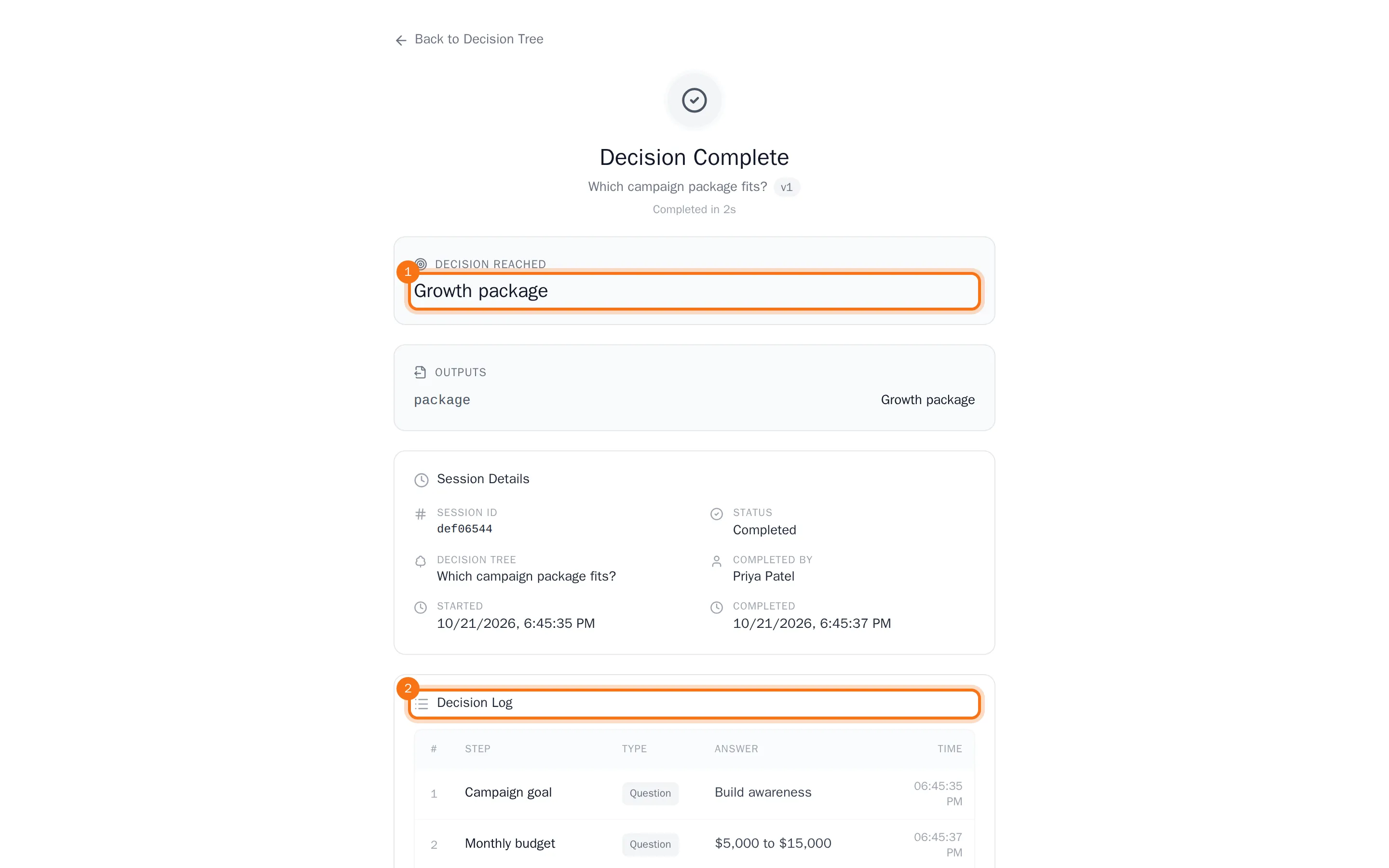
Every run is kept as a session: it shows under Recent Sessions on the decision tree, and you can open it again to see the decision.
Keep the decision as a PDF
- At the bottom of the page, choose Download PDF. A window with the decision log opens, together with your browser's print dialog.
- In the print dialog, choose to save as PDF.
To print the decision log on paper, choose Print instead.