Handle incoming requests
Find new requests in your inbox, see which form each came from, and pause or delete a form.
Who can do this: Everyone in the organization
Each request sent through one of your forms is a task in your project, ready to plan like any other. OKiDO tells you when one comes in, and each task shows where it came from and who sent it.
Find new requests
When someone sends a request through a form, the person who made the form and the project's owner get a notification. The person the form assigns new requests to finds the task among their assigned work.
- Choose Inbox in the sidebar.
- Choose Requests.
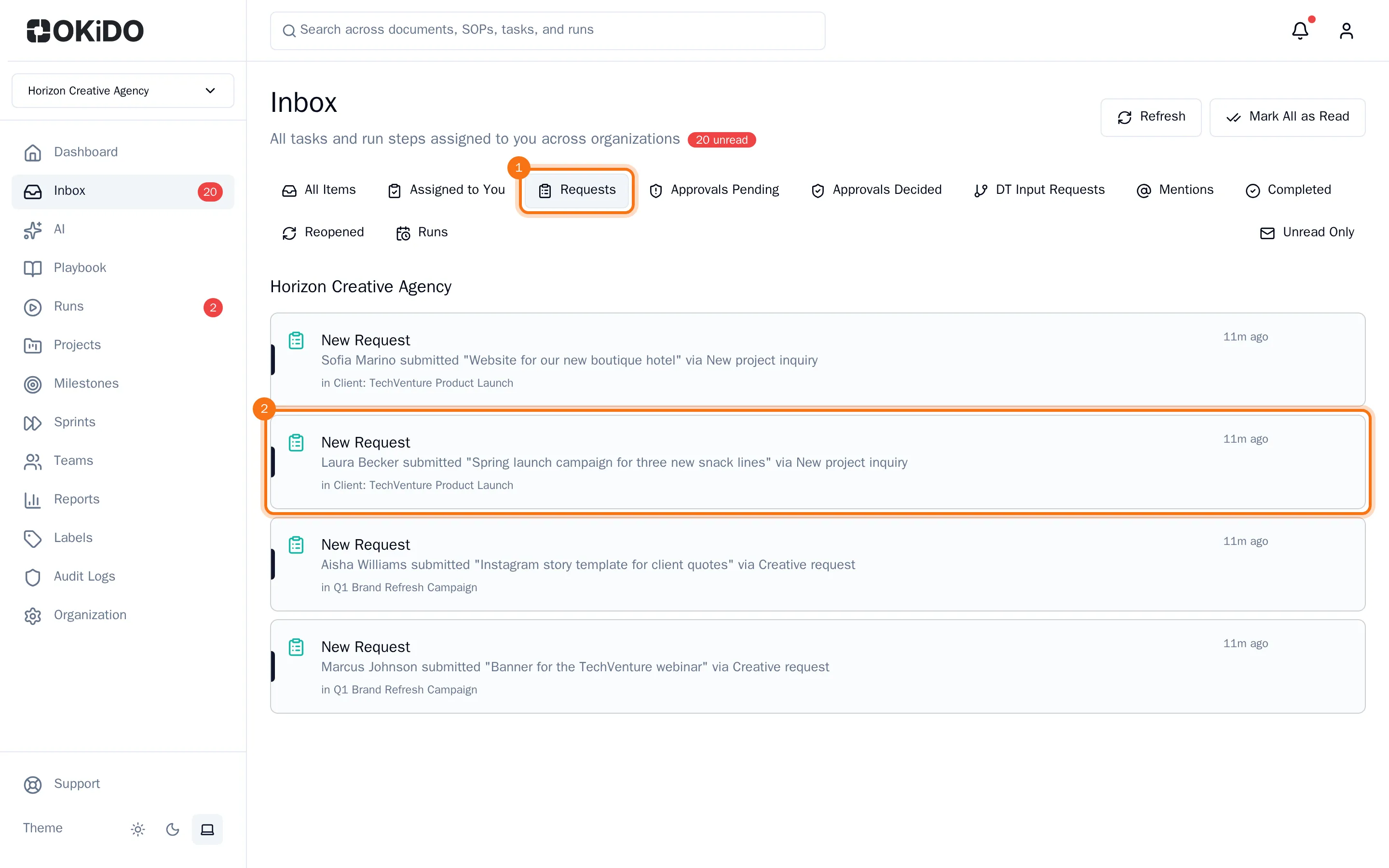
- Choose a request to open its task.
See where a request came from
The task of a request shows the form it came from and who sent it, under its title. For a request through a public form, that is the sender's name and email address, so you can get back to them.

The values the sender filled in are in the label fields of the task. Change them like any other field, and plan, assign and move the task as usual.
Pause or delete a form
Open the project and choose the Forms tab. Each form shows how many requests it received.
- Pause: clear Active on the form. It gets the Paused badge, its button on the board disappears and people who open its link read that it is not accepting requests. Select Active again to reopen it.
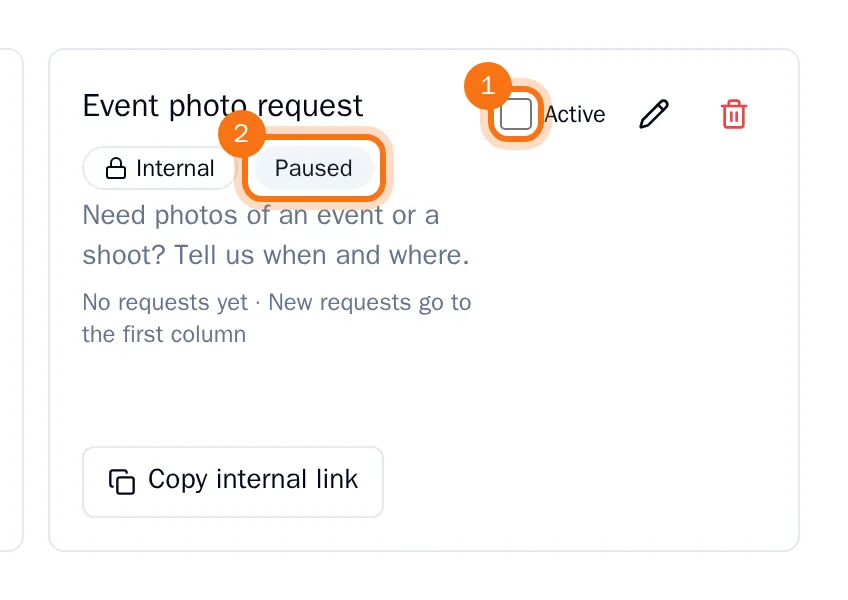
- Delete: choose the trash can on the form, then Delete form. Its links stop working right away. The tasks it created stay in the project.
Only organization owners and admins, and the person who created the project, can pause or delete its forms.