Create a request form
Build a form whose answers become tasks in a project, with the labels, column, assignee and priority you choose.
Who can do this: Everyone in the organization
A request form collects requests in one shape, so nobody has to chase the details later. Each request someone sends becomes a task in your project, with the fields of the smart labels you chose already filled in. The Design label, for example, asks for the format, the size and the deadline.
Organization owners and admins can create request forms in every project. Members can create them in every project they can edit. In a Comment-Only Project, those are its creator and the people and teams that may edit it.
Create the form
- Open the project and choose the Forms tab.
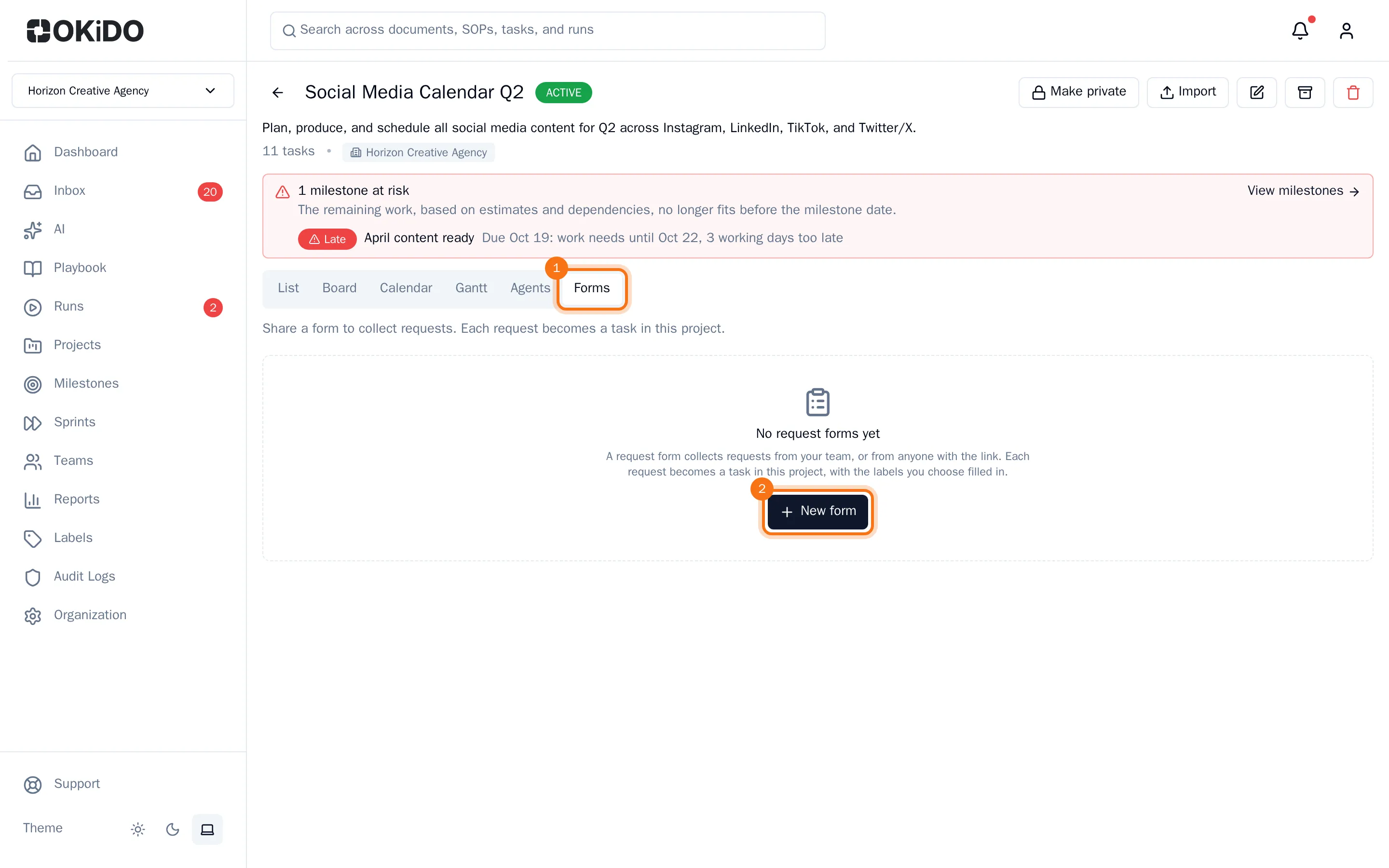
- Choose New form.
- Give the form a Name and, if you like, an Intro text. The intro text is shown above the form.
- Under Smart labels, search for a label and click it to add it. Its fields are added to the form, and every request gets the label.
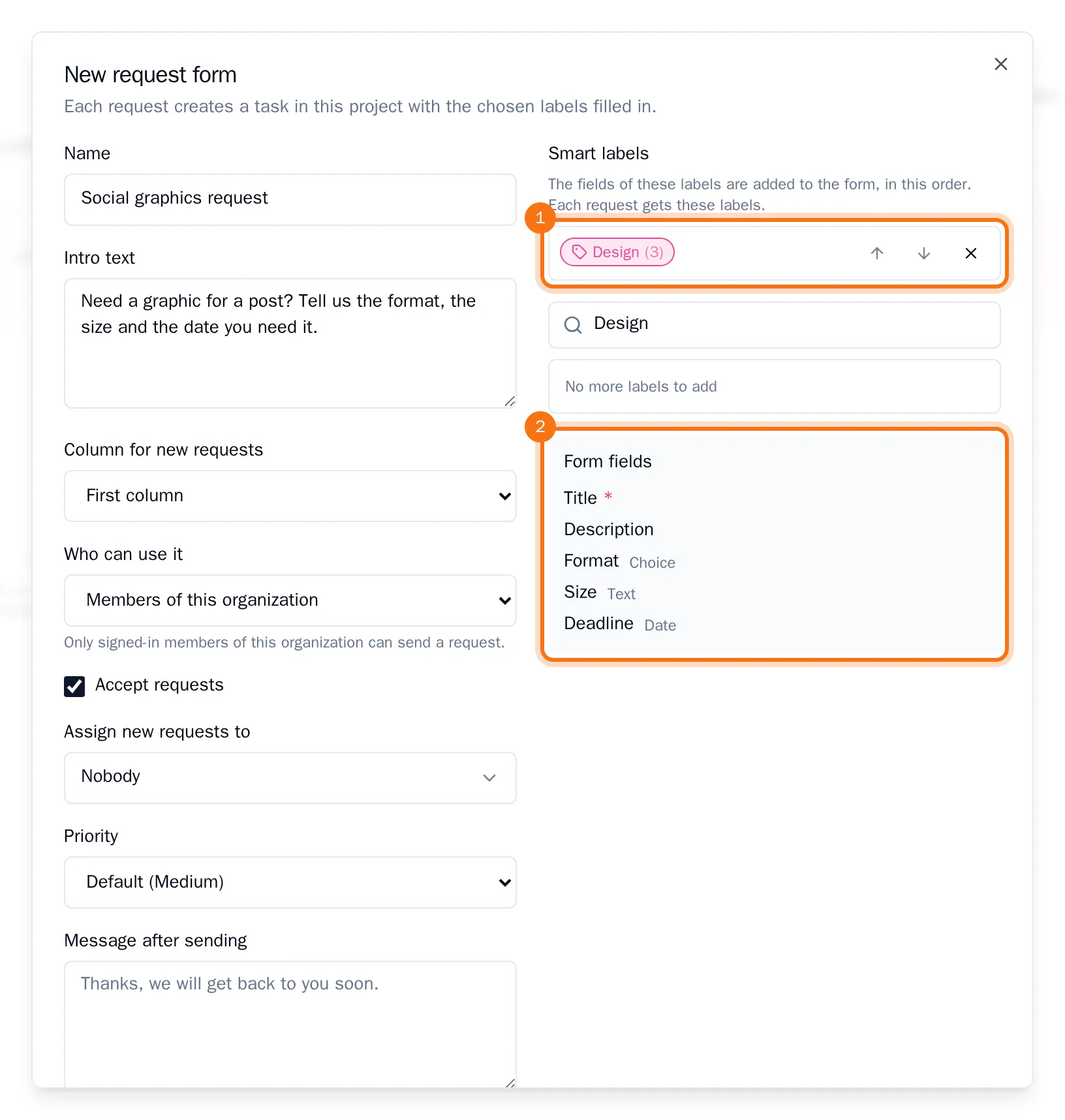
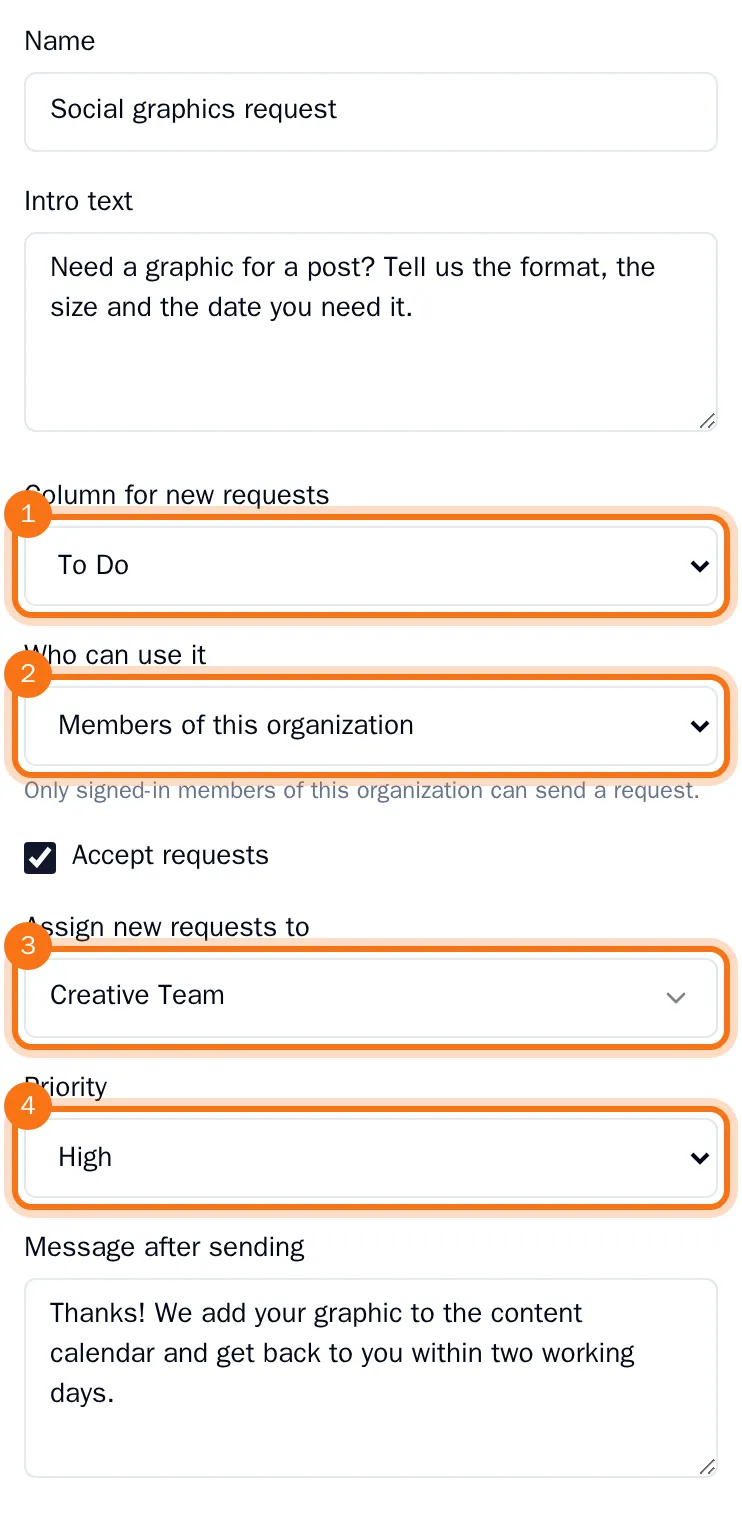
- Set what happens with each new request:
- Column for new requests: the board column the new task goes to.
- Who can use it: Members of this organization, or Anyone with the link to share the form outside your organization.
- Assign new requests to: a person or a team.
- Priority: the priority the new task gets.
- Message after sending: what people read after sending.
- Choose Create.
The form is now on the Forms tab, with the column its requests go to and who gets them. Copy internal link copies the link to share with your colleagues. On the board, the form also shows as a button under its column, so anyone in the project can fill it in from there.
The form always asks for a title and a description first, then the fields of each label, in the order of the labels. Use the arrows next to a label to change the order. File fields are not asked on a form.
Change a form
On the Forms tab, choose the pencil next to the form, change what you need and choose Save. Clear Accept requests to stop taking requests for a while.
Next: Send a request through a form and Share a request form with people outside your organization.