Write a document
Create a wiki-style document in a process and write it with the rich-text editor.
Available onStarterProBusiness
Who can do this: Everyone in the organization
Documents hold the knowledge behind a process: guides, checklists, agendas, style rules. Write them once in the Playbook, and everyone finds them next to the process they belong to.
Owners and admins can write documents everywhere. Other members need full access to the folder through their team (see Give teams access to a folder).
Create a document
- Open the Playbook, then the folder and the process the document belongs to.
- Choose Add below the process, then Document.
- Type the title at the top, where it says Document title....
- Write the document in the editor below. Use the toolbar for headings, lists, tables, images and links. Type # and a few letters to link to a task, another document or an SOP.
- Choose Create Document.
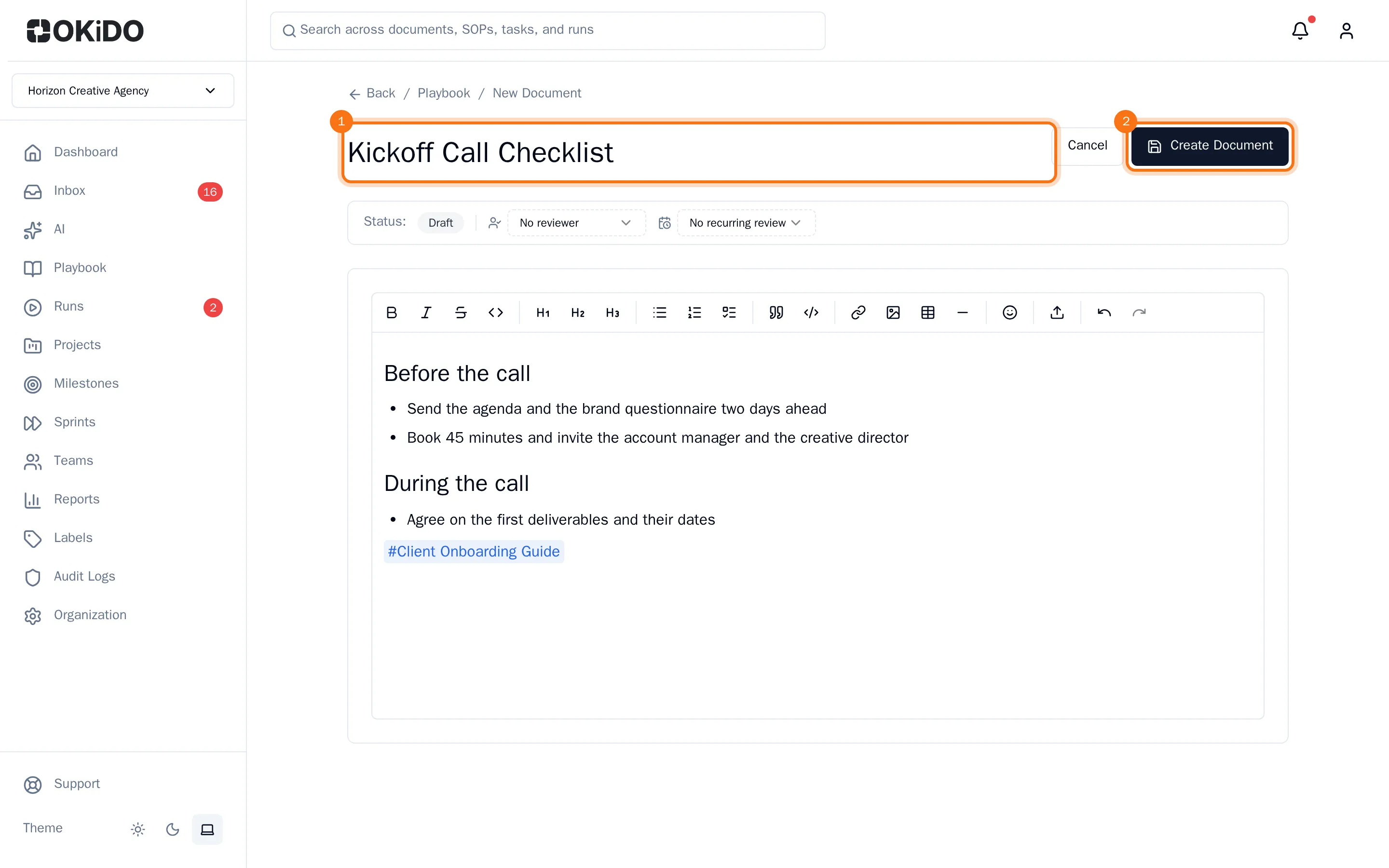
The document opens as readers see it. It starts as a draft: to have it checked and published, see Review and publish a document.
Change a document
- Open the document and choose Edit.
- Make your changes in the editor. You can change the title as well.
- Choose Save.
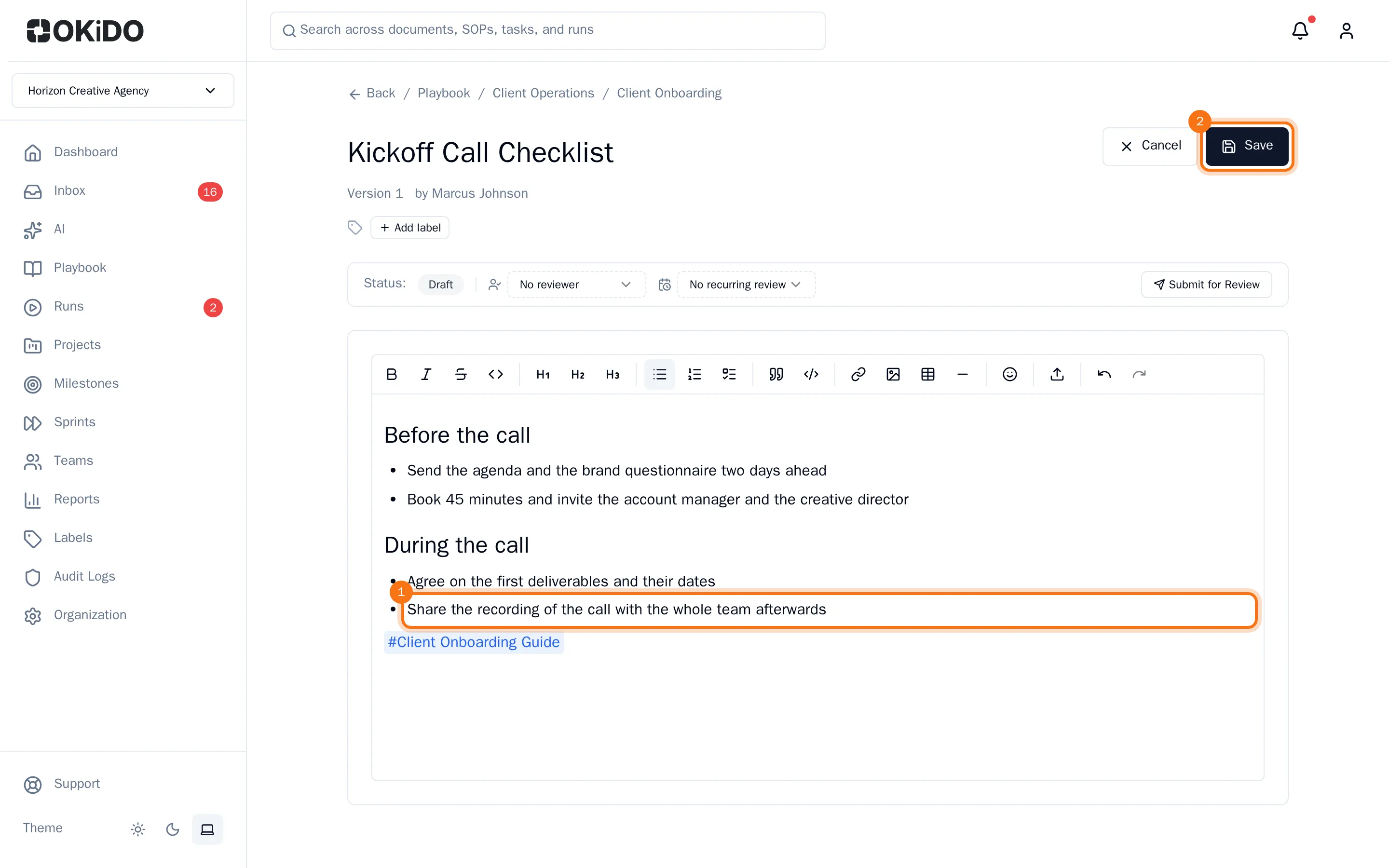
Every save that changes the text adds a version to the document's history, so nothing is lost. See Compare and restore document versions.