Change the language and theme
Switch OKiDO to another language, and choose a light, dark or system theme.
Available onAll plans
Who can do this: Everyone in the organization
OKiDO speaks English, Spanish, French, German, Dutch and Portuguese, and comes in a light and a dark theme. Your language is saved with your account; the theme is saved in each browser you use.
Choose a theme
- At the bottom of the sidebar, next to Theme, choose a button:
- Light mode (the sun) for light colors,
- Dark mode (the moon) for dark colors,
- System mode (the screen) to follow the setting of your computer or phone.
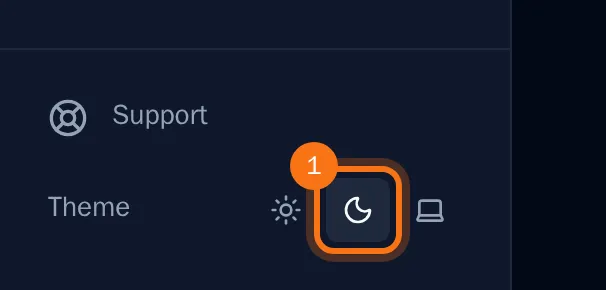
OKiDO changes color right away and keeps your choice in this browser. With the system theme, it switches along when your device switches between light and dark.
Change the language
- Open the account menu (the person icon at the top right) and choose Settings.
- Choose the Preferences tab.
- Under Language, choose your language.

- Choose Save Preferences.
OKiDO switches to the new language at once, and dates and times follow it. Your other devices switch the next time you open OKiDO there.
Tip: Before you sign in, the sign-in page and invitation pages use your browser's language.