Review the audit log
See who signed in and what changed in your organization, and filter the events by action, type and date.
Who can do this: Owner, Admin
The audit log records the security events and changes in your organization: sign-ins, changes to the organization and its members and invitations, and changes to tasks. Use it to find out who did what, and when.
Only owners and admins can see the audit log.
Open the audit log
In the menu on the left, choose Audit Logs. The newest events come first, 20 per page. Each row shows when it happened, who did it, the action and what it applied to.
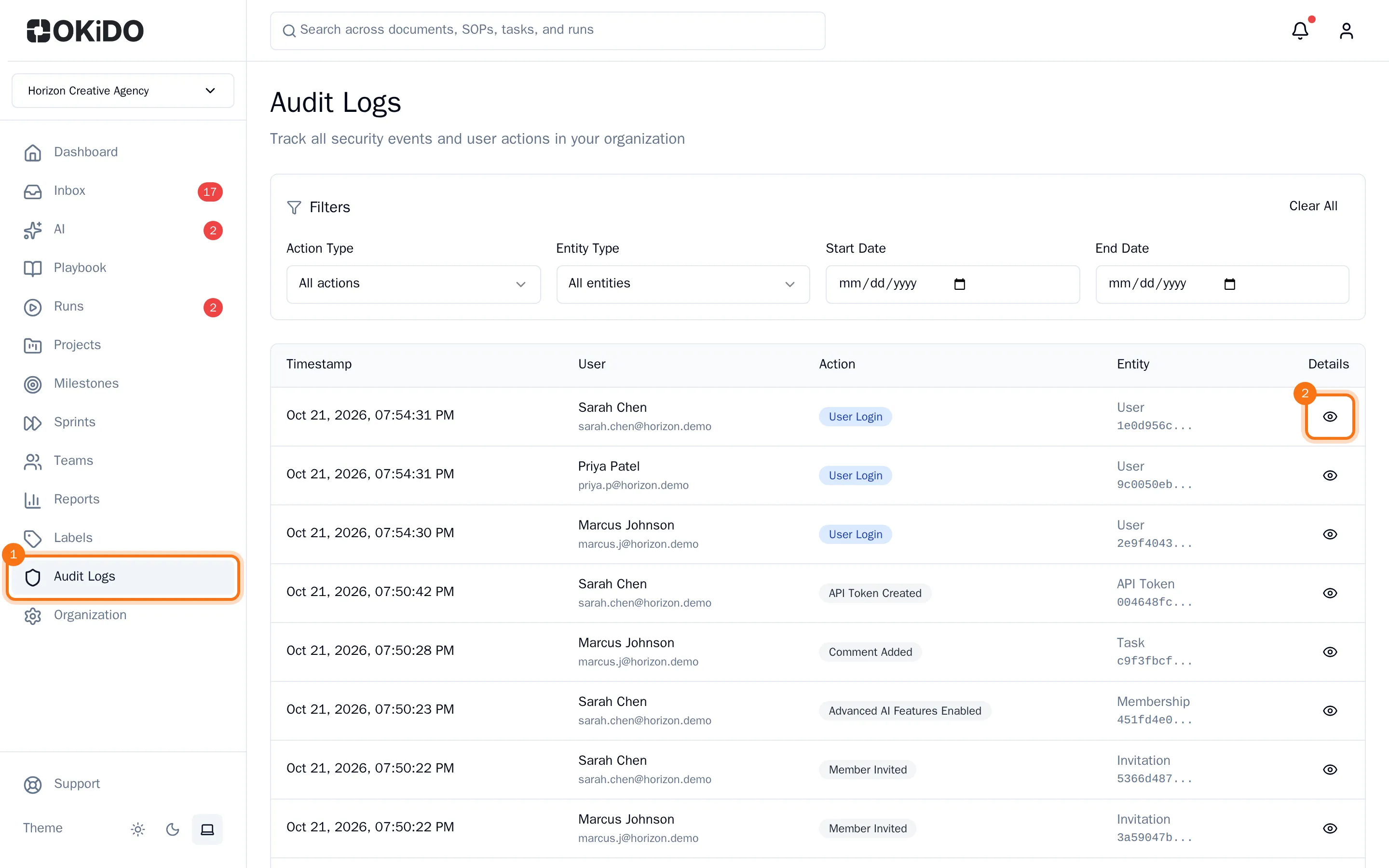
To see everything about one event, choose the eye at the end of its row.
Filter the events
Under Filters, narrow the list down:
- Action Type: one kind of event, such as User Login for sign-ins.
- Entity Type: what the event applied to, such as a user, a membership or a task.
- Start Date and End Date: only events between these days.
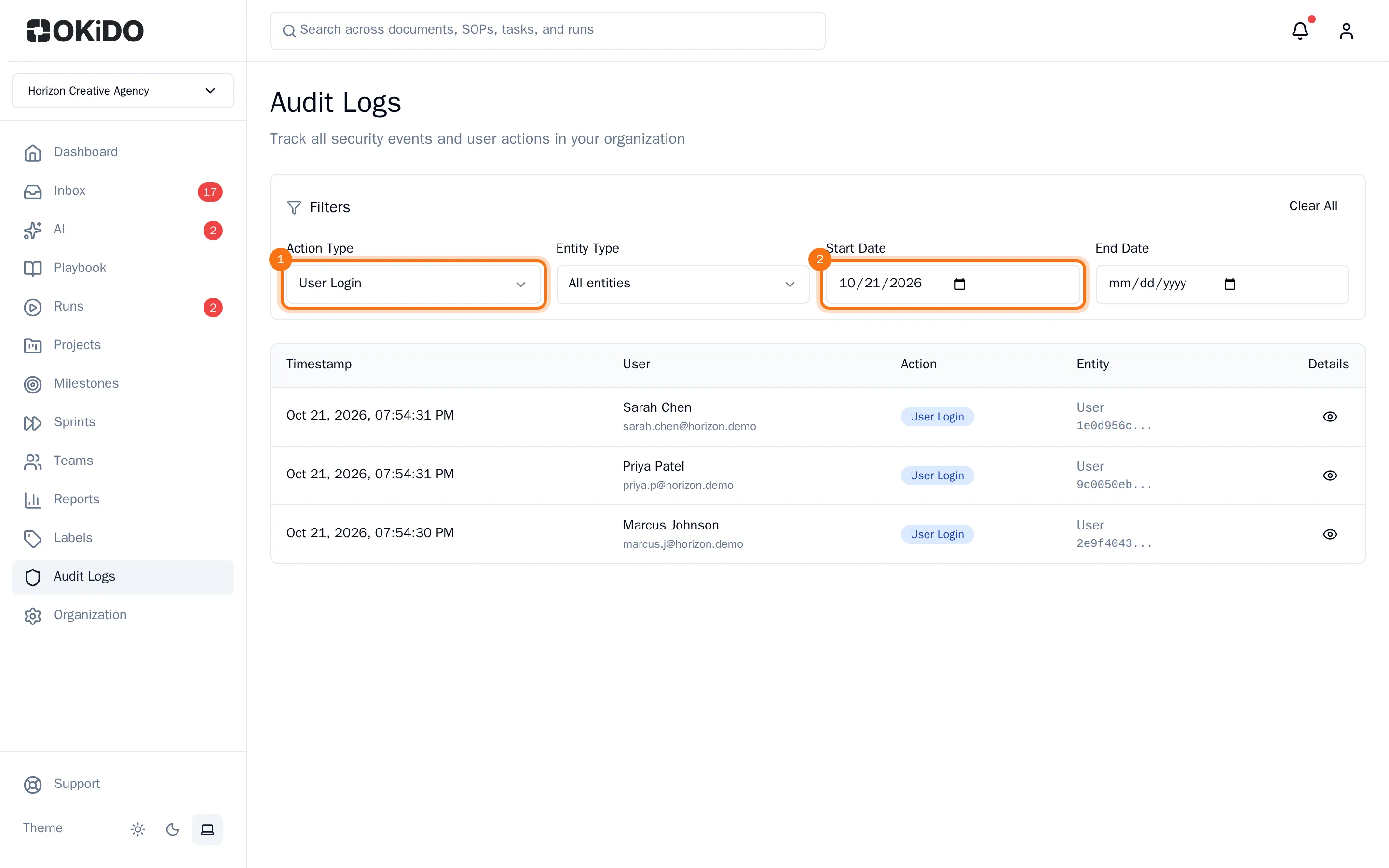
The list updates as soon as you change a filter. Choose Clear All to see all events again.