Save a search
Save a search and its filters under a name, and run it again from Saved Searches.
Available onAll plans
Who can do this: Everyone in the organization
Do you look for the same things every week, such as your team's urgent tasks? Save the search with its filters under a name, and run it again with one click. Your saved searches are yours; nobody else sees them.
Save a search
- Search for what you need and set the filters on the search page (see Find anything with Ctrl+K).
- Choose Save Search next to the search box.
- Enter a Search Name, for example "Urgent client work".
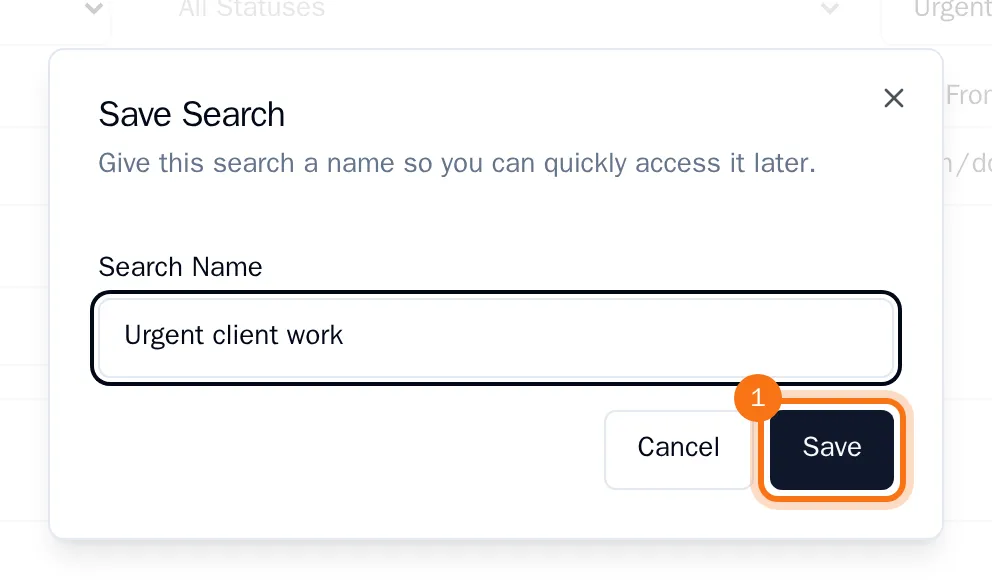
- Choose Save.
OKiDO saves the search words together with all the filters you set.
Run a saved search
- On the search page, choose Saved.
- Under Saved Searches, choose the search you want.
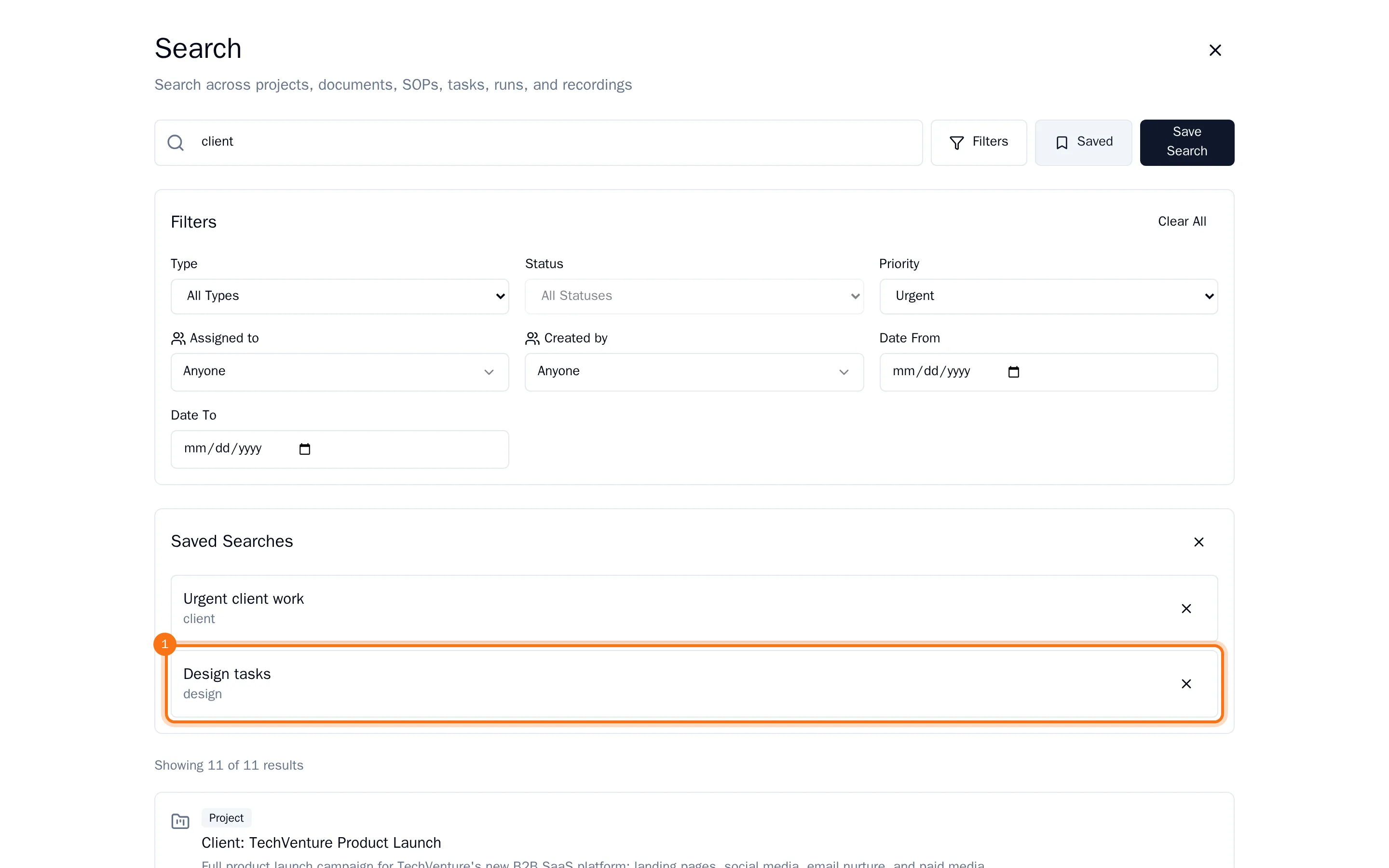
The search words and filters are set again, and the results show what matches today.
Delete a saved search
- Choose Saved, then the cross next to the saved search.
- Confirm with Delete.