Have @copilot build a capability
Describe a new ability for your agents in plain language, and let @copilot specify, build and test it before it goes live.
Who can do this: Owner, Admin
Sometimes your agents need to do something no tool or skill covers yet, such as fetching campaign results from your ad accounts. In the Capability Factory you describe what they should be able to do, and @copilot turns it into a capability: it writes a specification, builds and tests it, and waits for your approval before agents can use it.
The Capability Factory is part of the Pro and Business plans.
Request a capability
- In the menu on the left, choose AI, then the Capabilities tab.
- Choose New Capability.
- Give the capability a Name and describe under What should it do? what it should do, in plain language.
- If it works with another app, choose Add Application, search for the app and pick how it signs in. No passwords or keys are shared; @copilot only learns which fields the login has.
- Choose Submit Request.
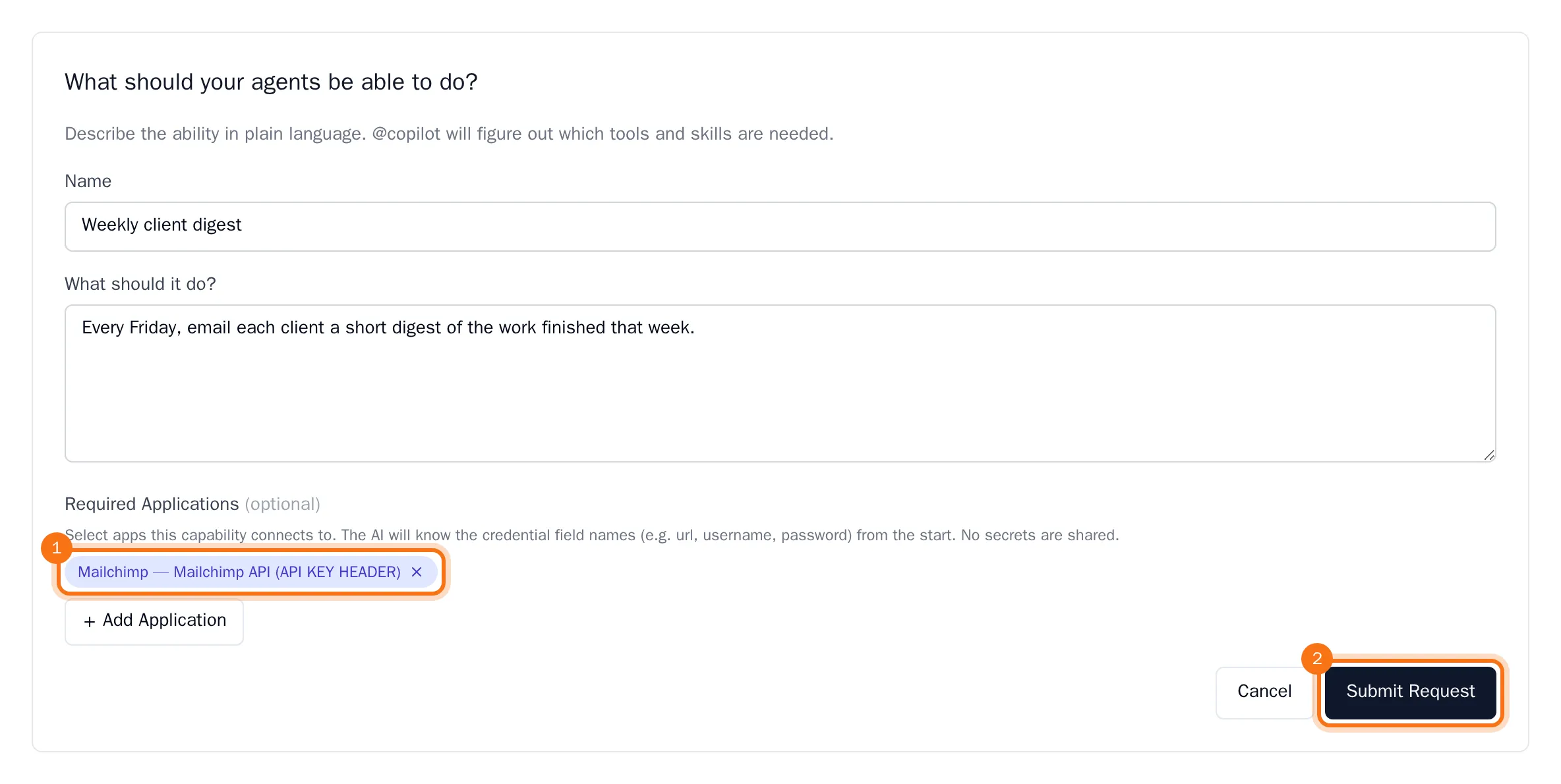
The capability is added to the list, and @copilot starts drafting its specification.
Follow and approve the capability
The bar at the top of the Capability Factory shows how many capabilities are in each stage, from Requested to Live; choose a stage to see only those. Each capability shows its stage and how many agents use it.
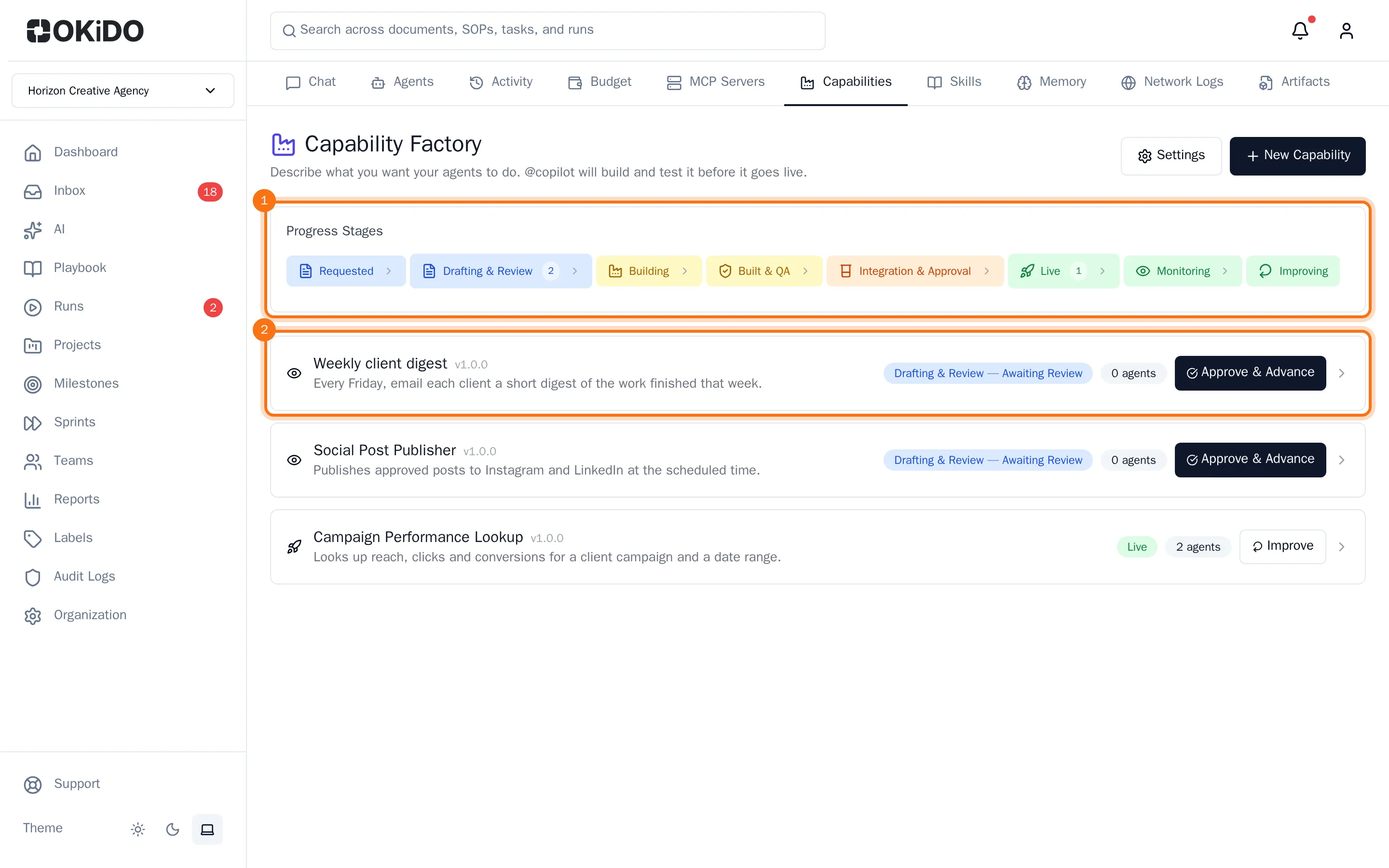
When the specification is ready, the capability waits for you under Drafting & Review.
- Choose the capability to open it. You see your request, the specification @copilot wrote and its own review of it.
- To change something, write your comments under Human Review & AI Iteration and choose Rewrite Spec with AI, or Save Review to only keep your notes.
- When the specification is right, choose Approve & Advance.
@copilot then builds the capability, checks and tests it, and asks for your approval once more before it goes Live. A live capability shows the agents that use it; choose Improve to send it back with feedback.
Tip: Changed your mind about a request? Open it and choose Delete. A capability that is live cannot be deleted.