Approve a step in a run
Approve, reject or request changes on a run step that waits for your approval, so the run can go on.
Who can do this: Everyone in the organization
A step with an approval gate waits for its approvers. Until enough of them approve, nobody can mark the step complete and the steps after it stay locked. To set up such a step, see Add an approval gate to a step.
See what a run waits for
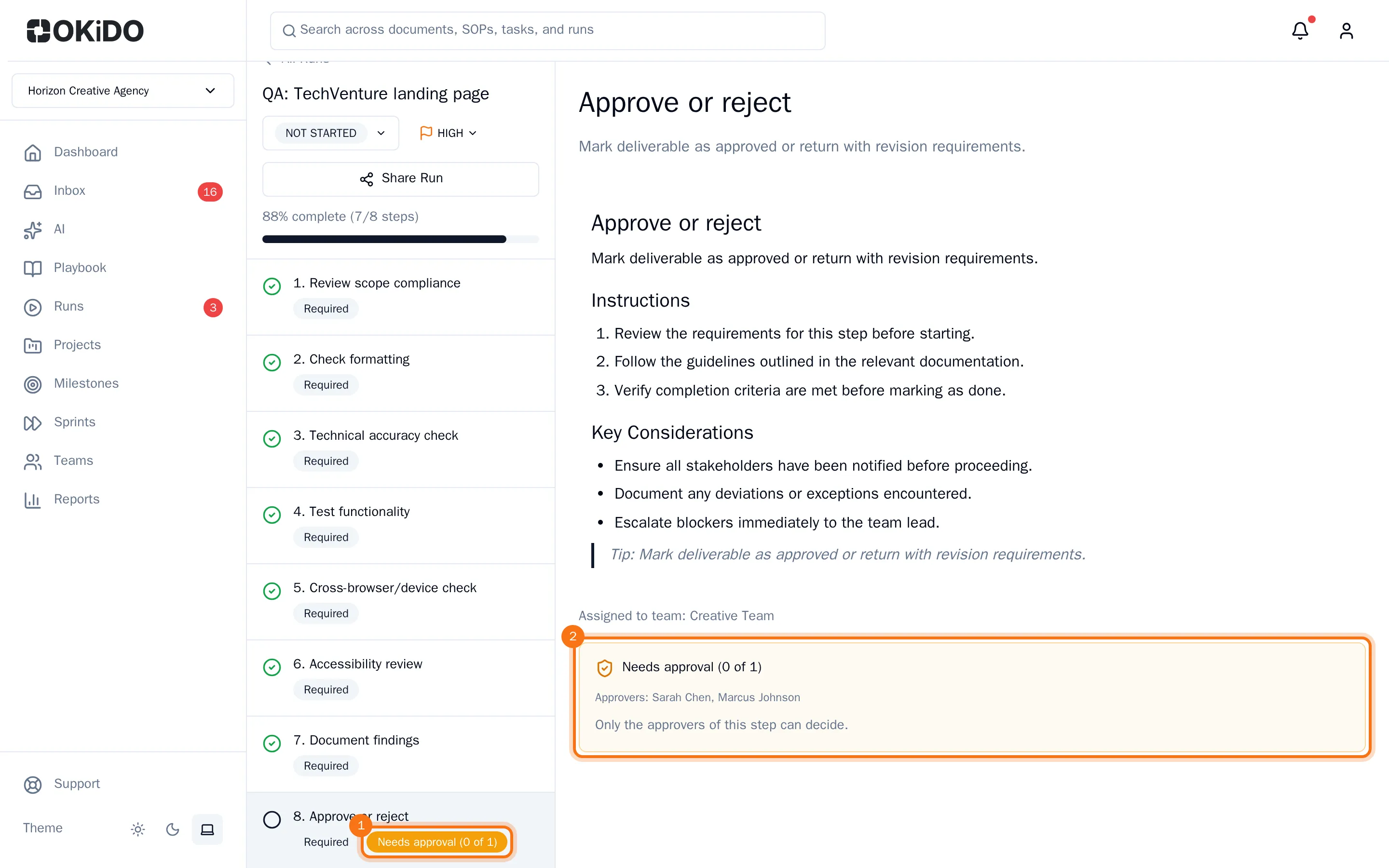
When a run reaches a step with a gate, its approvers get a notification in their Inbox, under Approvals Pending.
Everyone can see on the run what it waits for. In the list of steps, the step shows how many approvals it has and needs. Select the step to see who can approve it and the decisions so far.
Approve, reject or request changes
Only the approvers of a step can decide.
- Open the run and select the step that waits for your approval.
- Add a note if you like.
- Choose Approve, Request changes or Reject.
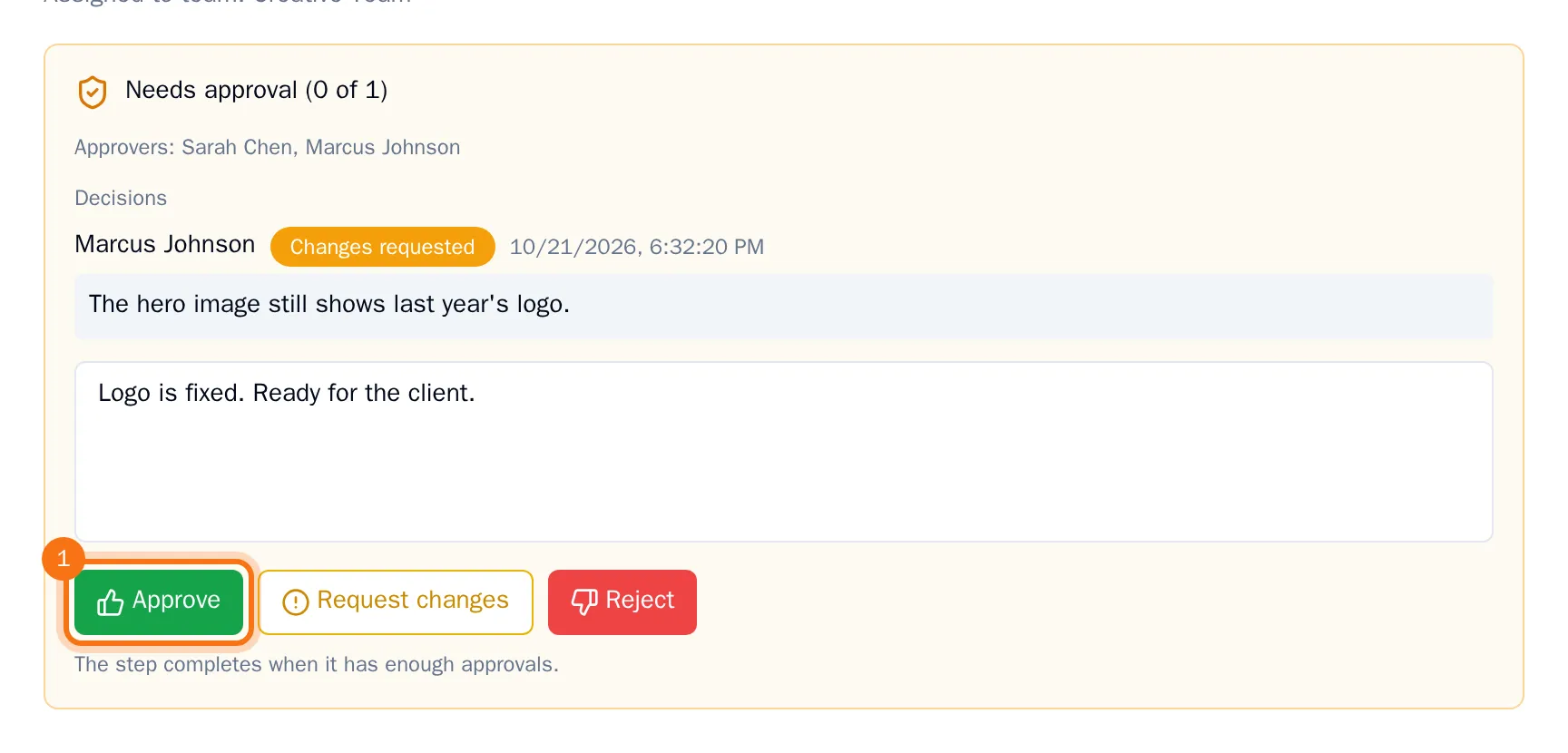
When the step has enough approvals, it completes on its own and the next steps unlock. If it was the last open step, the run is completed as well.
Request changes and Reject keep the step waiting. Your decision and note show on the step, and the person who started the run gets a notification. Changed your mind? Choose another button: your new decision replaces the old one.