Get help from support
Open a support ticket, follow the conversation and reply to the OKiDO support team.
Who can do this: Everyone in the organization
Stuck, found a bug or missing a feature? Open a support ticket in OKiDO. The support team answers in the ticket, and you keep the whole conversation in one place.
Open a ticket
- Choose Support at the bottom of the sidebar (on a phone: More, then Support).
- Choose New Ticket.
- Enter a Subject, choose a Category if one fits, and describe the issue under Description. Choose Add screenshots or files to attach screenshots or files.
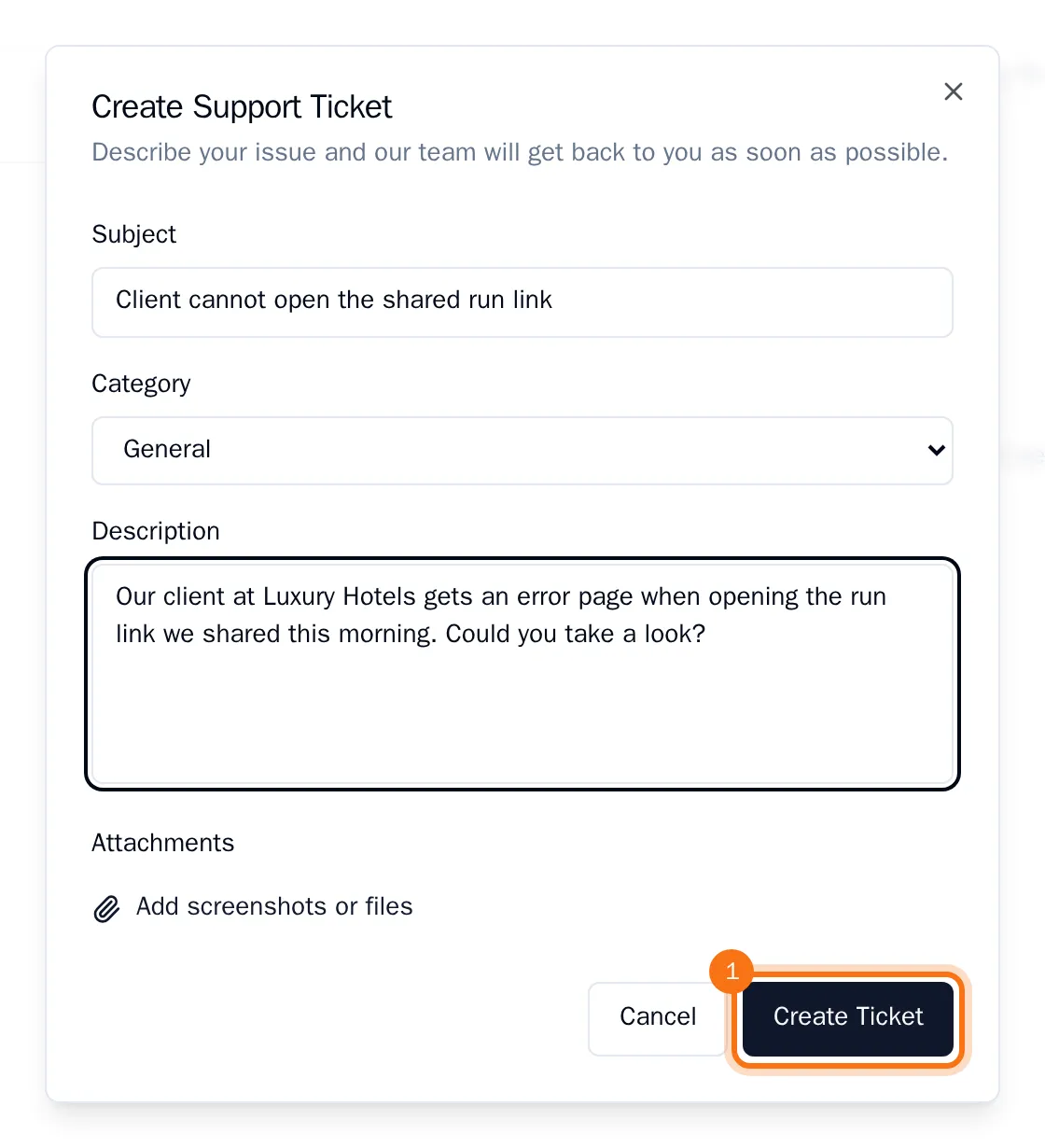
- Choose Create Ticket.
Your ticket appears in the list as Open. The list shows the status of each ticket, when it was last updated and how many messages it has.
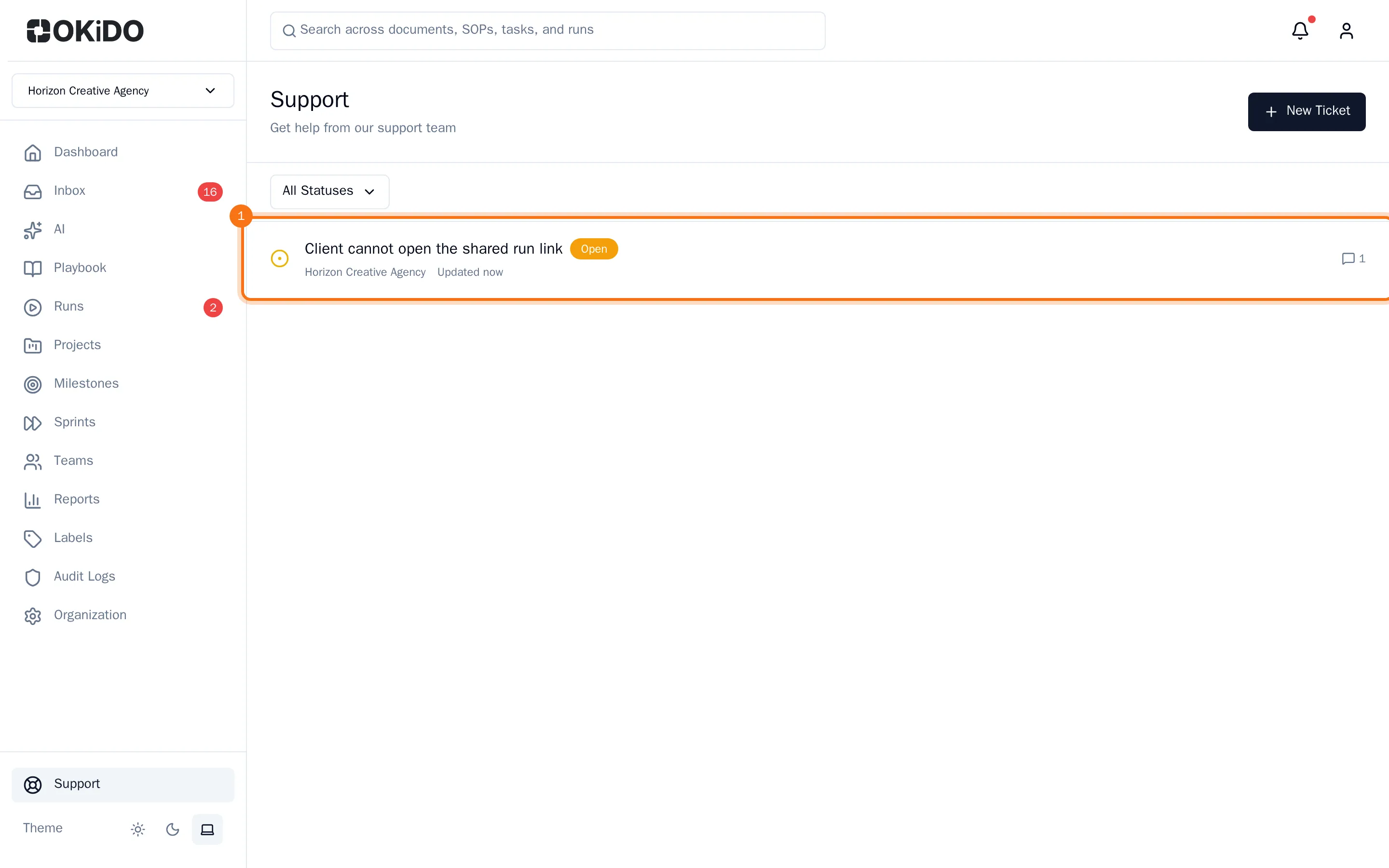
Follow the conversation and reply
- Choose the ticket in the list. The support team's answers are on the left, marked Support Team; your messages are on the right.
- Type your reply in the box below the conversation.
- Choose the send button next to the box, or press Ctrl+Enter.
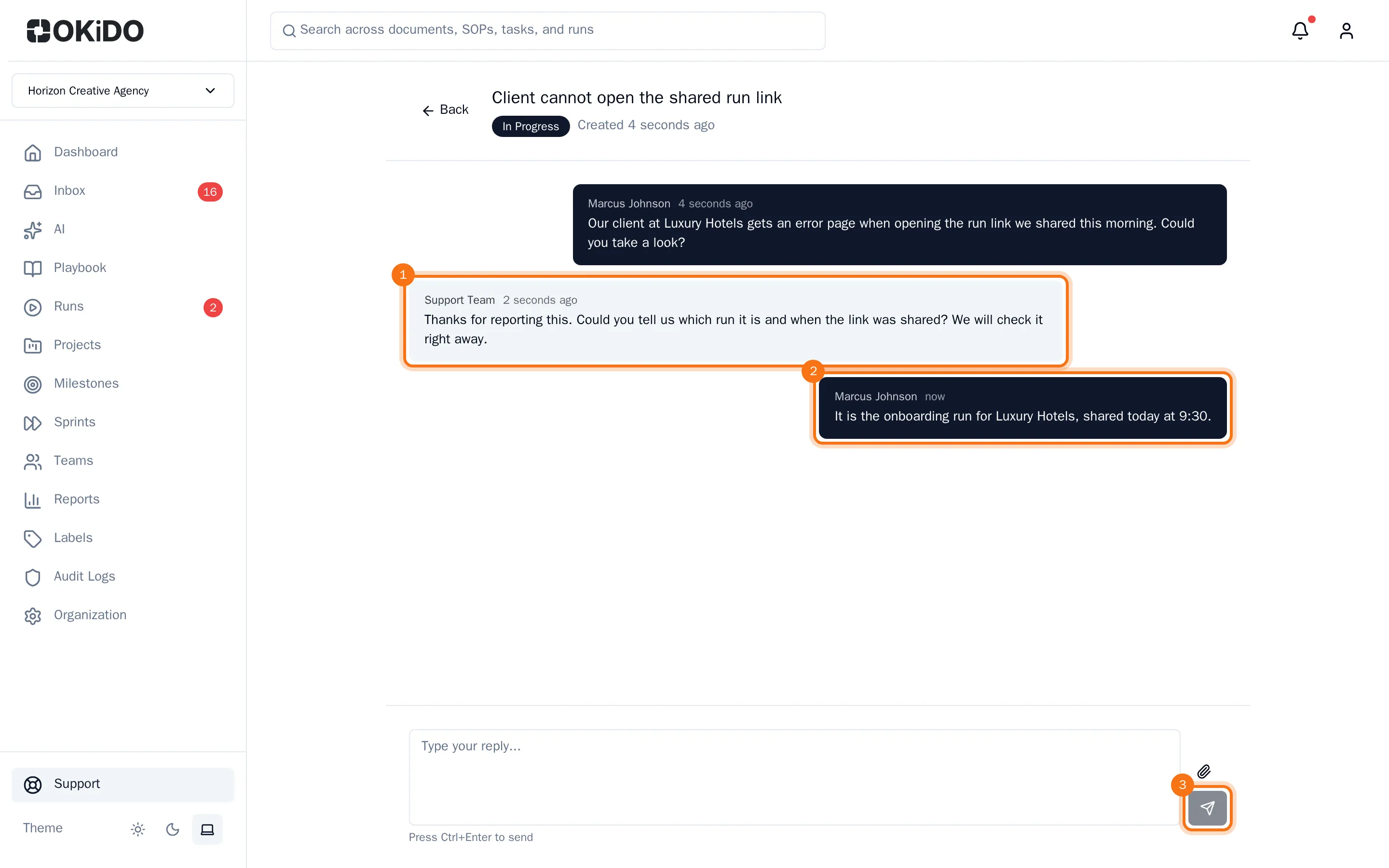
Your reply is added to the conversation. When the support team takes up your ticket, its status changes to In Progress, and later to Resolved or Closed. Use All Statuses above the list to show only tickets with one status.
Tip: A closed ticket takes no more replies. Have a new question about the same topic? Open a new ticket.