Archive or delete a project
Archive a finished project to hide it from the project list, or delete a project with all its tasks for good.
Available onStarterProBusiness
Who can do this: Owner, Admin
When a project is finished, archive it to keep the project list short. Delete a project only when you want it and everything in it gone. Only organization owners and admins can archive or delete projects.
Archive a project
- Open the project and choose the archive button (the box) at the top right.
- Choose Archive Project.
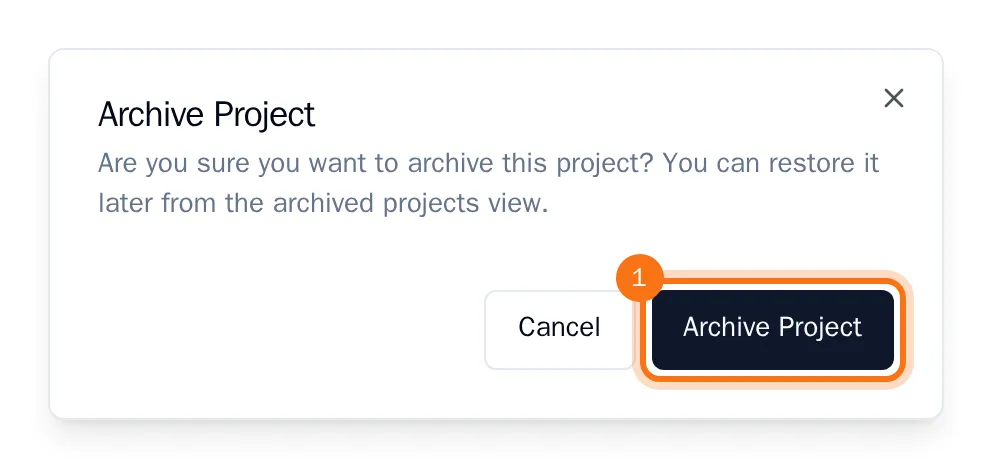
OKiDO takes you back to the project list, and the archived project no longer appears in it. Its tasks are kept.
Tip: OKiDO has no list of archived projects yet, so you cannot bring one back from the app. Archive only projects that are really finished.
Delete a project
- Open the project and choose the red delete button (the bin) at the top right.
- Choose Delete Project.
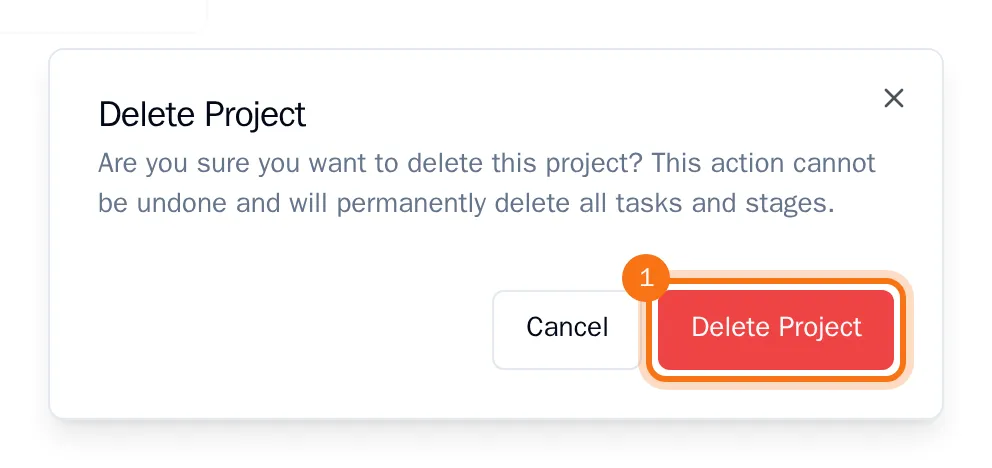
The project is deleted with all its tasks and columns. This cannot be undone.