Follow up on an approval you asked for
See who still has to decide, get notified when the approval is decided and ask again after you have made changes.
Who can do this: Everyone in the organization
Once you have asked people to approve a task, the task shows where things stand: who has approved, who still has to decide and what someone asked you to change. OKiDO tells you when the approval is decided, and after you have made the changes you can ask again. To ask for an approval in the first place, see Request an approval.
See who still has to decide
On the board, a task that waits for approval has a colored border and a shield icon in front of its title:
- Amber: people still have to decide.
- Orange: someone requested changes.
- Red: someone rejected it.
When everyone has approved, the border goes back to normal and a green check shows in front of the title. Point at the icon to see the names, for example who requested changes.
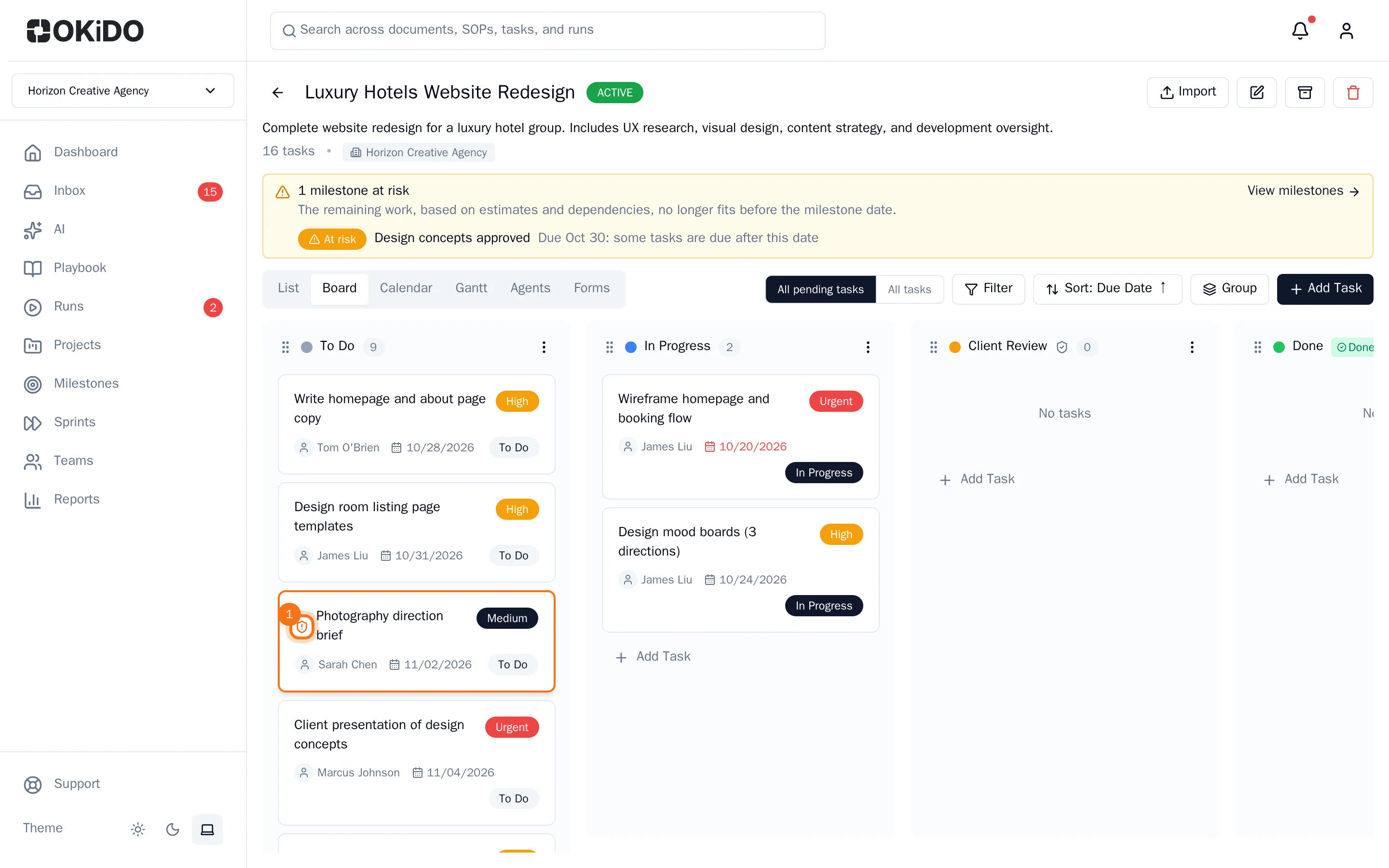
Open the task for the details. The Approval Required panel lists everyone you asked, with their decision (Waiting, Approved, Changes requested or Rejected), the date they decided and the note they left.
Get notified when it is decided
You get a notification as soon as the approval is decided: when the last person approves, or as soon as one person requests changes or rejects it. The person the task is assigned to gets one too. An approval while others still have to decide shows in the task, without a notification.
- Choose Inbox in the sidebar.
- Choose Approvals Decided.
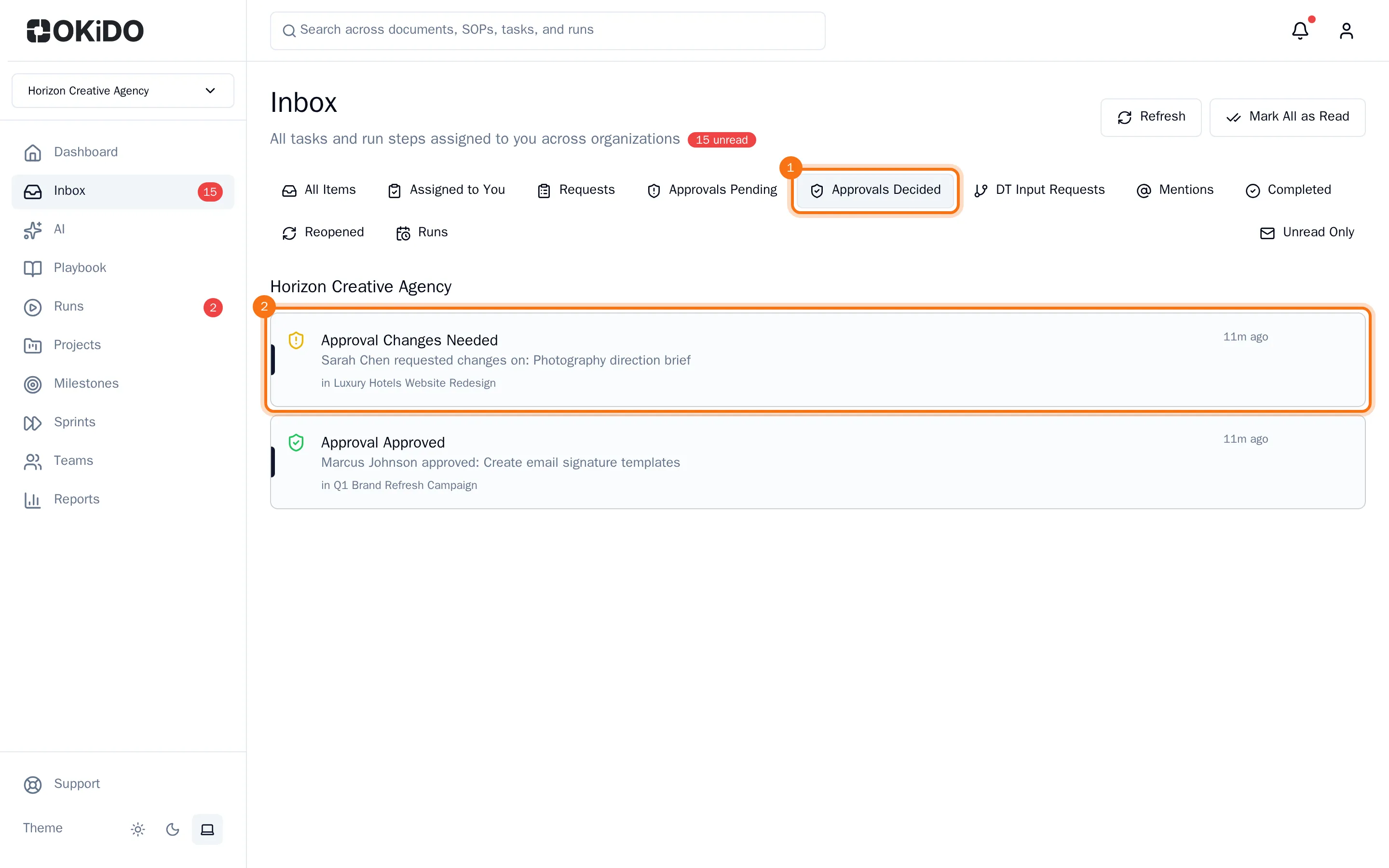
- Choose a notification to open its task.
When everyone has approved, the task is completed on its own and the tasks waiting for it can start.
Ask again after changes
- Make the changes, then open the task.
- In the Approval Required panel, choose Ask again.
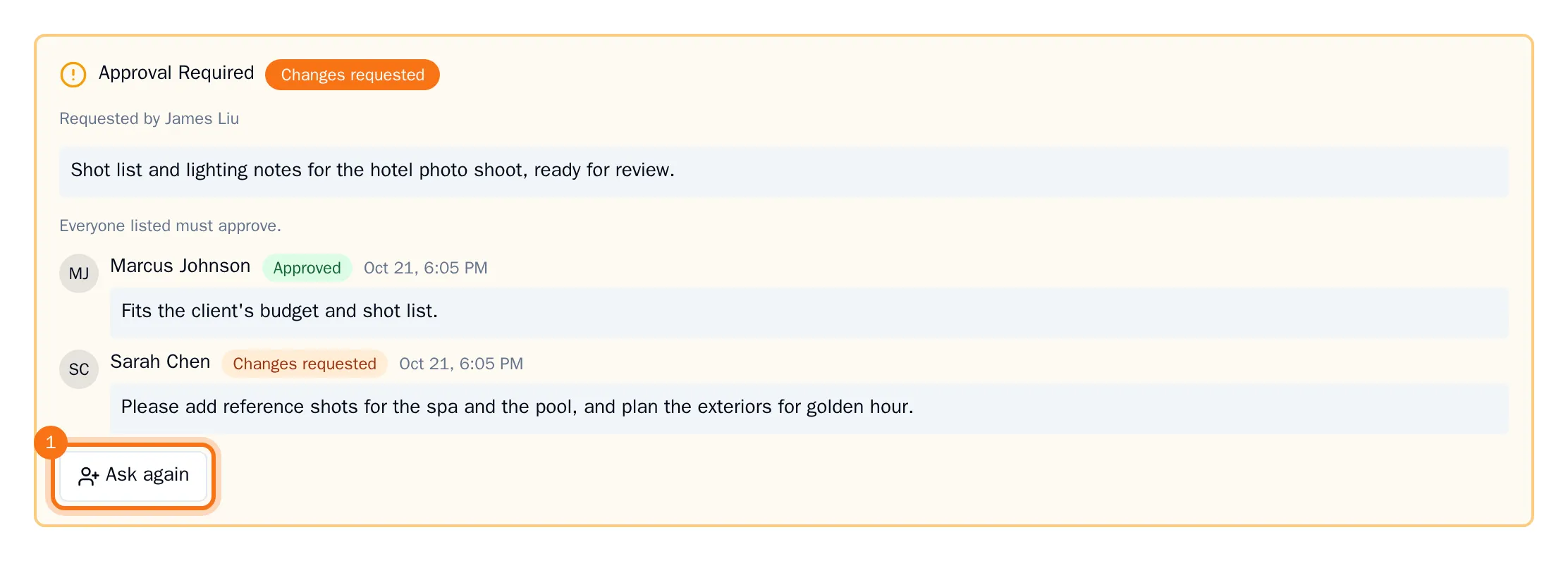
- The people you asked last time are already selected. Clear anyone who does not need to look again, select anyone else who should, and add a note about what you changed.
- Choose Send request.
Everyone you selected has to decide again, including the people who approved before. They get a new request in their inbox, and the task waits for approval again. People you cleared are no longer asked.
Only the person who asked for the approval, or an organization owner or admin, can ask again.