Refer someone to OKiDO
Share your referral code or ready-made links, and keep track of your referrals and rewards.
Who can do this: Everyone in the organization
Know a team that would like OKiDO? Share your personal referral link. When someone signs up through it and becomes a paying customer, you earn a reward: a $100 gift card, and after your first successful referral a one-hour strategy session with the OKiDO founding team.
Share your referral link
- Open the account menu (the person icon at the top right) and choose Referrals. (It is also a tab in your settings.)
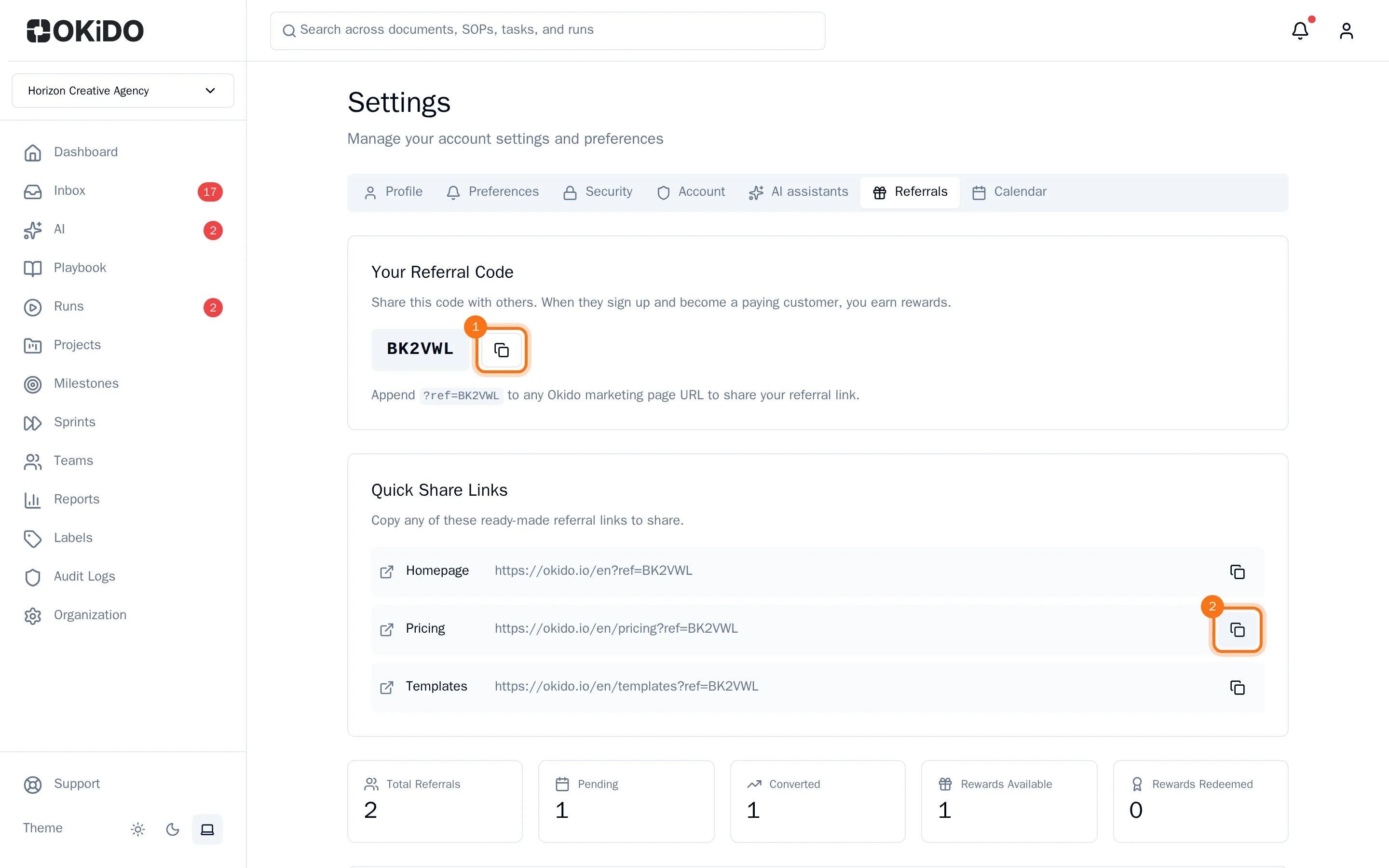
- Under Your Referral Code, choose the copy button next to your code to copy it.
- Or, under Quick Share Links, choose the copy button next to a ready-made link: the OKiDO homepage, the pricing page or the templates.
- Paste the link into an email or message to the person you want to refer.
Anyone who opens your link and then signs up counts as your referral. You can also add ?ref= and your code to the web address of any page on the OKiDO website.
Keep track of your referrals
Further down the Referrals tab you see how many people you referred, how many of them are still Pending and how many Converted (became paying customers), and the rewards you earned.
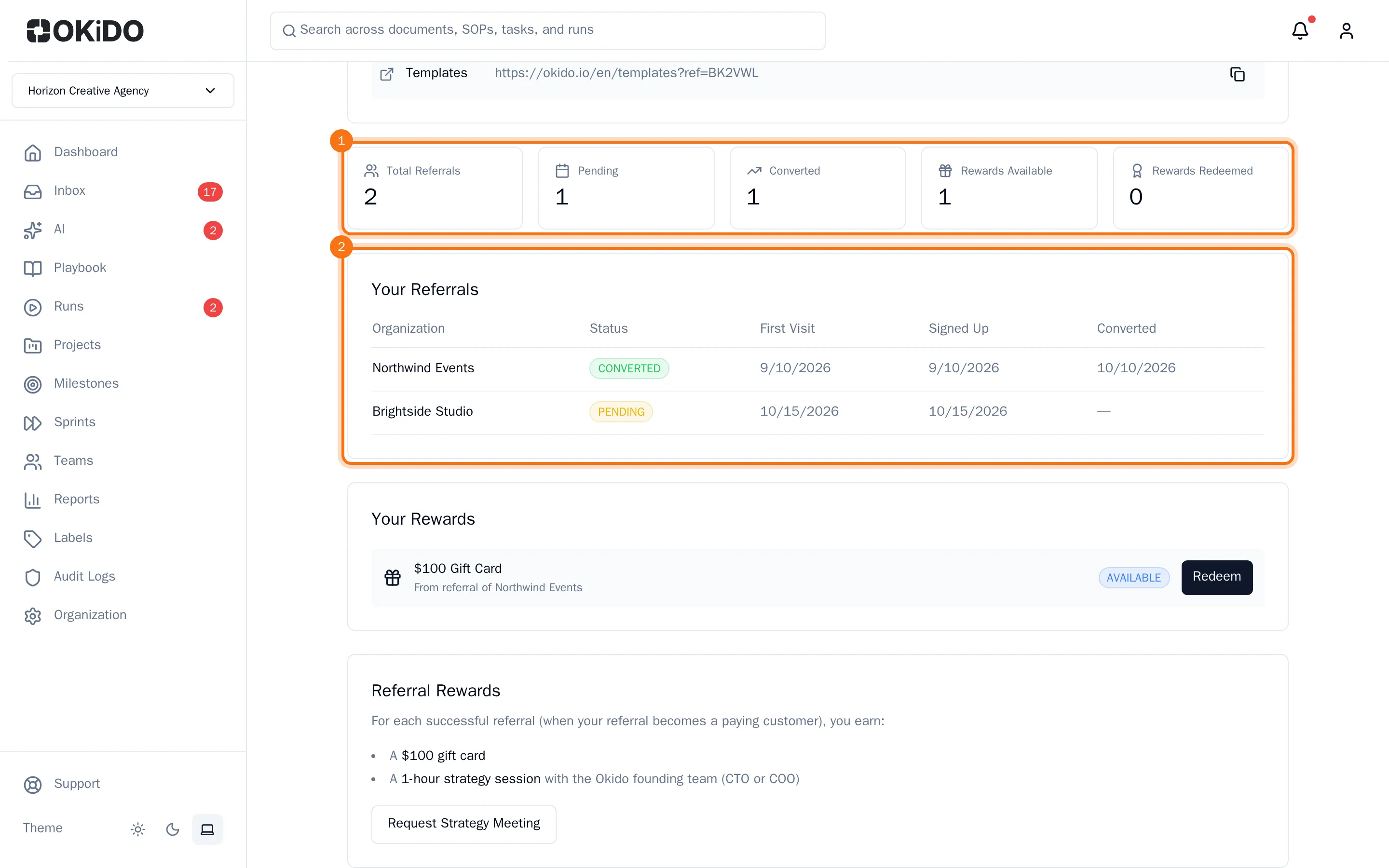
Each referral in Your Referrals shows the organization that signed up, its status, and when it first visited, signed up and converted.
Claim your rewards
- Under Your Rewards, choose Redeem next to a gift card.
- After your first successful referral, choose Request Strategy Meeting to plan your strategy session.
The OKiDO team follows up with you to send the gift card or schedule the session. Each request appears as a ticket under Support, so you can follow it there (see Get help from support).