Review agent activity, artifacts and network logs
See what your agents are doing and have done, open the reports and files they made, and check every request they sent outside OKiDO.
Who can do this: Owner, Admin
Every time an agent works, OKiDO records a run: what started it, what the agent read and did, how many tokens it used and what it produced. Three pages under AI let you follow this: Activity for the runs, Artifacts for what the agents produced and Network Logs for the requests they sent to other websites.
See what agents did
- In the menu on the left, choose AI, then the Activity tab.
- Choose History. The Active tab shows the runs that are still going and what waits for approval.
- Narrow the list down if you like: search the runs, or pick a status such as Failed or an agent.
- Choose a run to open it.
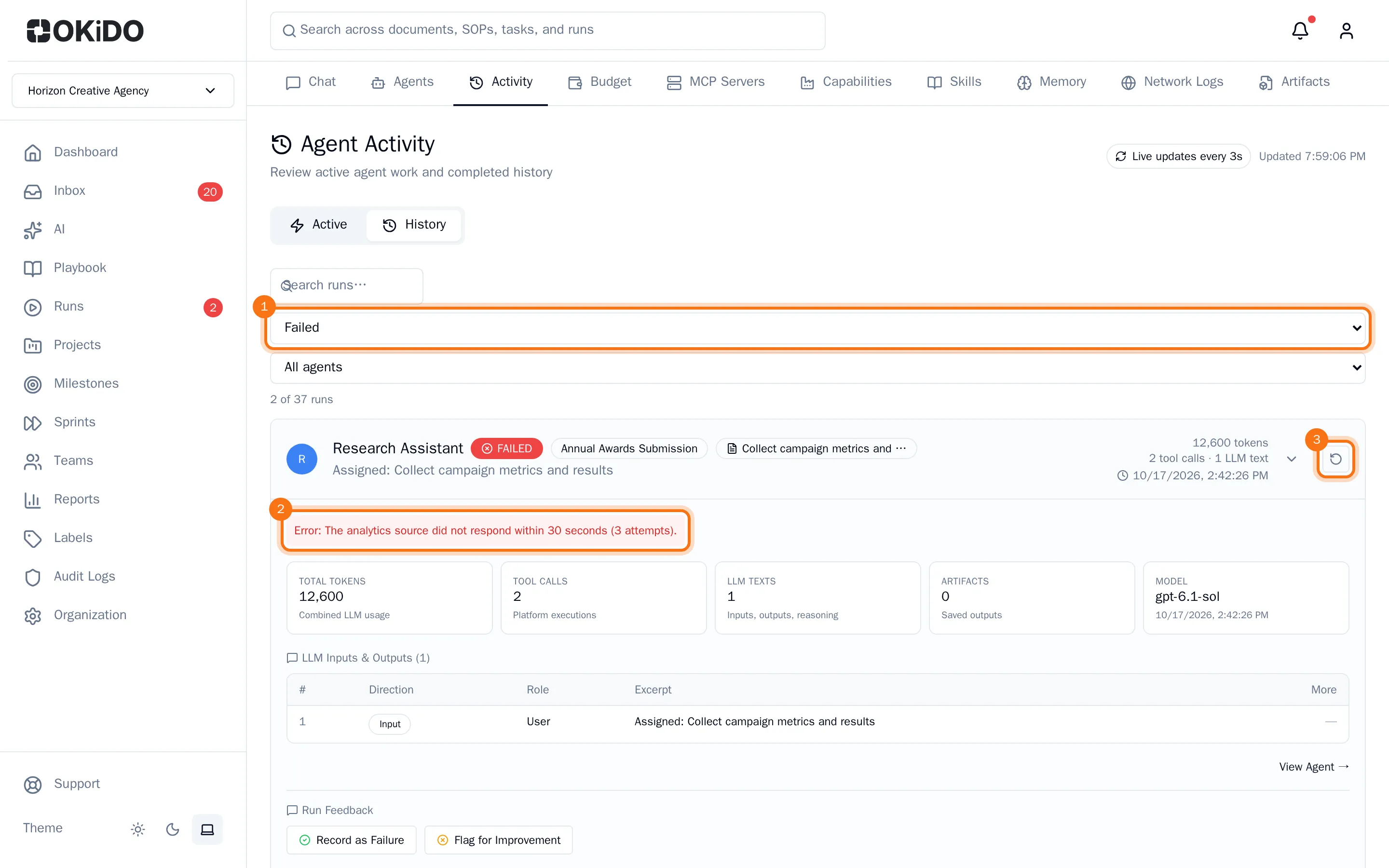
An open run shows its tokens, tool calls and saved outputs, what the agent was asked and answered, and the tool calls it made. A failed run shows what went wrong. To try it again, choose Retry run (the round arrow next to the run). View Agent → opens the agent that did the run.
The page updates itself every few seconds, so you can watch a run while it works.
Open what agents produced
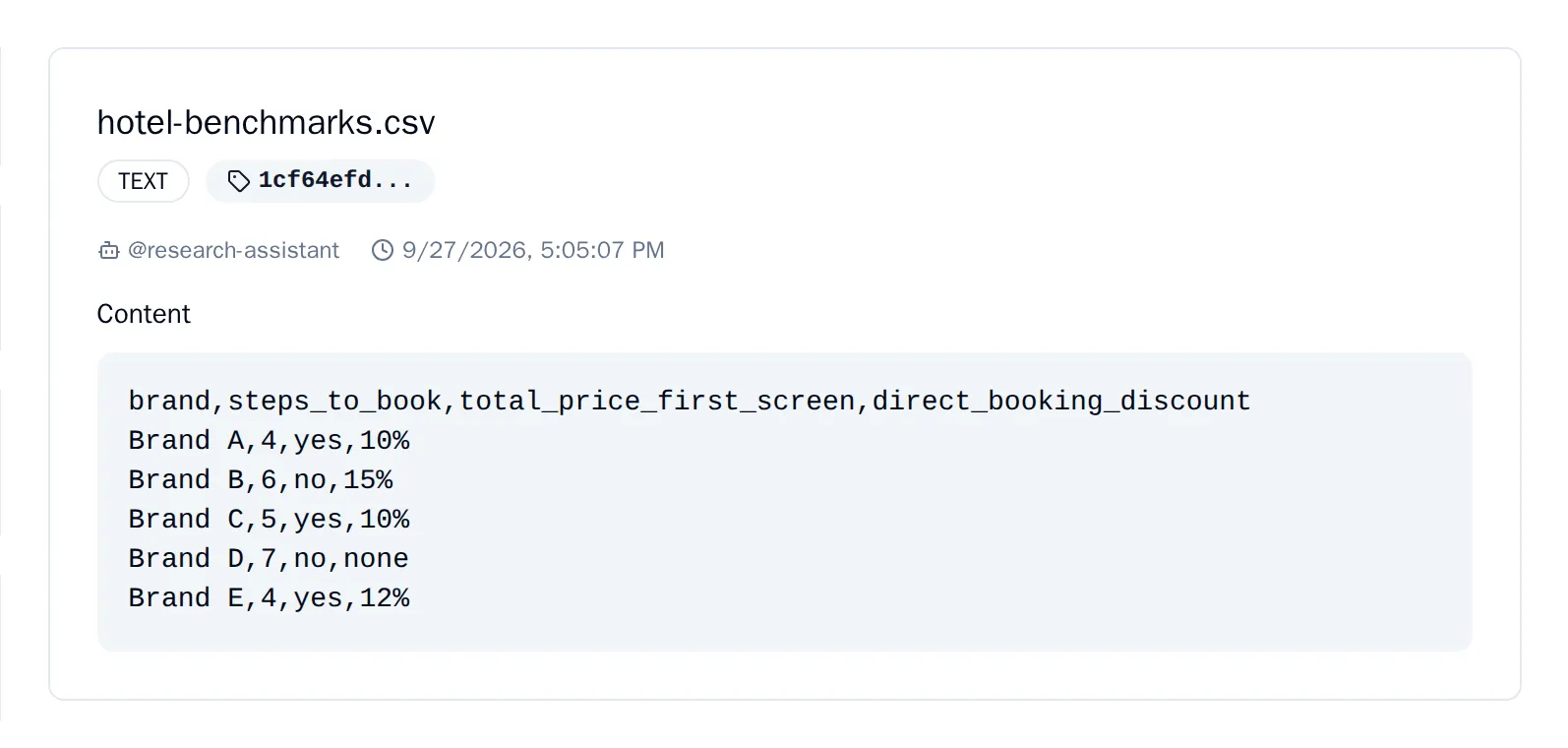
Agents save their reports, drafts and data files as artifacts.
- Choose the Artifacts tab.
- Choose an artifact in the list. Use the buttons above the list to show only one type, such as REPORT.
The artifact opens on the right with the agent that made it, when, and its content.
Check requests to other websites
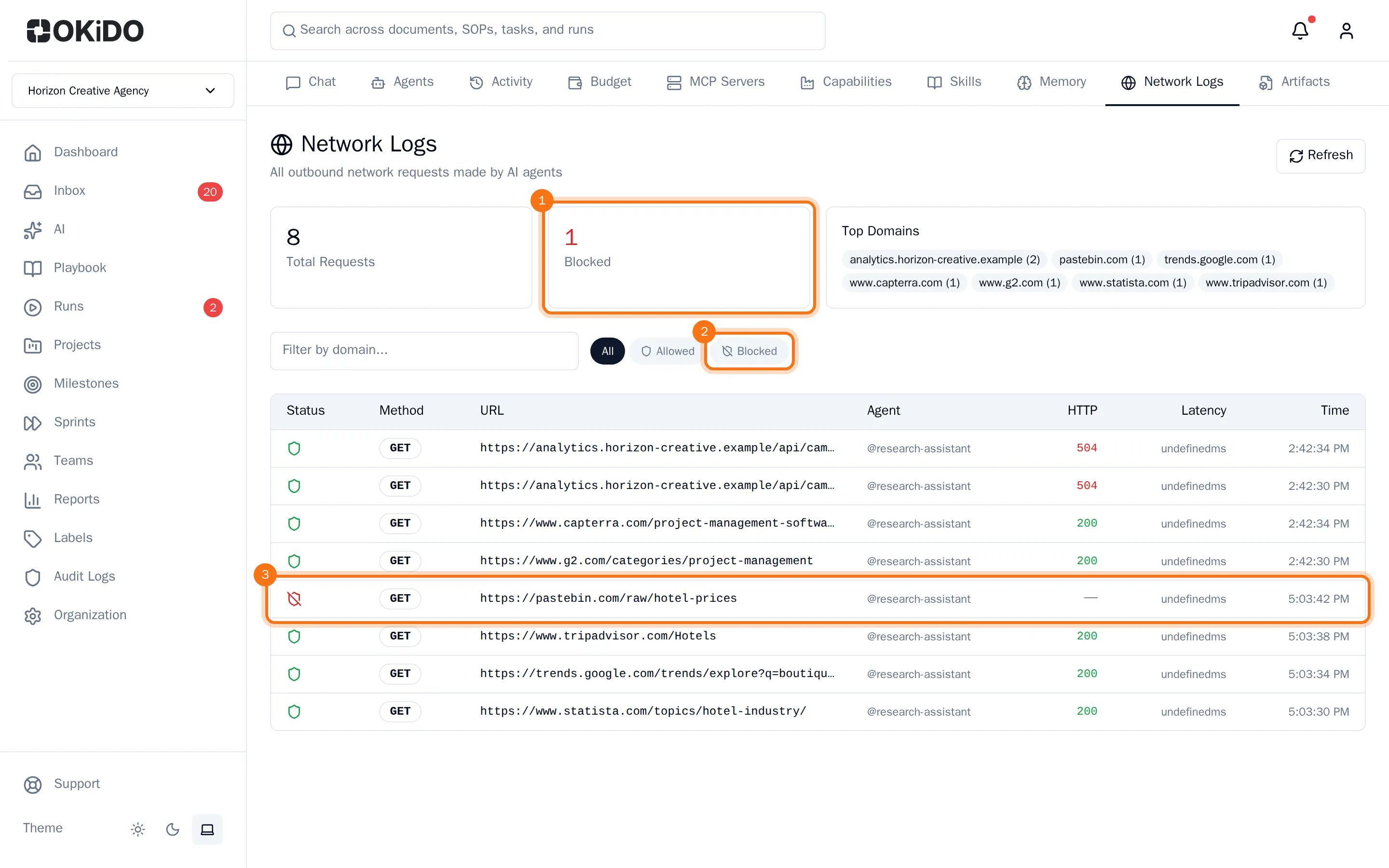
- Choose the Network Logs tab.
The page counts all requests and the Blocked ones, and shows the websites agents visit most. The list shows each request with its address, the agent that sent it and the answer it got; a red shield marks a request OKiDO blocked because the website is not on the agent's list of allowed sites. Choose Blocked to see only those, or type a website in Filter by domain....