Share a request form with people outside your organization
Open a request form to anyone with the link, so customers can send requests without signing in.
Who can do this: Owner, Admin
A public request form lets customers and other people outside your organization send you a request without an account. Put the link on your website or in an email, and every request lands as a task in your project, with the sender's name and email.
Only organization owners and admins can make a form public, on a paid plan.
Make the form public
- Open the project, choose the Forms tab and choose the pencil next to the form.
- Under Who can use it, choose Anyone with the link.
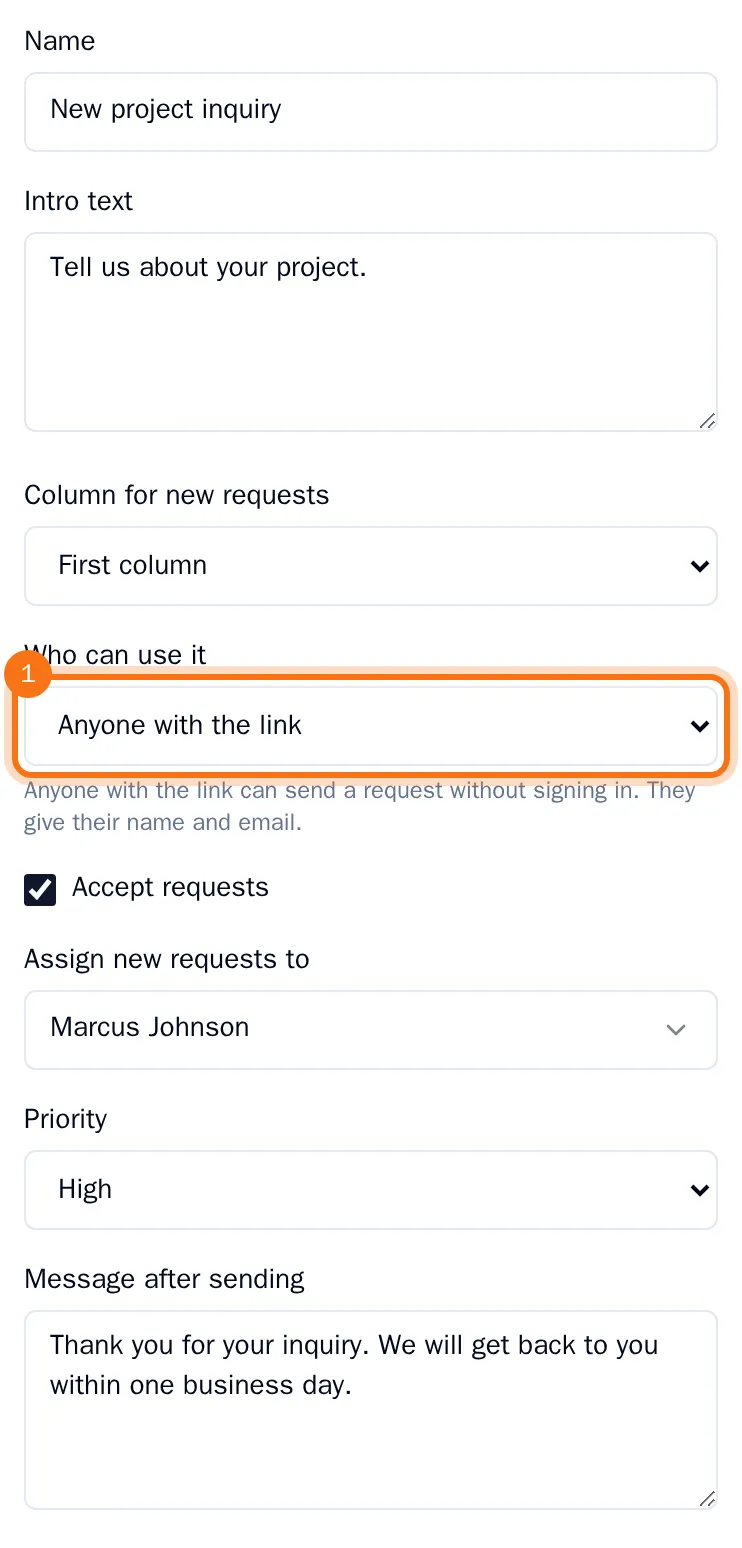
- Choose Save.
The form now has the Public badge. To make it internal again, choose Members of this organization in the same place. The public link then stops working.
Share the link
- Choose Copy public link on the form.
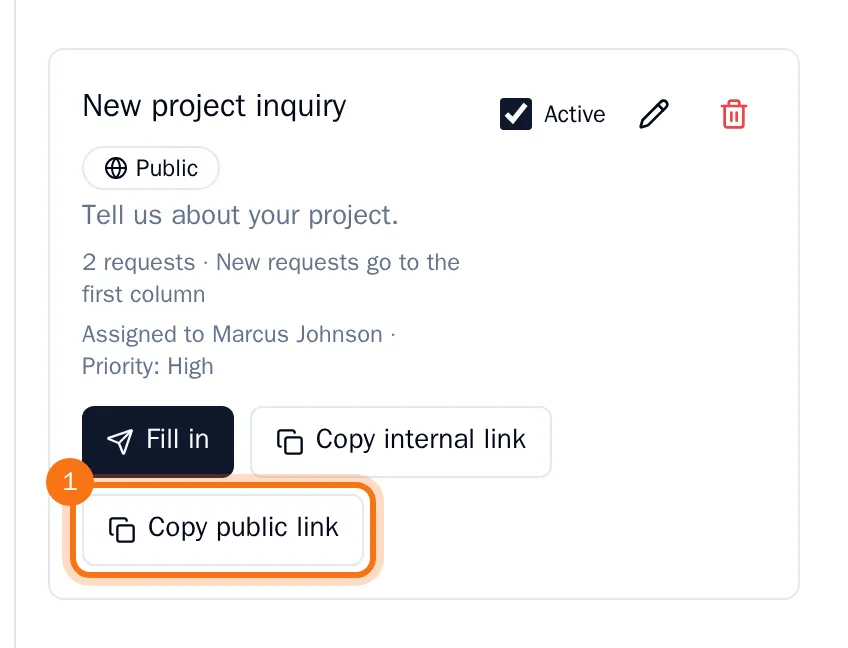
- Paste the link where your customers find it, for example on your website or in an email.
Copy internal link is for your colleagues: it opens the form inside OKiDO, for people who are signed in.
What your customers see
The link opens the form on its own page, without signing in. It shows the form's intro text and asks for the sender's name and email, a title, a description and the fields of the form's labels.
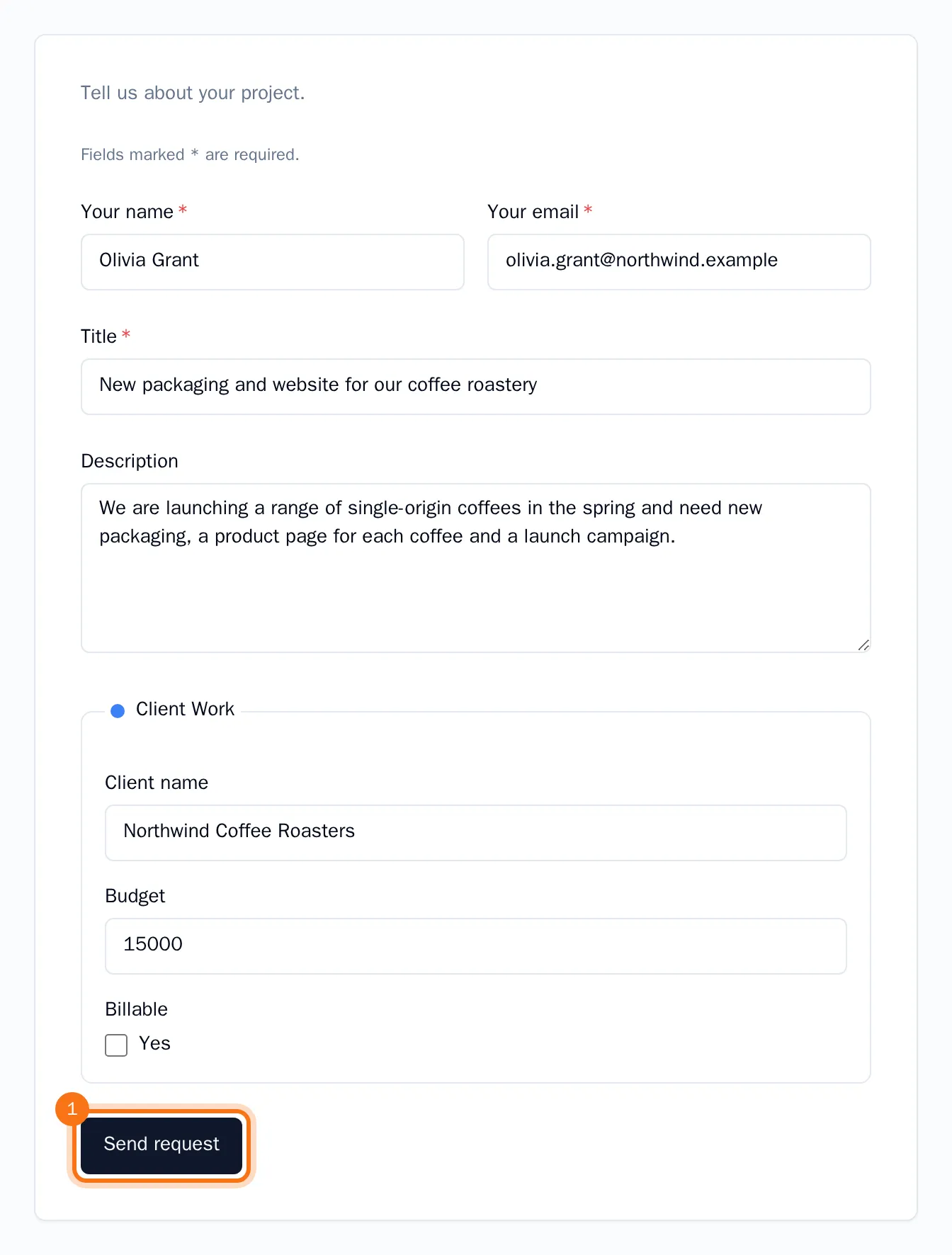
When they choose Send request, they see the form's message after sending, and OKiDO creates the task in your project. The task shows who sent it, with their email address, so you can reply. The person who made the form and the project's owner get a notification in their inbox.
Tip: Clear Accept requests on the form to stop taking requests for a while. The link stays the same, and people who open it read that the form is closed.