Invite people to your organization
Invite people by email with a role, and resend or revoke invitations that are still open.
Available onStarterProBusiness
Who can do this: Owner, Admin
Invite colleagues, freelancers or interns to your organization by email. You choose their role when you invite them, so they have the right access from their first sign-in.
Only owners and admins can invite people. Only owners can invite someone as an owner.
Invite someone
- In the menu on the left, choose Organization, then the Members tab.
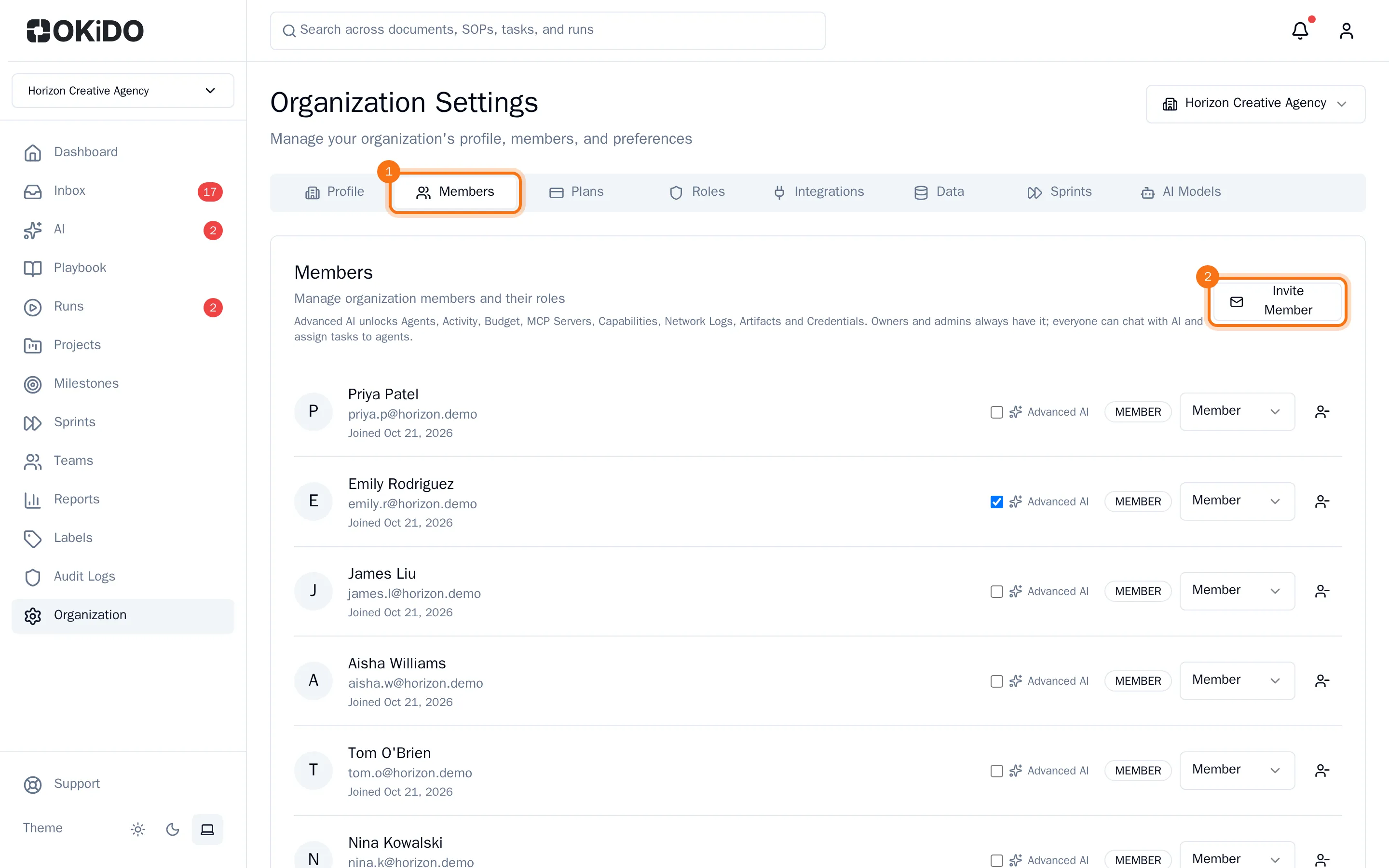
- Choose Invite Member.
- Enter the Email Address and choose a Role. Below the role you see what someone with that role can do.
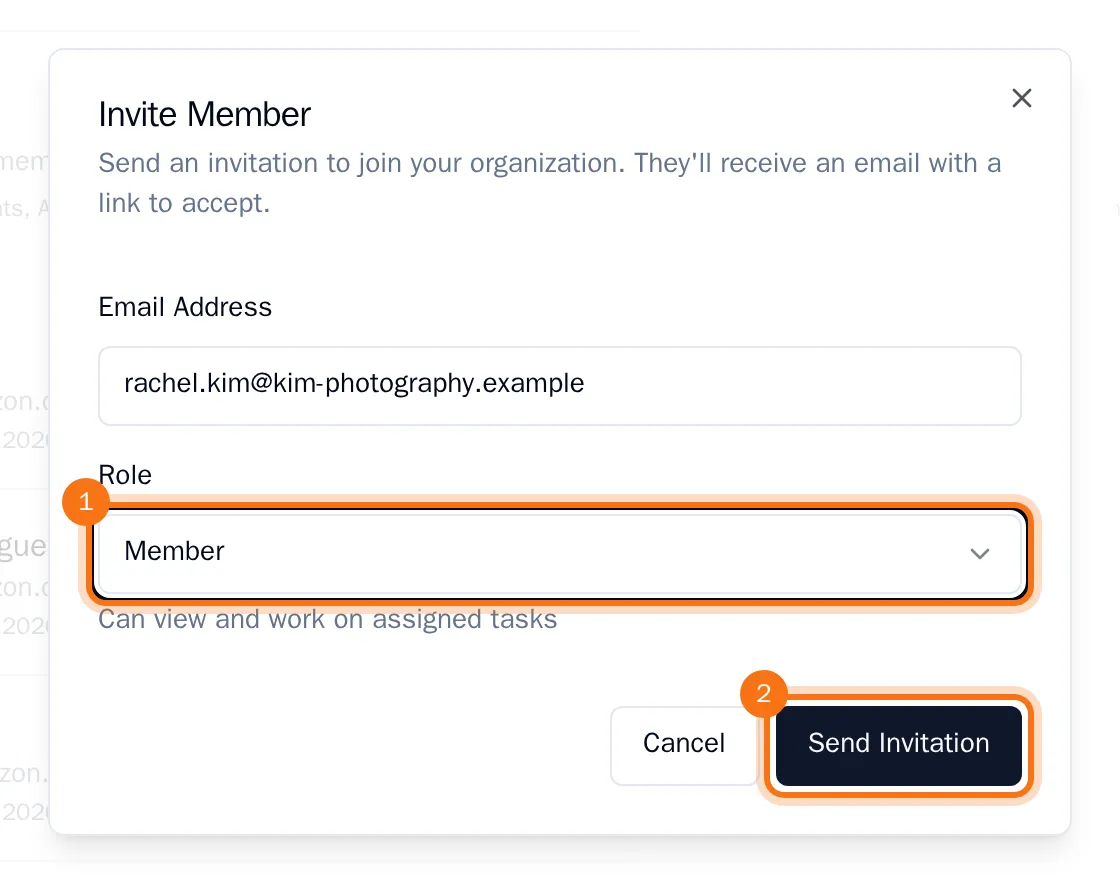
- Choose Send Invitation.
The invitation is listed under Pending Invitations, with who sent it and when it expires. The person receives an email with a link to accept it.
Resend or revoke an invitation
Every open invitation has two buttons under Pending Invitations:
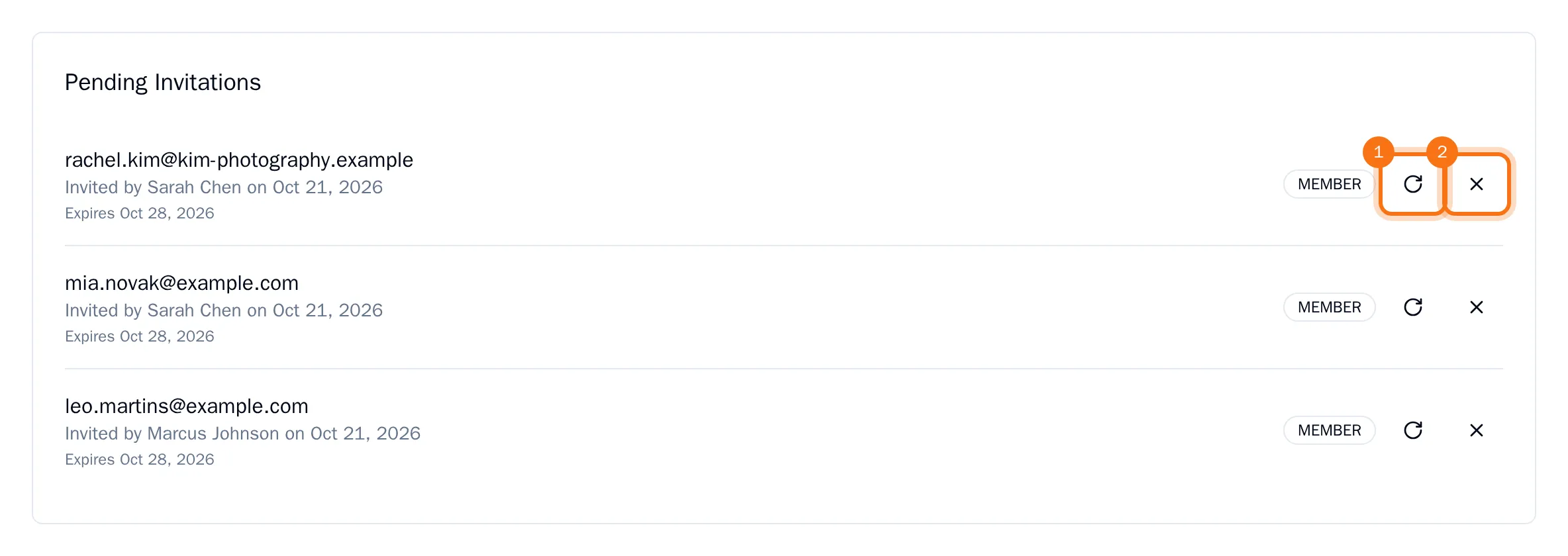
- Resend invitation (the circular arrow) sends the email again and gives the invitation a new expiry date. Use it when someone cannot find the email.
- Revoke invitation (the cross) cancels the invitation after you confirm with Revoke, and removes it from the list.