Reset a forgotten password
Get a reset link by email and choose a new password when you cannot sign in.
Who can do this: Everyone in the organization
Forgot your password? Ask for a reset link on the sign-in page, then choose a new password from the email. You need access to the mailbox of your OKiDO account.
Request a reset link
- On the sign-in page, choose Forgot password?.
- Enter your Email.
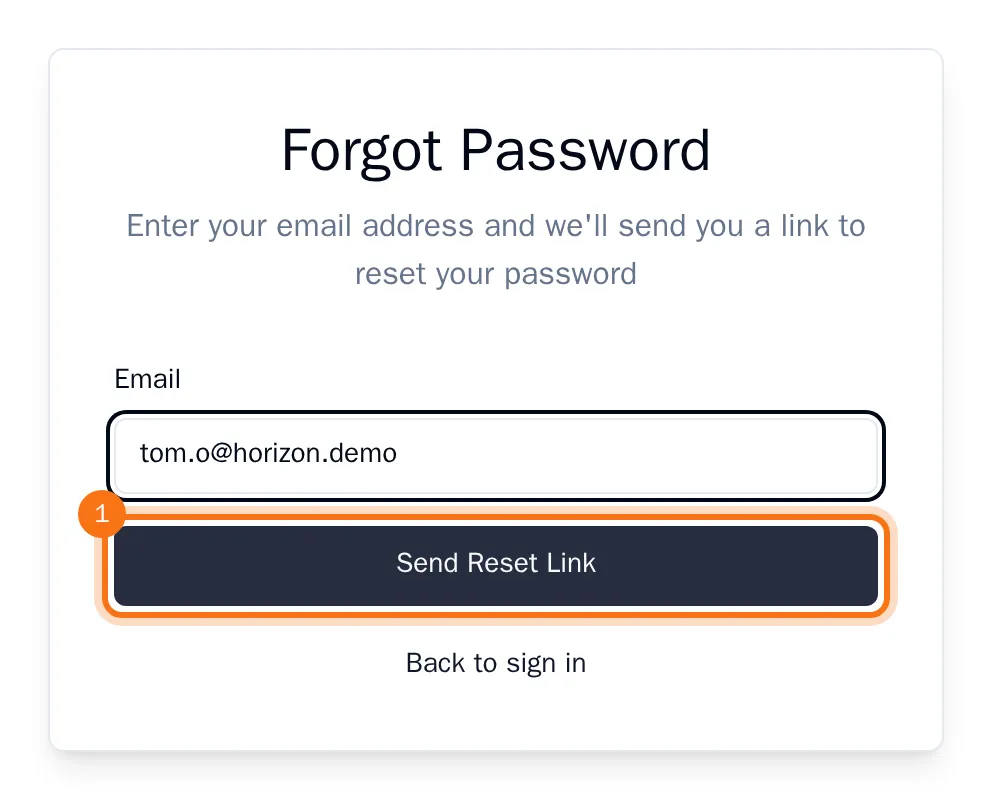
- Choose Send Reset Link.
OKiDO confirms that a link is on its way. The email arrives within a few minutes; check your spam folder if it does not. The link works for one hour, and only the newest link works: if you asked more than once, use the last email.
Choose a new password
- Open the link in the email.
- Enter your new password under New Password, then again under Confirm Password. Use at least 8 characters; OKiDO shows how strong the password is while you type.
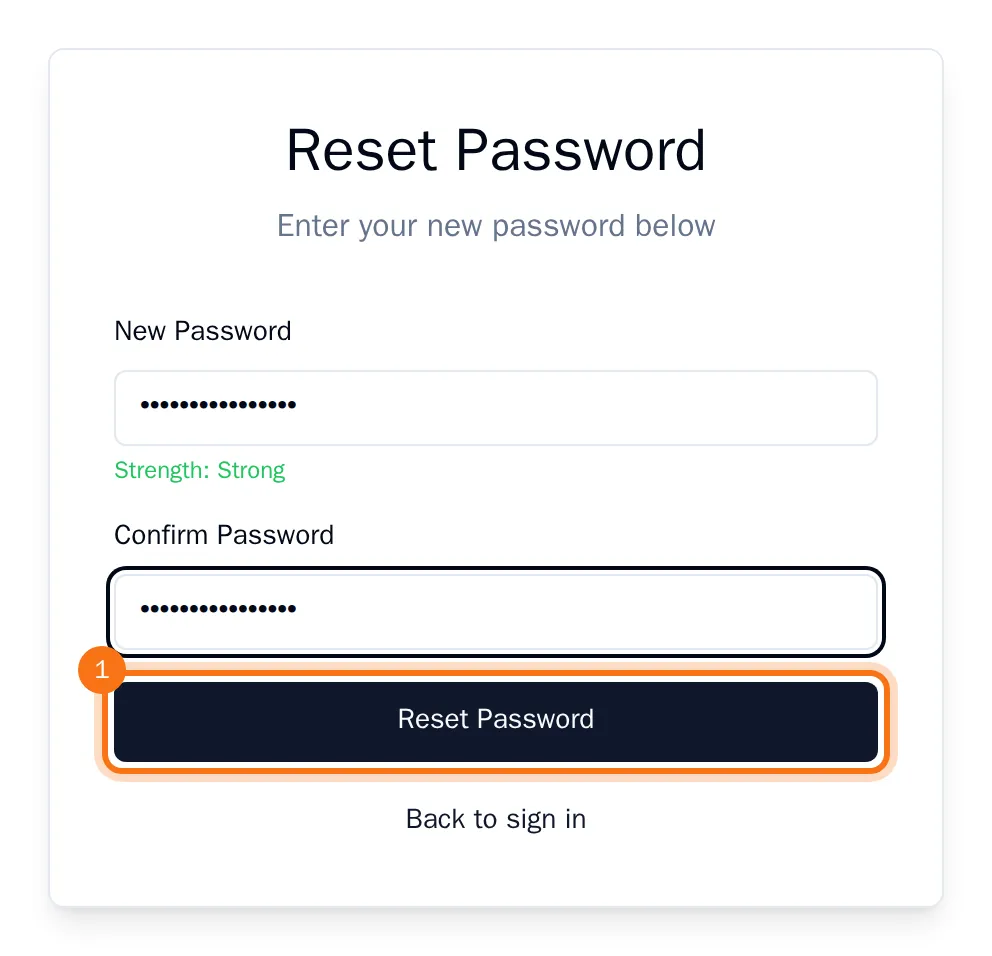
- Choose Reset Password.
OKiDO takes you back to the sign-in page. Sign in with your new password. For your safety, the reset also signs your account out on every device where it was still signed in.
Tip: Does the link show Invalid Reset Link? It has expired or was already used. Choose Request a new reset link to get a fresh one.