Approve or reject agent actions
Review the actions and tool access your agents are waiting for, then approve, reject with a reason, or grant access.
Who can do this: Owner, Admin
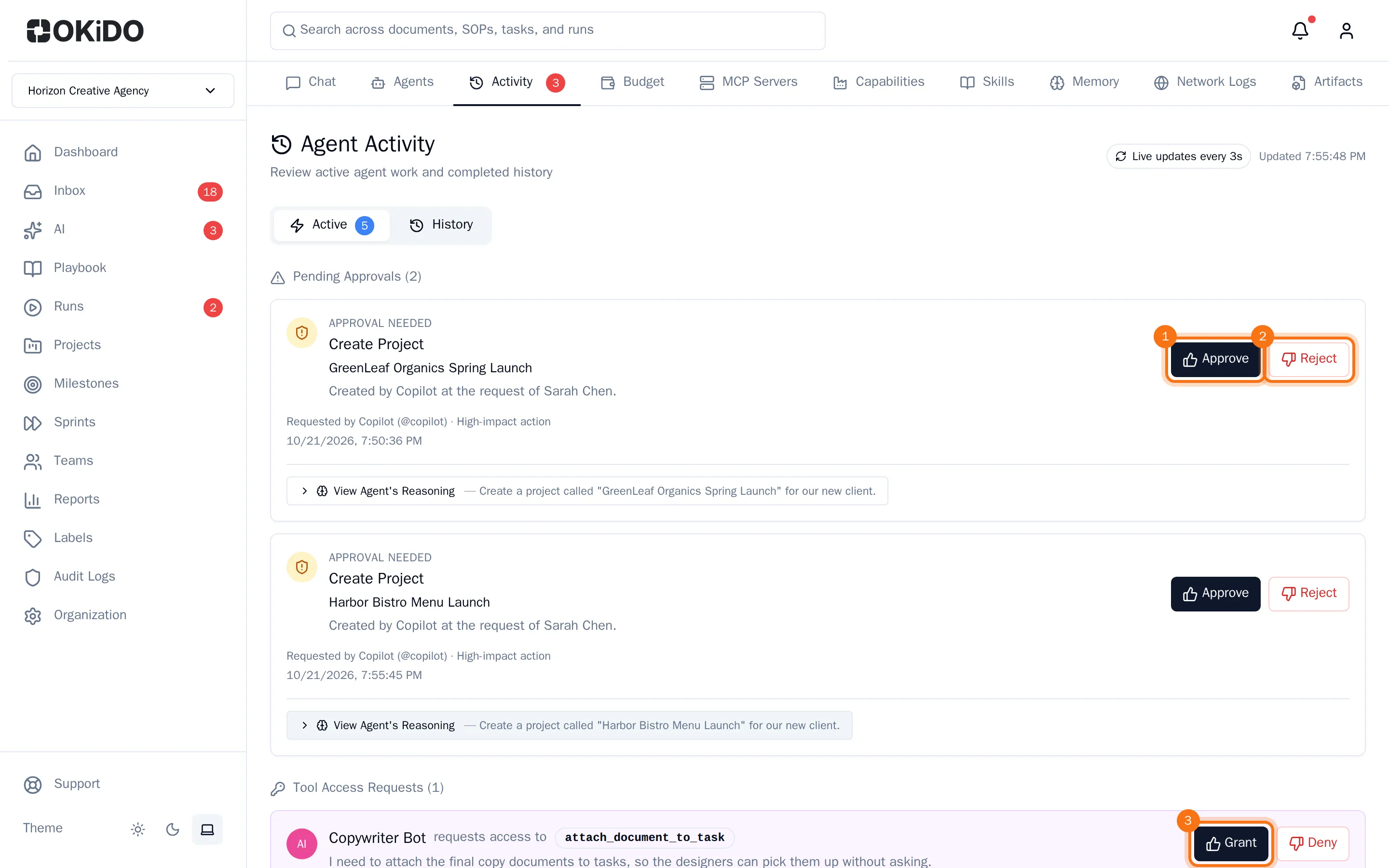
Agents stop and wait before an action that needs a person's approval, such as creating a project or sending an email, and when they need a tool they are not allowed to use yet. All of this waits for you in one place: the Activity tab under AI. A red number on the tab shows how many items wait.
See what waits for you
- In the menu on the left, choose AI, then the Activity tab.
The Active tab lists the actions waiting for approval and, below them, the tool access requests. Each action shows what the agent wants to do, which agent asks, how big the impact is and when it asked. Choose View Agent's Reasoning to see the run behind it: what the agent read and did before it stopped.
Approve an action
- Choose Approve next to the action.
- For an action with a big impact, confirm with Approve & execute.
The agent carries out the action right away and continues its work.
Reject an action
- Choose Reject next to the action.
- Tell the agent what to do instead. Your reason is sent to the agent as guidance.
- Choose Reject action.
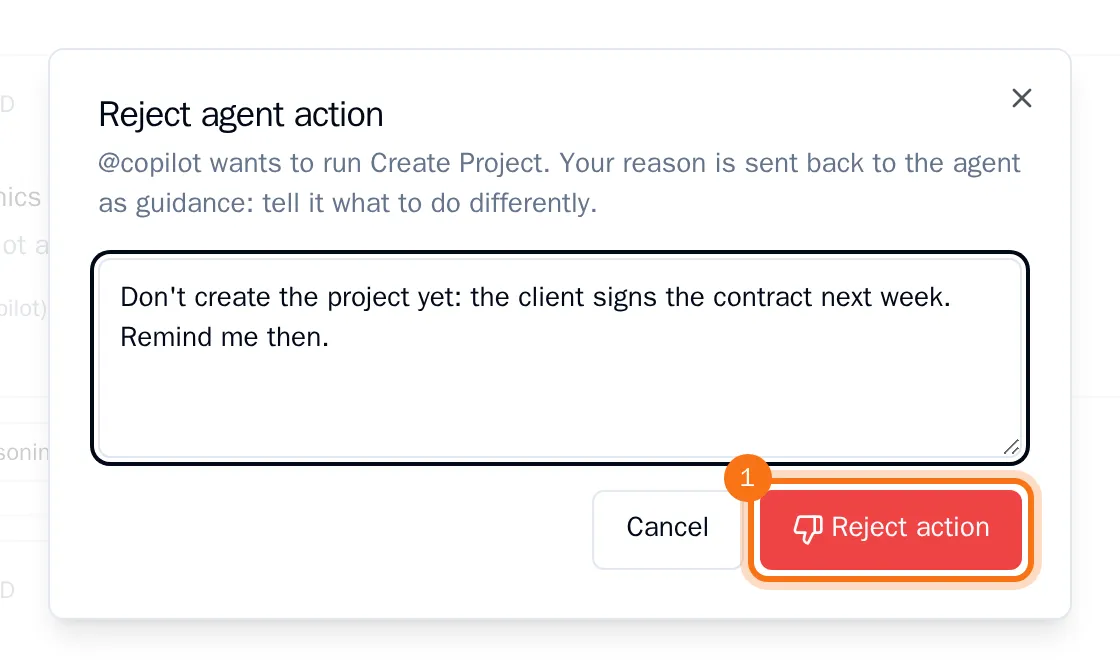
The action is not carried out, and the agent gets your reason.
Grant or deny tool access
When an agent asks for a tool it may not use yet, the request shows the tool and the agent's reason.
- Choose Grant.
- Under Permission level, choose how much the agent may do with the tool, from Observe: read-only to Act (high impact): destructive or broad changes.
- Keep Require my approval for each call ticked if the agent should still ask you each time it uses the tool.
- Choose Grant access.
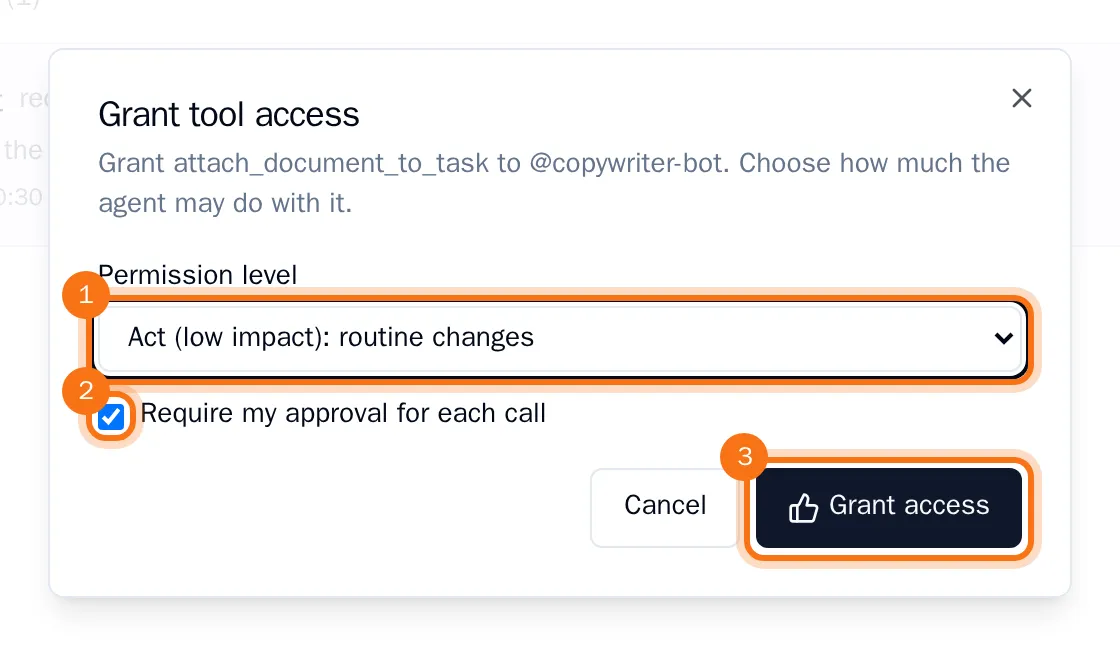
The agent can use the tool from now on, and it appears on the agent's Permissions tab. To refuse the request, choose Deny instead.