Give agents credentials for other apps
Store API keys and app logins safely, and choose which agents, projects and SOPs may use them.
Who can do this: Owner, Admin
To work in another app, such as sending a newsletter in Mailchimp or reading survey answers in Typeform, an agent needs that app's login: an API key, a token or an app connection. You store these once as credentials. OKiDO keeps the secret values encrypted and never shows them again; you decide which agents may use a credential, and in which projects and SOPs.
Add a credential
- In the menu on the left, choose AI, then the Credentials tab.
- Choose Add Credential.
- Search for the application and choose it. When an app offers several ways to sign in, choose one, for example its API.
- Give the credential a Credential Name you will recognize, add a description if you like, and fill in the key or token the app gave you.
- Choose Save Credential.
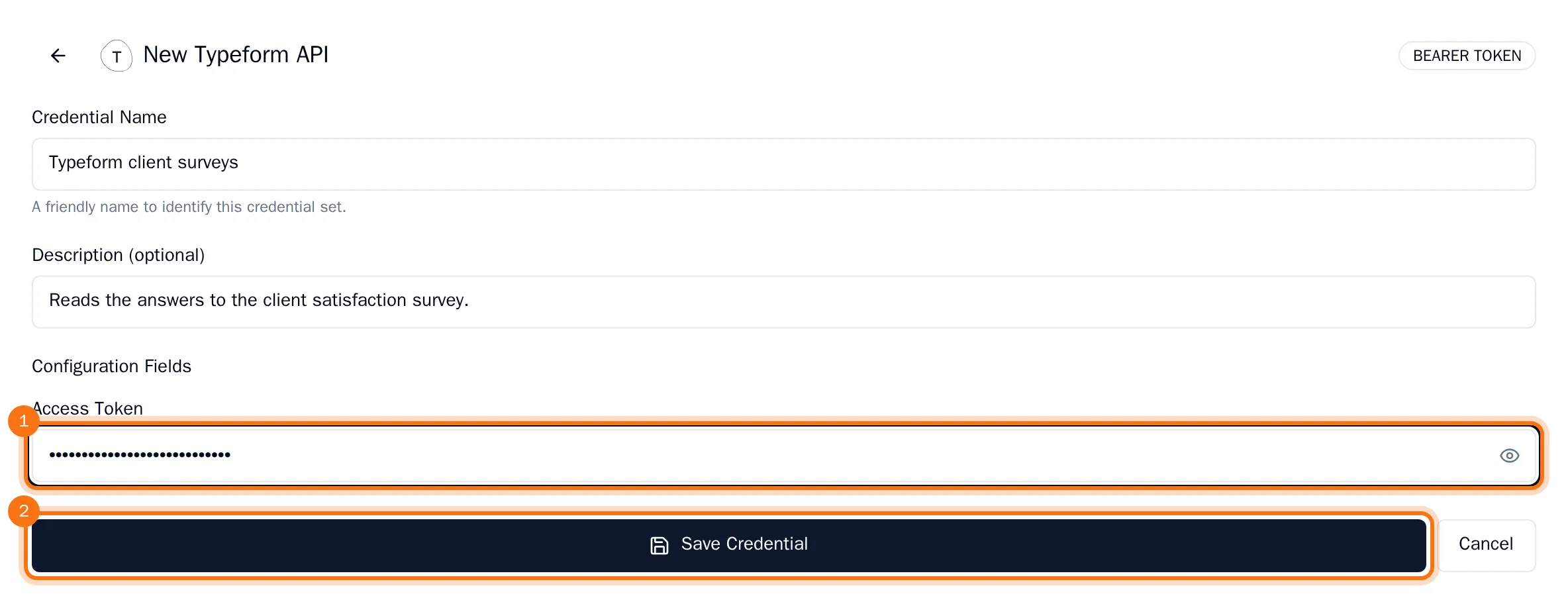
The credential is added to the list.
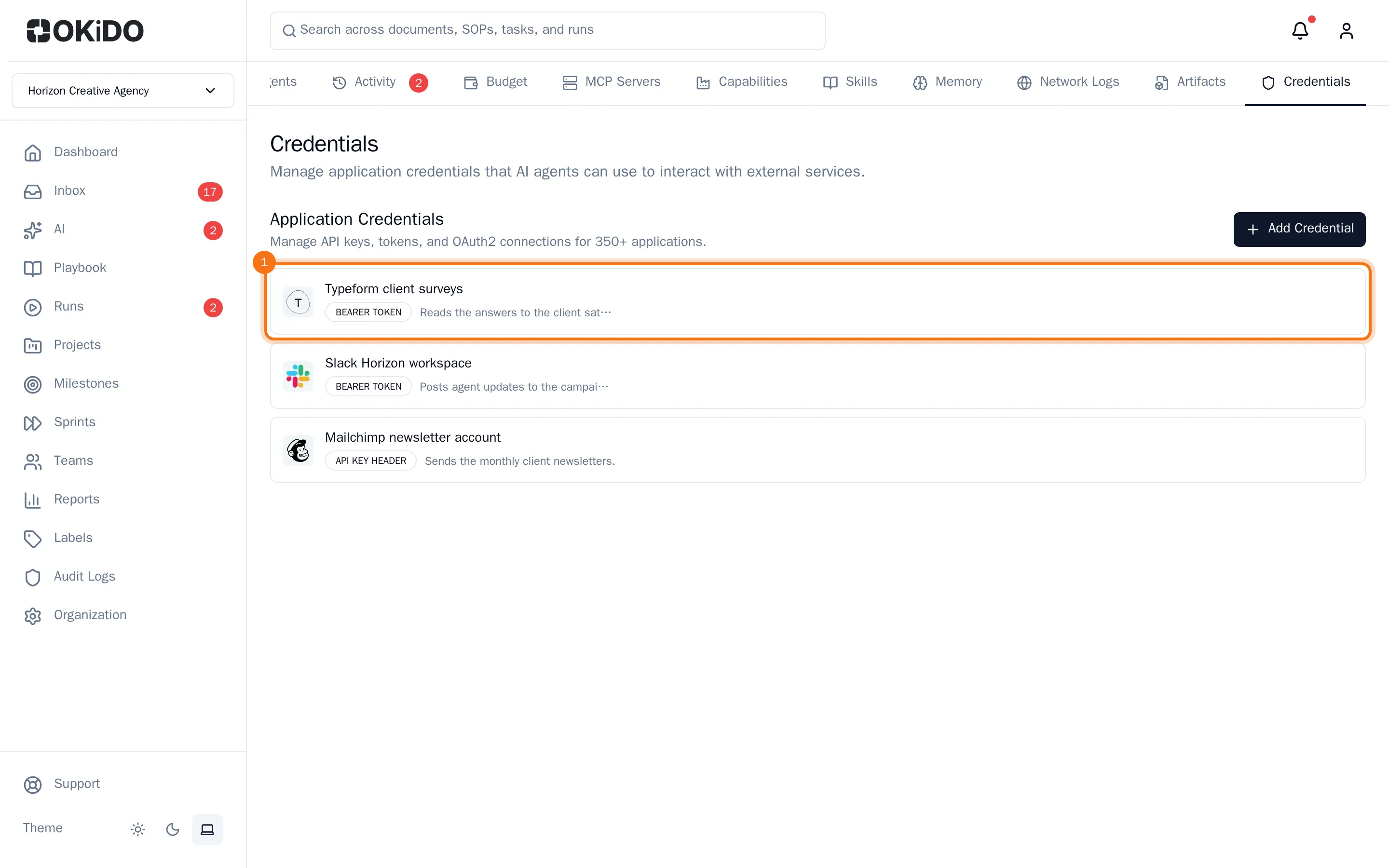
To change or delete a credential, point at it in the list and choose the pencil or the bin.
Let an agent use a credential
- Open the agent: AI, the Agents tab, then the agent.
- Choose the Credentials tab.
- Pick the credential in Select a credential to add… and choose Add.
- Under Project Scope, choose where the agent may use it: All projects, Selected only or No projects. With Selected only, choose the projects.
- Do the same for SOPs under SOP Scope.
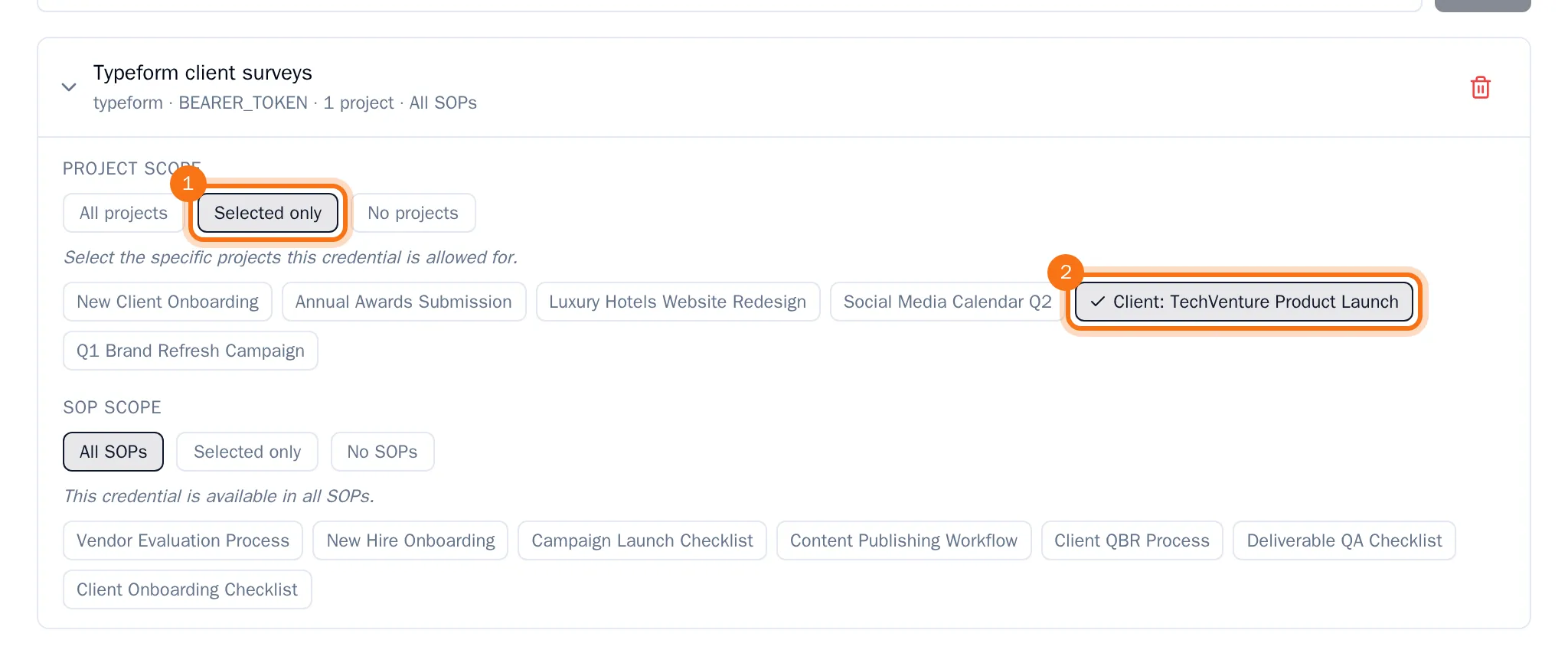
Each change is saved right away, and the line under the credential's name sums up where the agent may use it. To take a credential away from the agent, choose the bin next to it.