Change a member's role or Advanced AI access
Make someone an owner, admin or member, turn Advanced AI on or off for members, and remove people from the organization.
Who can do this: Owner, Admin
Everyone in your organization is an owner, an admin or a member, and the role decides what they can do. Members can also get the Advanced AI features, such as agents and their budget, that owners and admins always have.
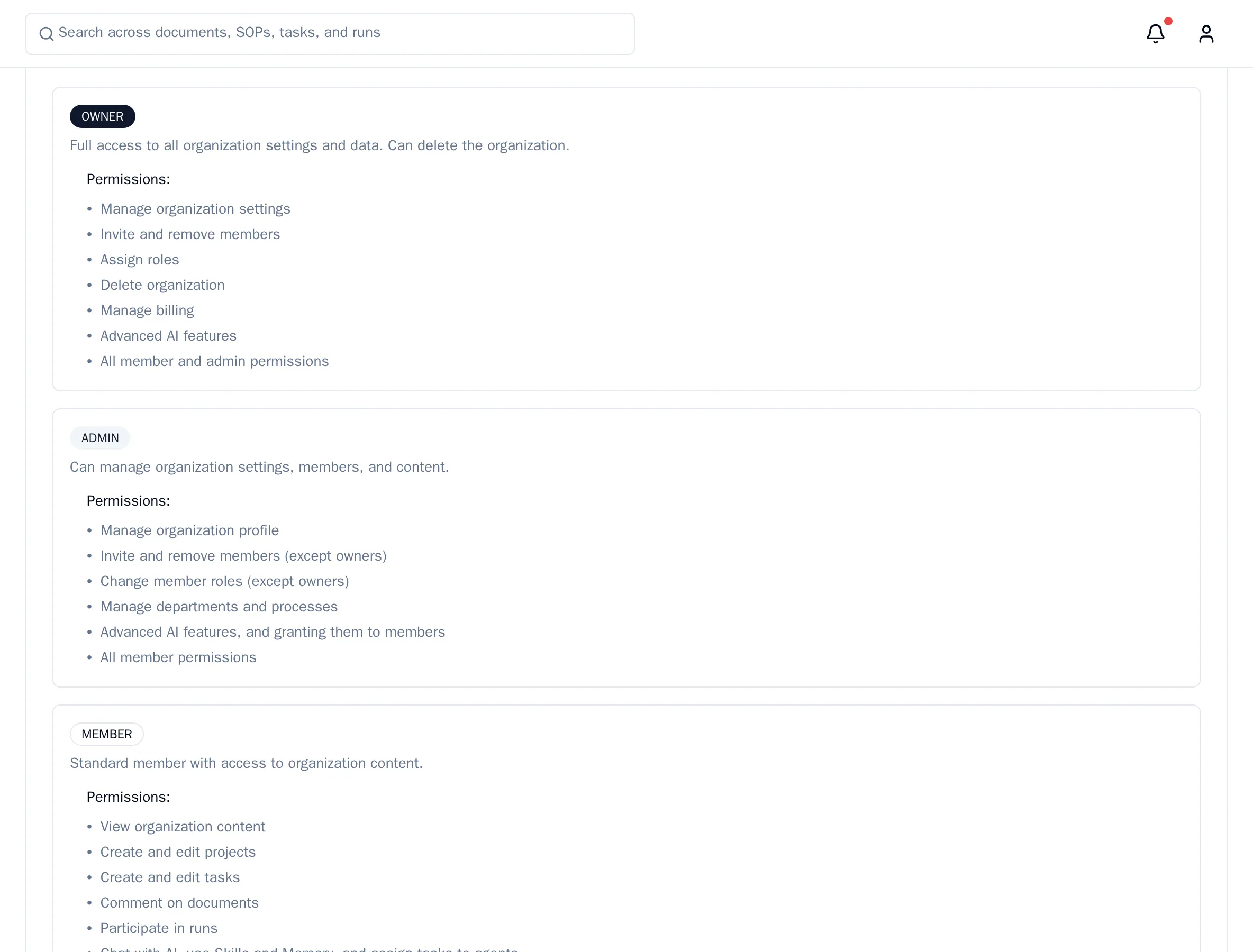
See what each role can do
In the menu on the left, choose Organization, then the Roles tab. It lists the permissions of each role.
Change someone's role
Only owners can change roles.
- Open Organization and choose the Members tab.
- Next to the person, open the role list and choose Member, Admin or Owner.
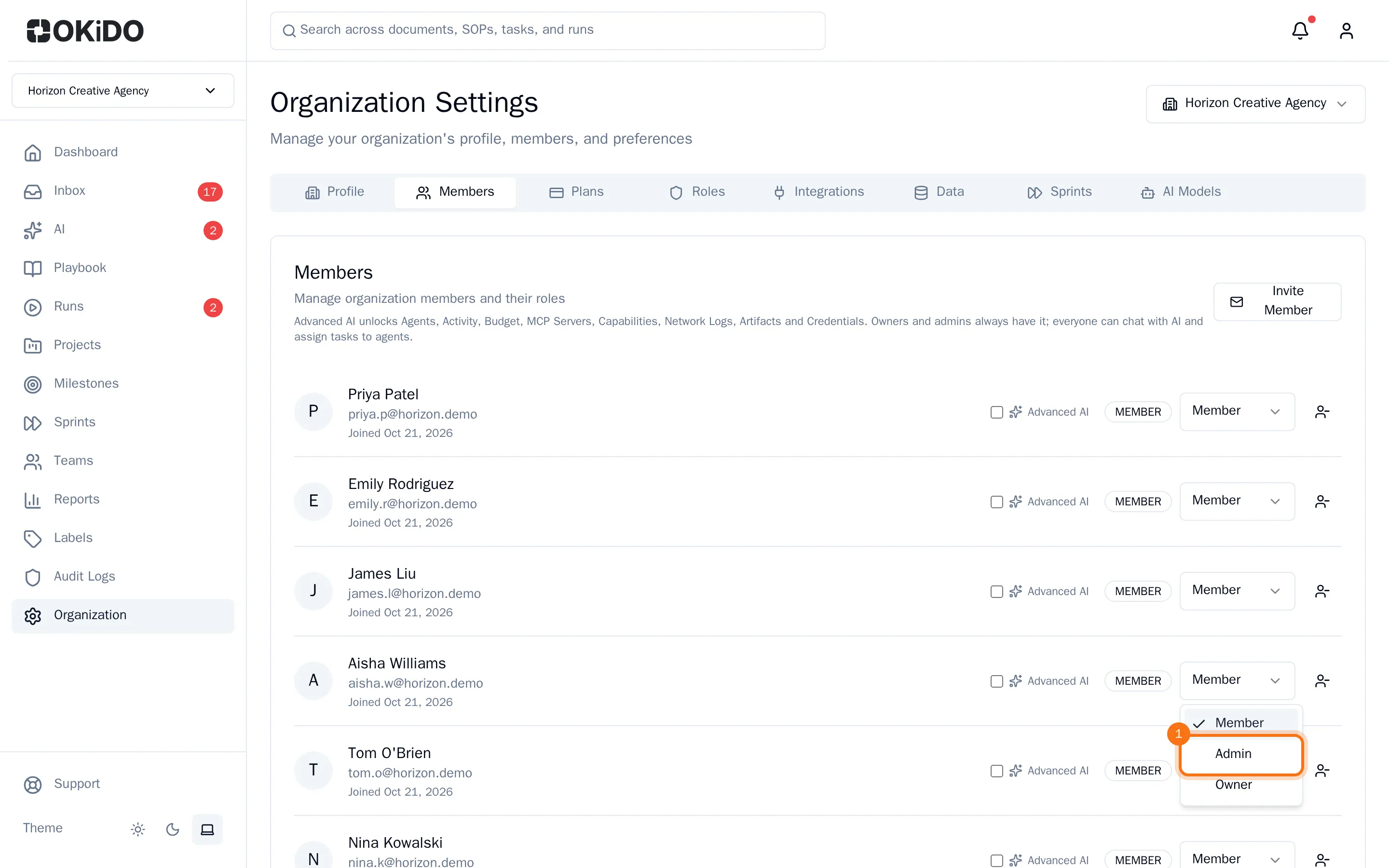
The new role applies right away and shows next to the person's name.
Turn Advanced AI on or off for a member
Owners and admins can give members the Advanced AI features. Owners and admins have them anyway: their row says Advanced AI included.
- On the Members tab, tick Advanced AI next to the member.

The member gets the Advanced AI features right away. Untick the box to take them away again.
Remove someone from the organization
- On the Members tab, choose the remove button (the person with a minus sign) next to the person.
- Confirm with Remove.
The person no longer has access to the organization. Admins cannot remove owners, and nobody can remove themselves.