Add people to a team
Add people to a team as Member, Lead or Admin, change their team role and remove them again.
Available onStarterProBusiness
Who can do this: Owner, Admin
A team is only as useful as the people in it. Add everyone who works in the team, and mark who leads it. Organization owners and admins can add and remove team members. Anyone in the organization can be in several teams.
Add a person
- Choose Teams in the sidebar and click the team.
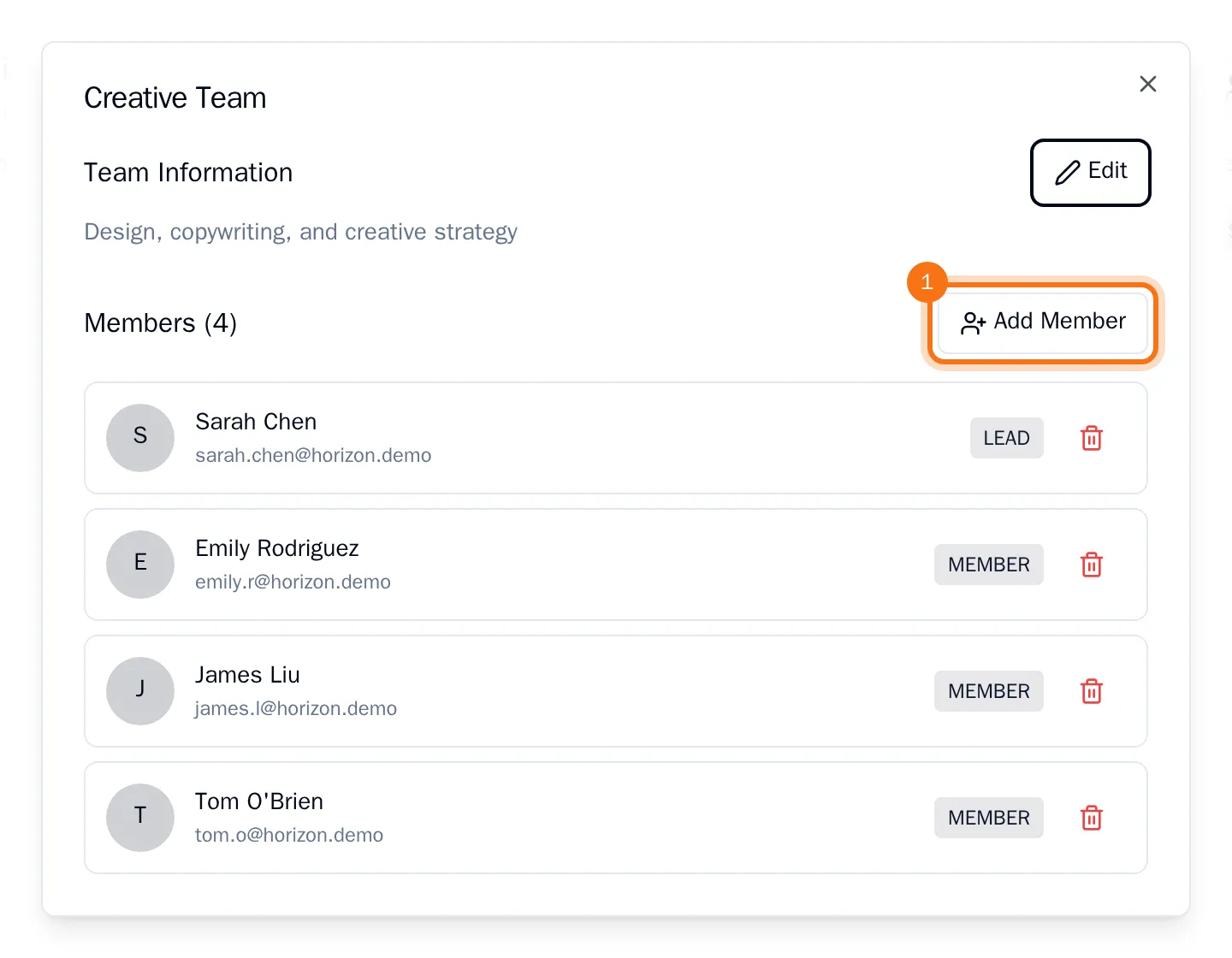
- Choose Add Member.
- Under Select User, choose the person.
- Under Role, choose Member, Lead or Admin.
- Choose Add to Team.
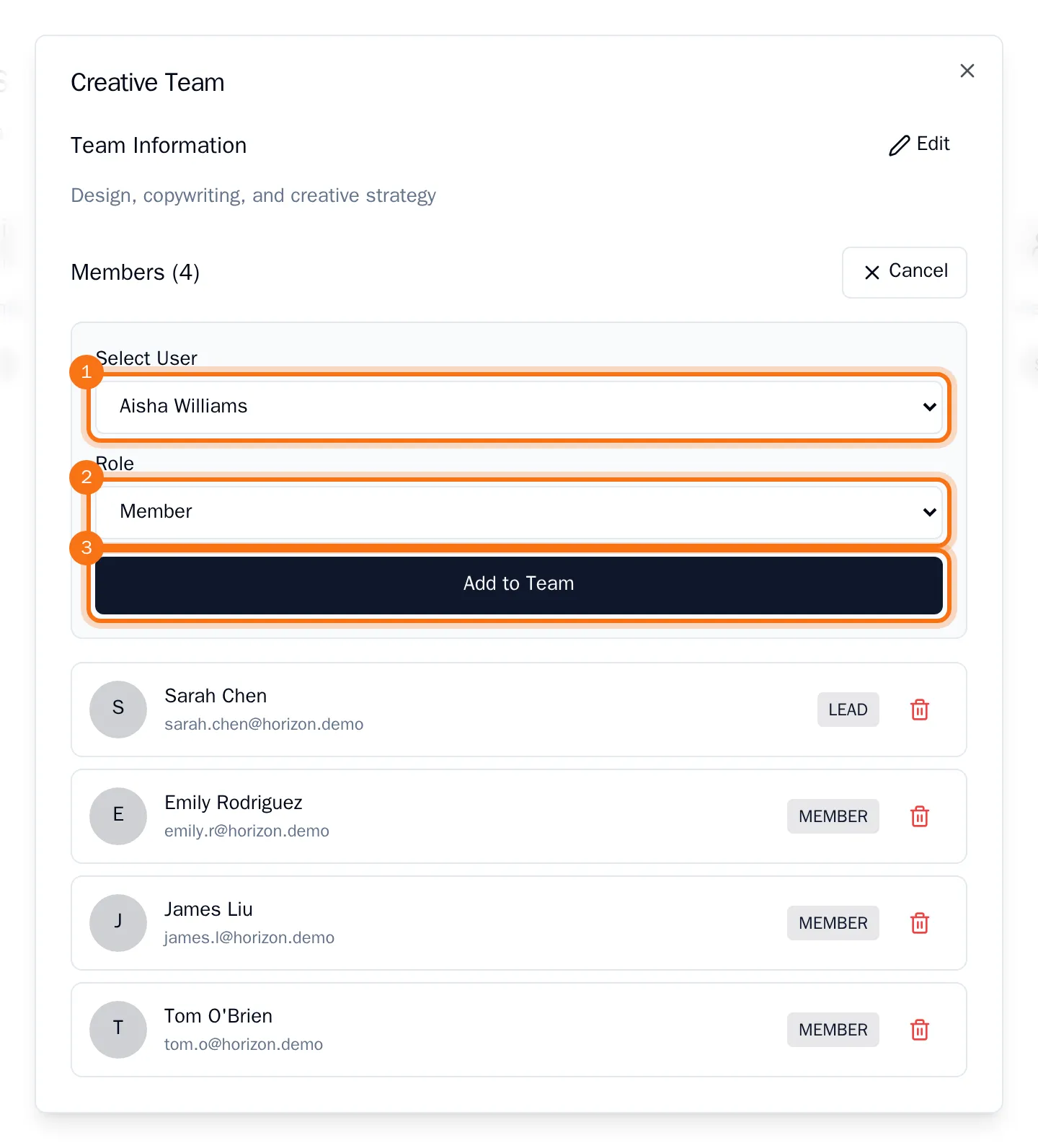
The person now appears in the team, with their role next to their name. Only people who are already in your organization can be added: invite new people first.
Remove a person
- Click the team.
- Choose the bin next to the person.
- Choose Remove.
The person leaves the team. They stay in the organization and keep the tasks assigned to them.
Change someone's team role
A team role cannot be changed in place. Remove the person from the team, then add them again with the new role.