Build a system
Chain SOP checklists, approvals, tasks and decision trees into one flow that OKiDO runs step by step.
Who can do this: Owner, Admin
A system links the parts of a bigger process into one flow, for example a client onboarding: first the onboarding checklist, then the creative director's sign-off, then the kickoff call. When you run it, OKiDO starts each step as soon as the step before it is done. You build a system once on a canvas, check it and publish it.
Only owners and admins can publish a system.
Create a system
- In the menu on the left, choose Playbook and open the folder the system belongs in.
- Choose Add at the end of the folder, then System.
- Enter a Name and, if you like, a Description.
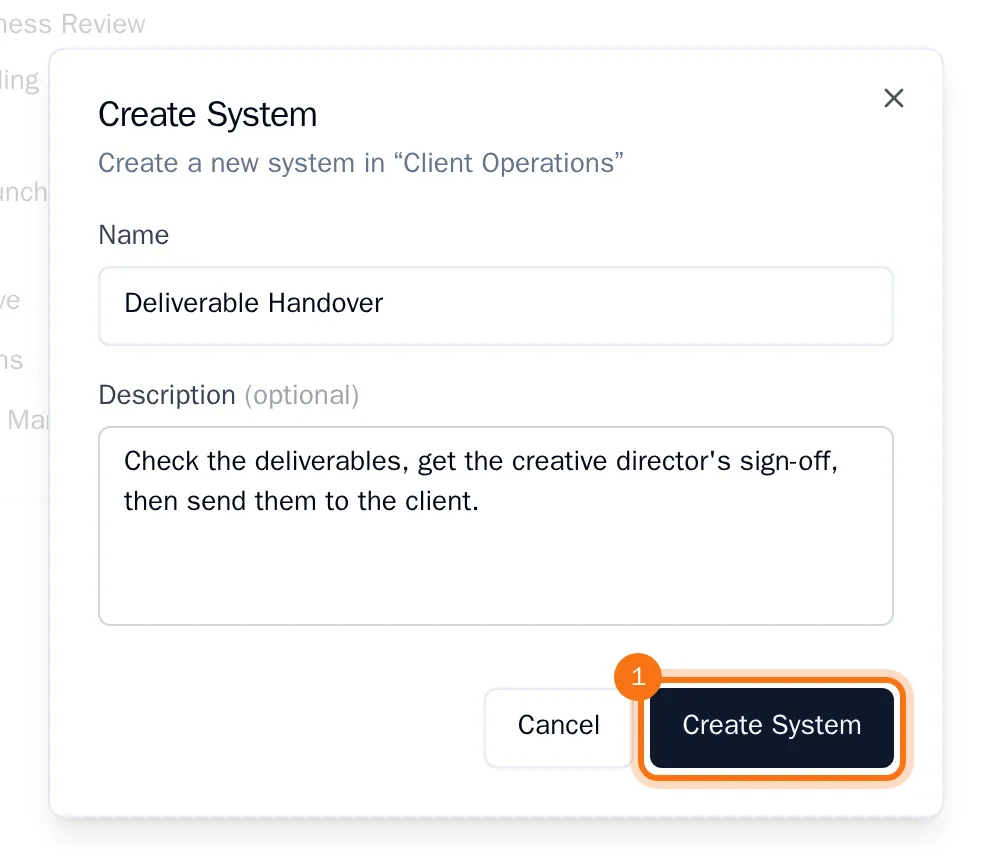
- Choose Create System.
The editor opens, with a Start node on the canvas.
Add and connect the steps
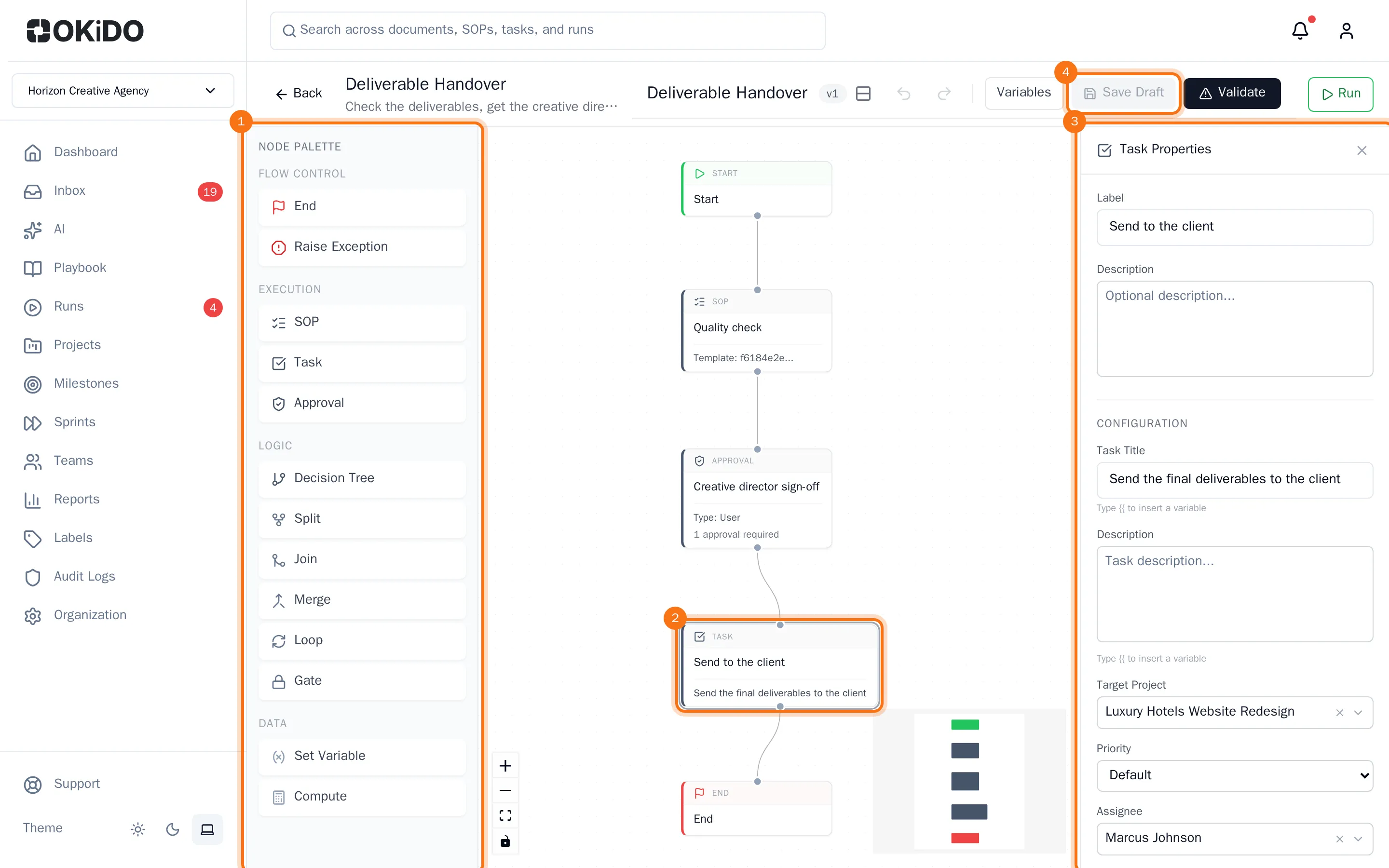
- In the Node Palette on the left, choose a node to add it to the canvas, for example SOP, Approval and Task. Add an End node too: every system needs one.
- Drag the nodes into the order they run in, from top to bottom.
- Drag from the dot at the bottom of a node to the dot at the top of the node that comes next. Start at the Start node and end at the End node.
The buttons in the lower-left corner of the canvas zoom in and out, or fit the whole system on the screen.
Set up each step
- Select a node on the canvas. Its properties open on the right.
- Give the node a Label, the name it has in the flow, and fill in its settings:
- SOP: the SOP Template that starts as a run.
- Approval: the Approver (or, under Approver Type, a team) and the number of Required Approvals.
- Task: the Task Title, the Target Project the task is created in, and its Assignee.
- Decision Tree: the Decision Tree someone answers, and the Assignee who answers it. Each outcome of the tree gets its own way out of the node.
- To keep your work without publishing it yet, choose Save Draft.
Validate and publish
- Choose Validate. OKiDO saves the draft and checks the system: every node needs its settings and has to be connected. If something is missing, a list shows what to fix.
- When the system is valid, the button changes to Publish. Choose Publish.

The system is published and ready to run: see Run a system.
Tip: To change a published system, open it and choose Edit System. When you publish again, the system gets a new version. Runs that have already started keep the version they started with.