Track milestones and spot risk
Follow every milestone's progress on the Milestones page and act on at-risk and late warnings.
Who can do this: Everyone in the organization
OKiDO keeps checking every open milestone against the work that still has to happen before it. When the remaining work, based on estimates and dependencies, no longer fits before the milestone's date, it warns you while there is still time to act.
See all your milestones
Choose Milestones in the sidebar.
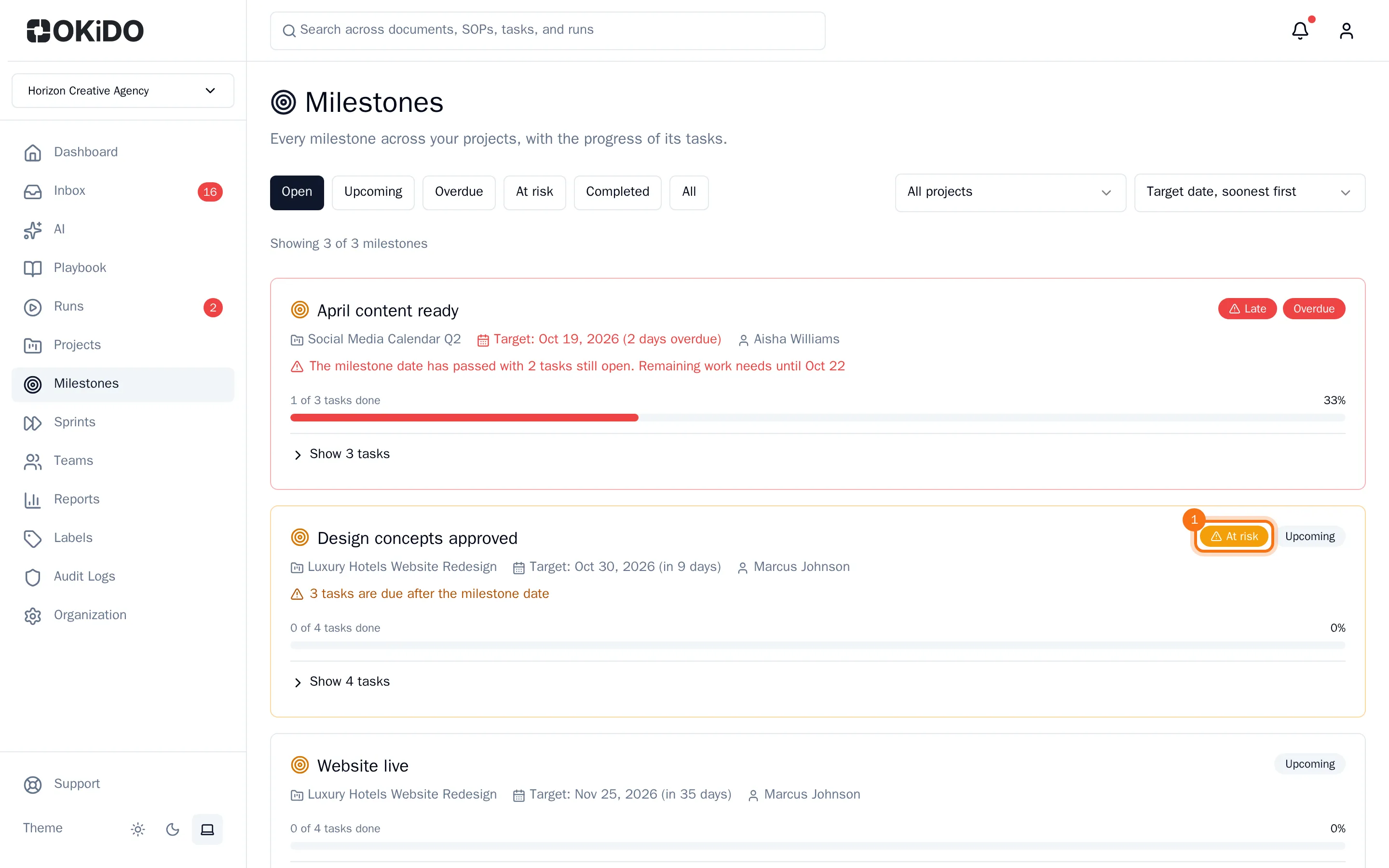
Each milestone shows its project, its target date with the days left or overdue, the person it is assigned to and a bar with how many of its tasks are done. A milestone with a warning shows At risk or Late, with the reason. Choose the button under the bar to see its tasks, the title to open the milestone, or the project name to open the project.
Filter and sort
- Choose a status at the top: Open, Upcoming, Overdue, At risk, Completed or All.
- To see one project only, choose it in the list next to the statuses. The other list sorts by target date, soonest or latest first.
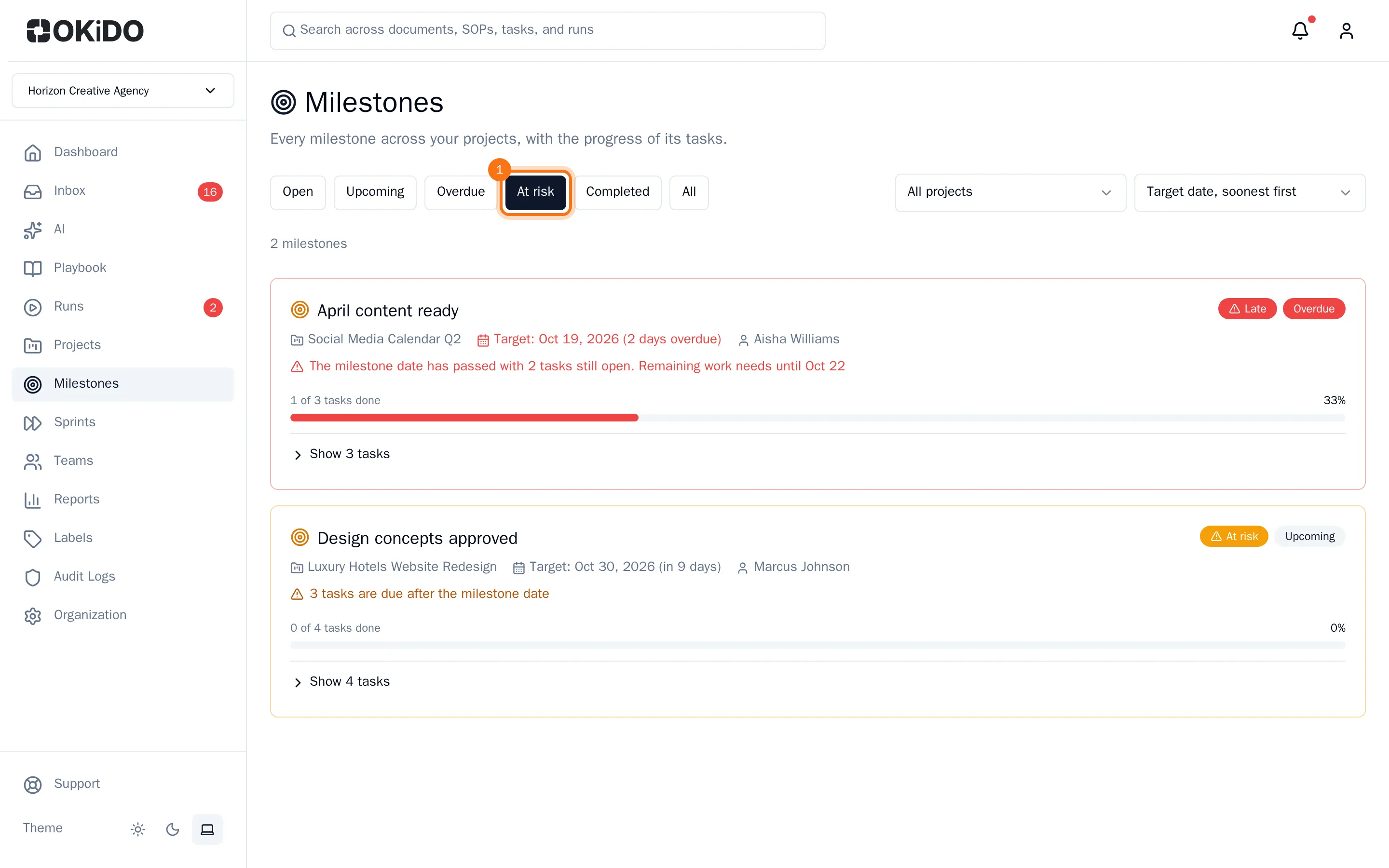
At risk shows both kinds of warnings: milestones at risk and late milestones.
Act on a warning
There are two warnings:
- At risk: the remaining work needs more working days than are left before the milestone's date, or some of its tasks are due after that date.
- Late: the milestone's date has passed and some of its tasks are still open.
The project shows the same warnings in a banner above its tasks. Click a milestone's name in the banner to open it, or choose View milestones.

To get the milestone back on track, open it and look at its tasks: move due dates that fall after the milestone, add estimates where they are missing, hand work to someone with more time, or move the milestone's own date. A task without an estimate counts as no work, so the warning also tells you how many tasks have no estimate.
OKiDO checks every milestone once an hour, and again shortly after one of its tasks changes. When a milestone becomes at risk or late, the person it is assigned to and the project's owner get a notification in their inbox.