Give teams access to a folder
Choose which teams can only read a Playbook folder and which can change what is in it.
Who can do this: Owner, Admin
Owners and admins can change everything in the Playbook. Other members can read it all, but they can only change what their team has been given access to. Give the team that runs a process full access to its folder, so they can keep its documents and SOPs up to date.
Only owners and admins can manage access.
Give a team access
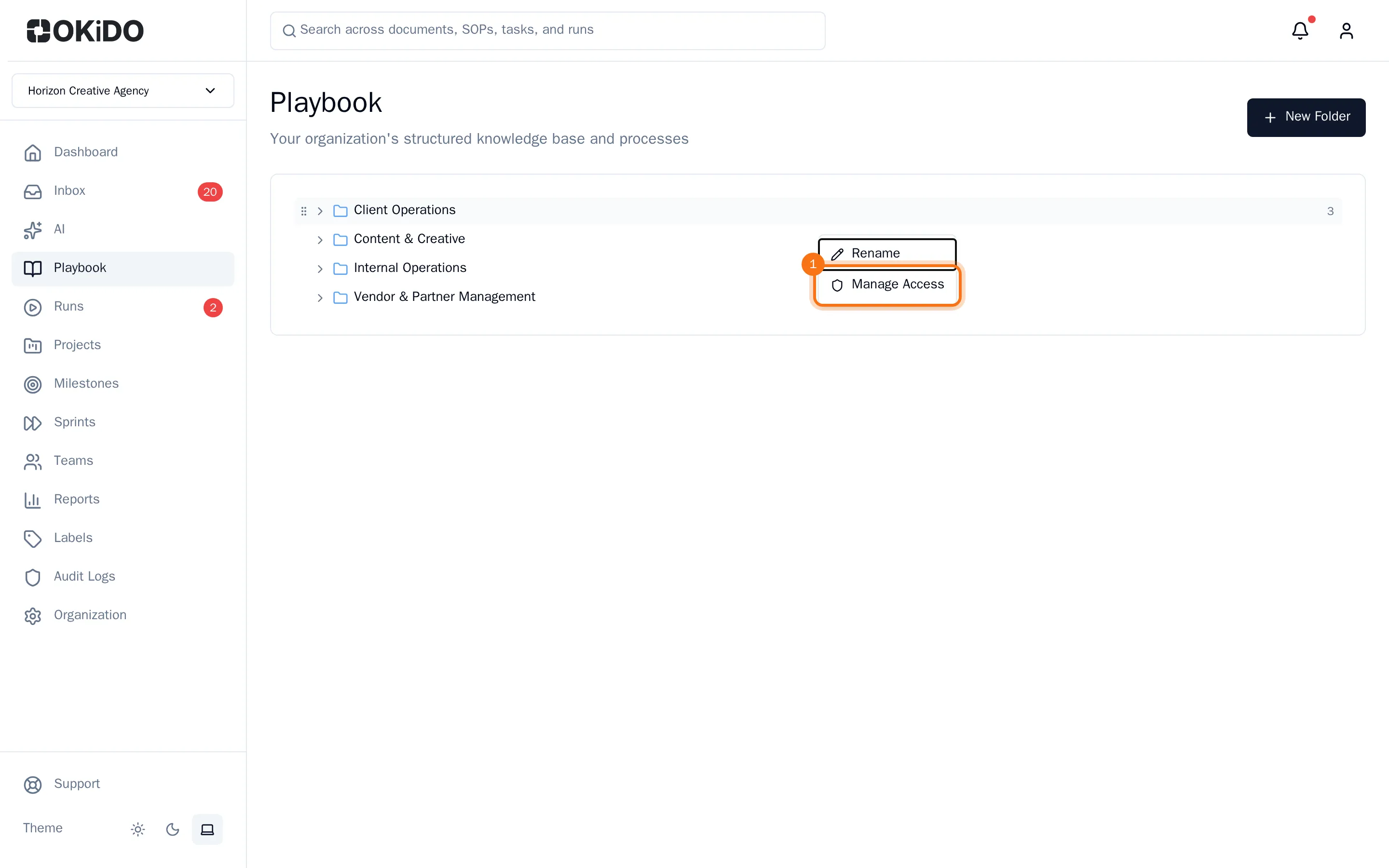
- Open the Playbook, right-click the folder and choose Manage Access.
- Under Team, choose the team.
- Under Role, choose View Only or Full Access.
- Choose Grant.
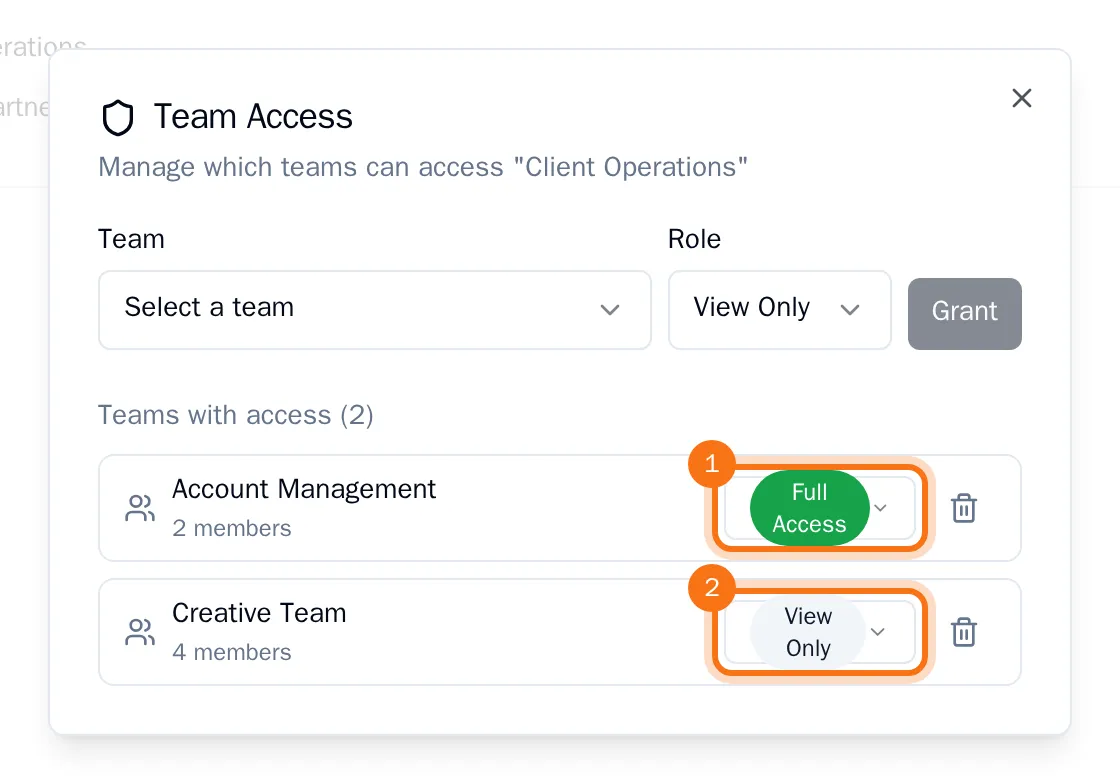
The team is added to the list with its number of members. Repeat the steps for every team.
What the access means for the members of a team:
- View Only: they can open and read everything in the folder's processes.
- Full Access: they can also create and change documents, SOPs and decision trees there.
Someone in several teams gets the highest access of their teams.
Change or remove access
Open Manage Access again. In the list, choose another access for a team, or choose the bin next to it to take its access away.
Tip: You can give access to a single process in the same way: right-click the process instead of the folder. Its members then get the higher of the two.