Create a personal access token
Create a token that acts as you in all your organizations, for scripts, integrations and AI assistants.
Who can do this: Everyone in the organization
A personal access token lets a script, an automation or an AI assistant use OKiDO's API as you, instead of your password. It can do everything you can do, in every organization you belong to. For a token that belongs to the organization and can only do part of the work, create an organization API token instead.
You can create personal access tokens when at least one of your organizations is on the Pro or Business plan.
Create a token
- Open the account menu (the person icon at the top right) and choose Settings.
- Choose the Security tab. Your tokens are listed under Personal access tokens.
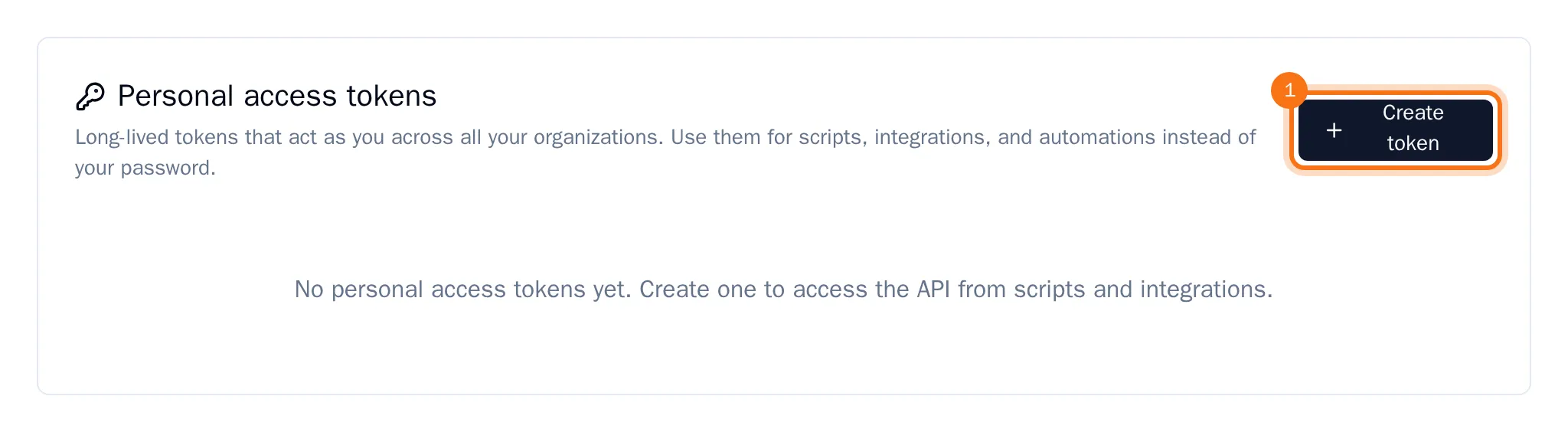
- Choose Create token.
- Enter a Token name that tells you where the token is used, and choose an Expiration.
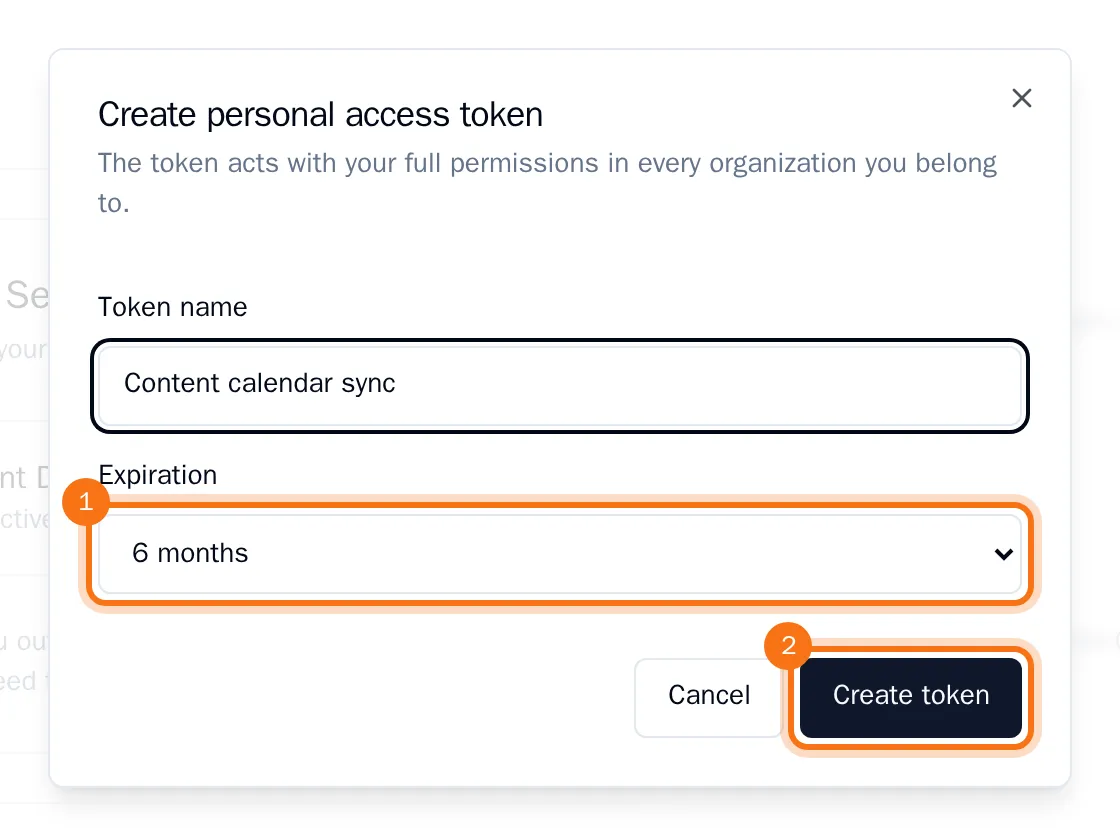
- Choose Create token.
- Copy the token and store it in a safe place, such as a password manager. Then choose Done.
OKiDO shows the token only this once. After that you see it in the list with its name, when it expires and when it was last used.
Use the token in the Authorization header of your API calls: Bearer followed by the token. An AI assistant that connects with the token shows on the AI assistants tab (see Connect Claude or ChatGPT).
Tip: Choose an expiration whenever you can. A token with No expiration stays valid until you revoke it.
Revoke a token
- Under Personal access tokens, choose the bin next to the token.
- Confirm with Revoke.
Anything that uses the token loses its access right away. Changing your password revokes all your personal access tokens as well.