Create an organization API token
Create a token with only the access it needs, so scripts and other tools can work with your organization.
Who can do this: Owner, Admin
An organization API token gives a script, an AI agent or another tool access to this one organization. Give it only the access the tool needs: a reporting dashboard, for example, only has to read projects, tasks and runs. For a token that acts as you, in all your organizations, see Create a personal access token.
Only owners and admins can create and revoke API tokens. New tokens need the Pro or Business plan.
Create a token
- In the menu on the left, choose Organization, then the Integrations tab and API Tokens. You see the organization's tokens, with their scopes, who created them and when they expire.
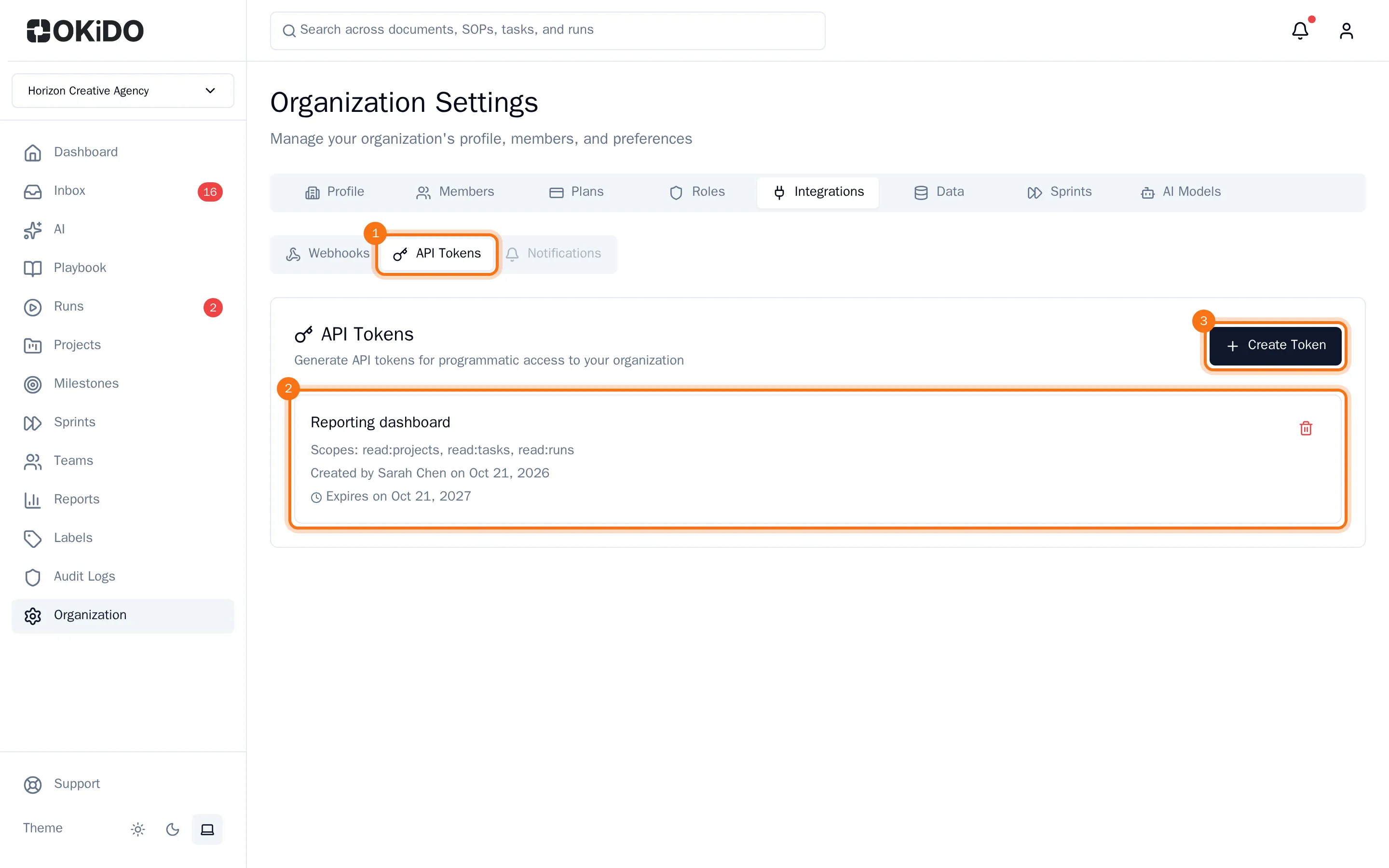
- Choose Create Token.
- Enter a Token Name that tells you which tool uses it, and the number of days until it expires (365 at most).
- Under Scopes, tick what the token may do. A write scope includes reading.
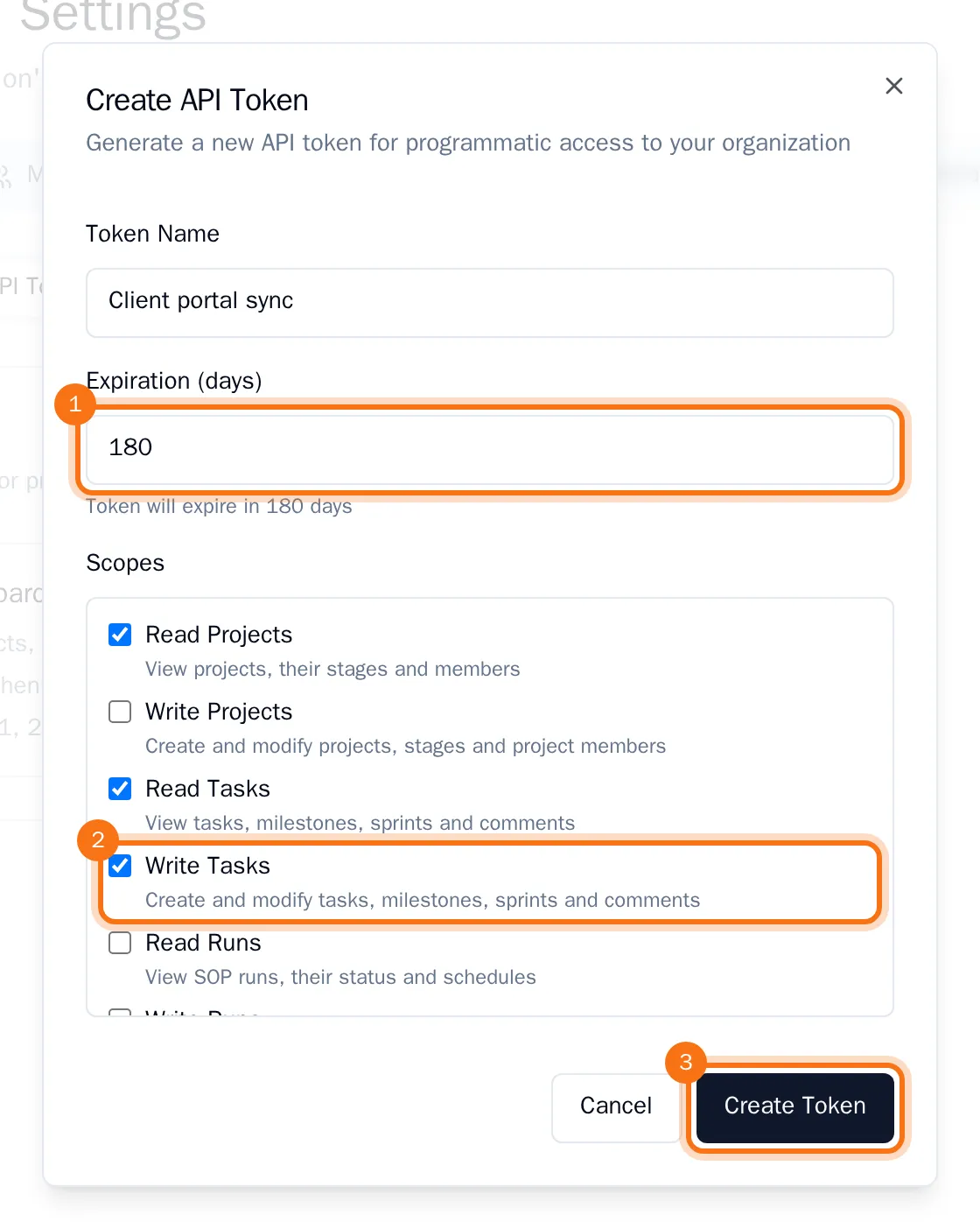
- Choose Create Token.
- Copy the token and store it in a safe place, such as the settings of the tool that uses it. Then choose Done.
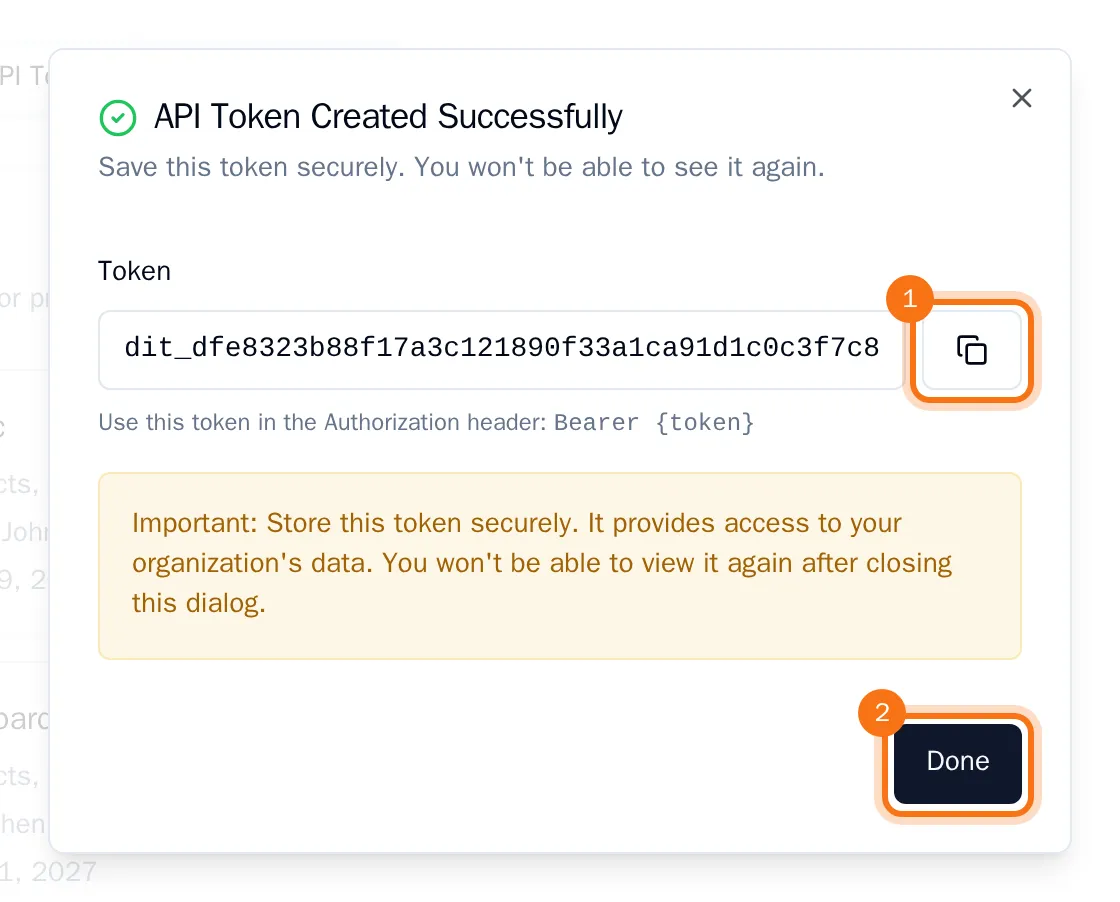
OKiDO shows the token only this once. Tools use it with OKiDO's MCP server, at the address on the AI assistants tab of your settings: they send it in the Authorization header, as Bearer followed by the token. The token can then do what its scopes allow, in this organization only.
Revoke a token
- In the list of tokens, choose the bin next to the token.
- Confirm with Revoke.
Tools that use the token lose their access right away.