Edit your organization's profile
Change your organization's name and icon, and see which plan it is on.
Available onAll plans
Who can do this: Owner, Admin
Your organization's profile holds its name, its icon and the plan it is on. Everyone in the organization sees the name and the icon in the organization menu at the top left.
Only owners and admins can open the organization settings.
Open the organization settings
In the menu on the left, choose Organization. The settings open on the Profile tab.
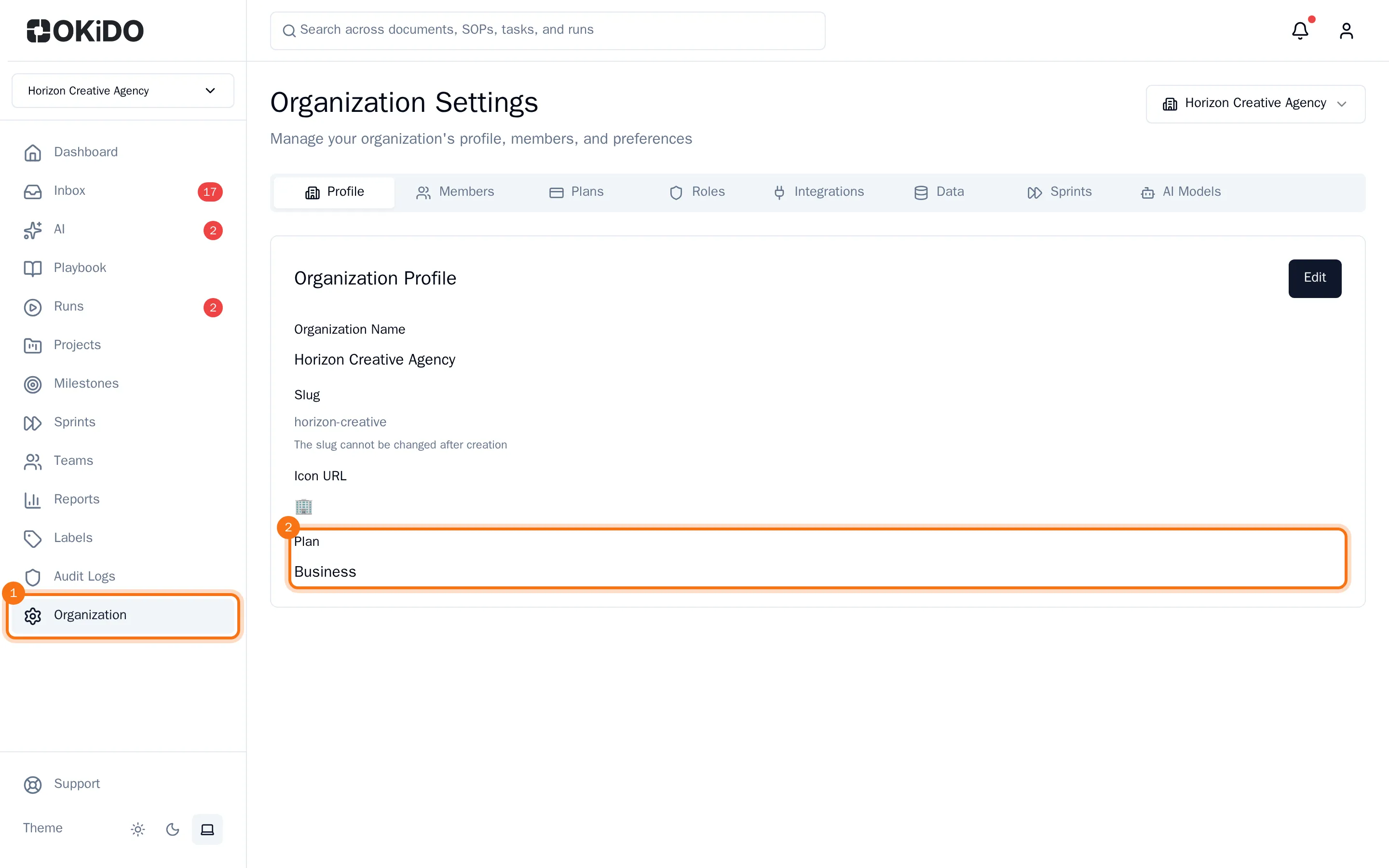
Under Plan you see the plan your organization is on. To change it, see Change your plan and billing.
Change the name or the icon
- Choose Edit.
- Change the Organization Name.
- Under Icon URL, enter the web address of an image, or an emoji.
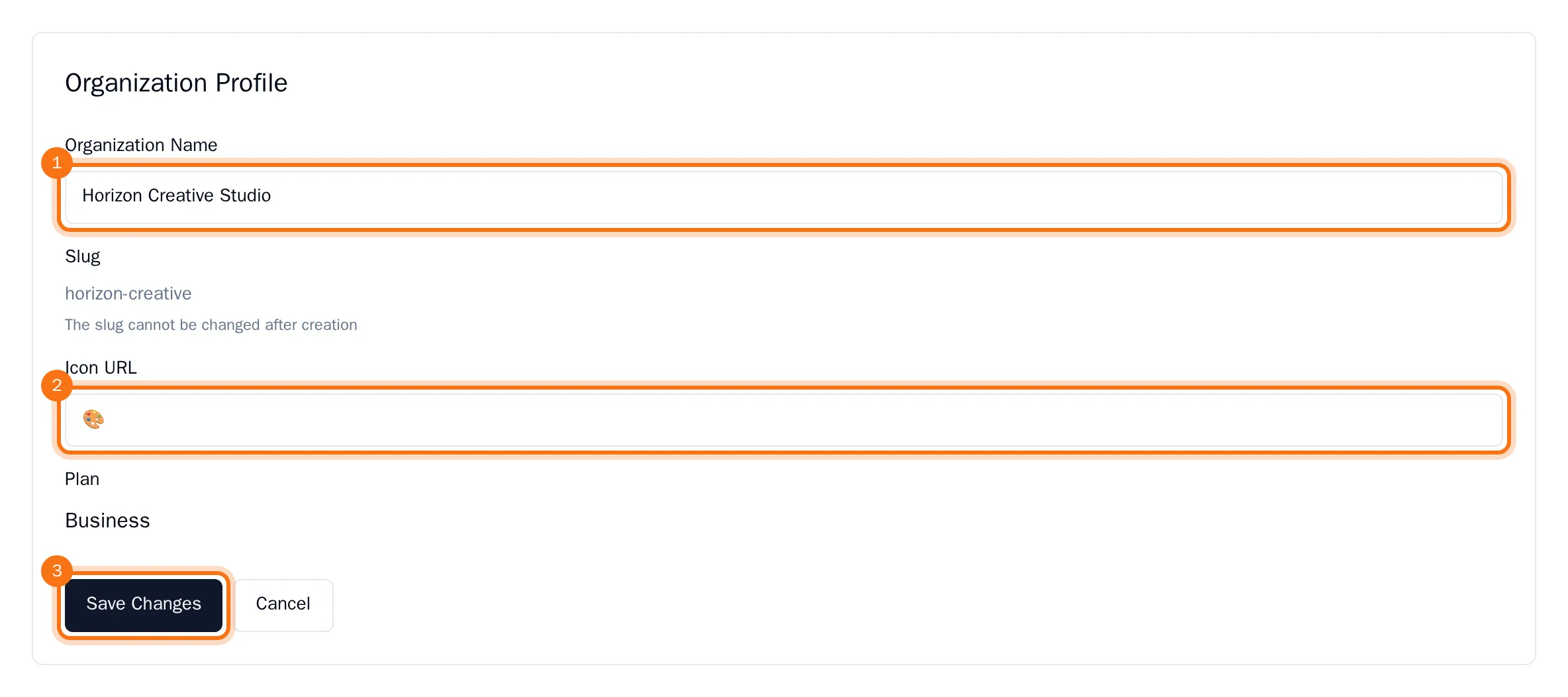
- Choose Save Changes.
The profile shows the new name and icon. The organization menu at the top left shows them too once the page reloads.
The Slug is your organization's fixed short name. It cannot be changed after the organization was created.