Import skills for agents
Import SKILL.md files that teach agents how to handle a specific kind of work, and give them to your agents.
Who can do this: Everyone in the organization
A skill is a short instruction file, SKILL.md, that tells an agent how to do one kind of work the way your team does it: how to write in your brand voice, how to build a campaign report. Anyone in the organization can import a skill. Owners, admins and members with the Advanced AI features give skills to agents.
Import a skill
- In the menu on the left, choose AI, then the Skills tab.
- Choose Import Skill, then the Paste SKILL.md tab.
- Choose Upload file and pick the SKILL.md file, or paste its text into SKILL.md Content.
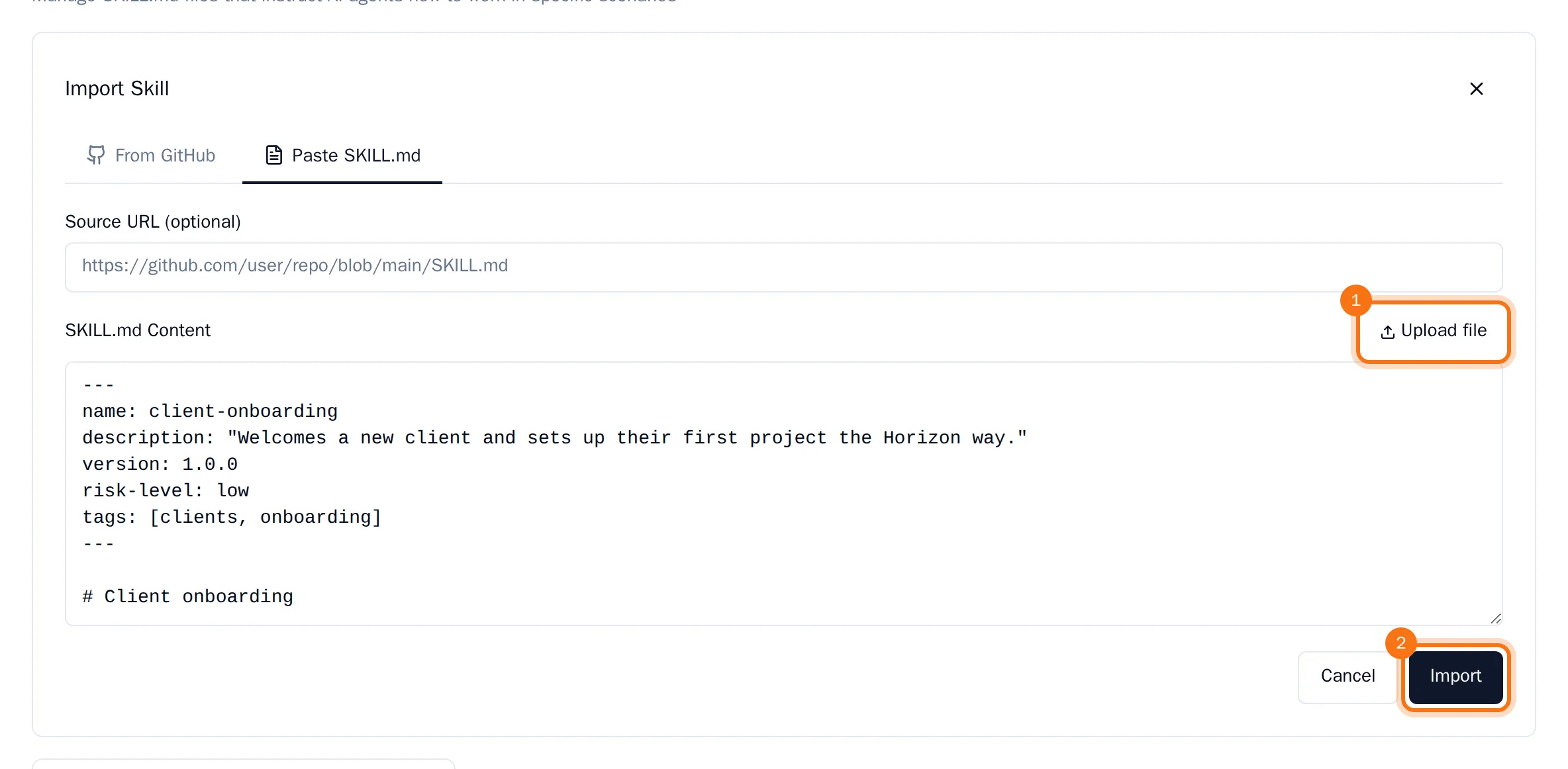
- Choose Import.
The skill is added to the list with the status DRAFT. Choose it to read its instructions, then choose Publish to make it ready for agents. On the From GitHub tab you can also import skills from a GitHub repository.
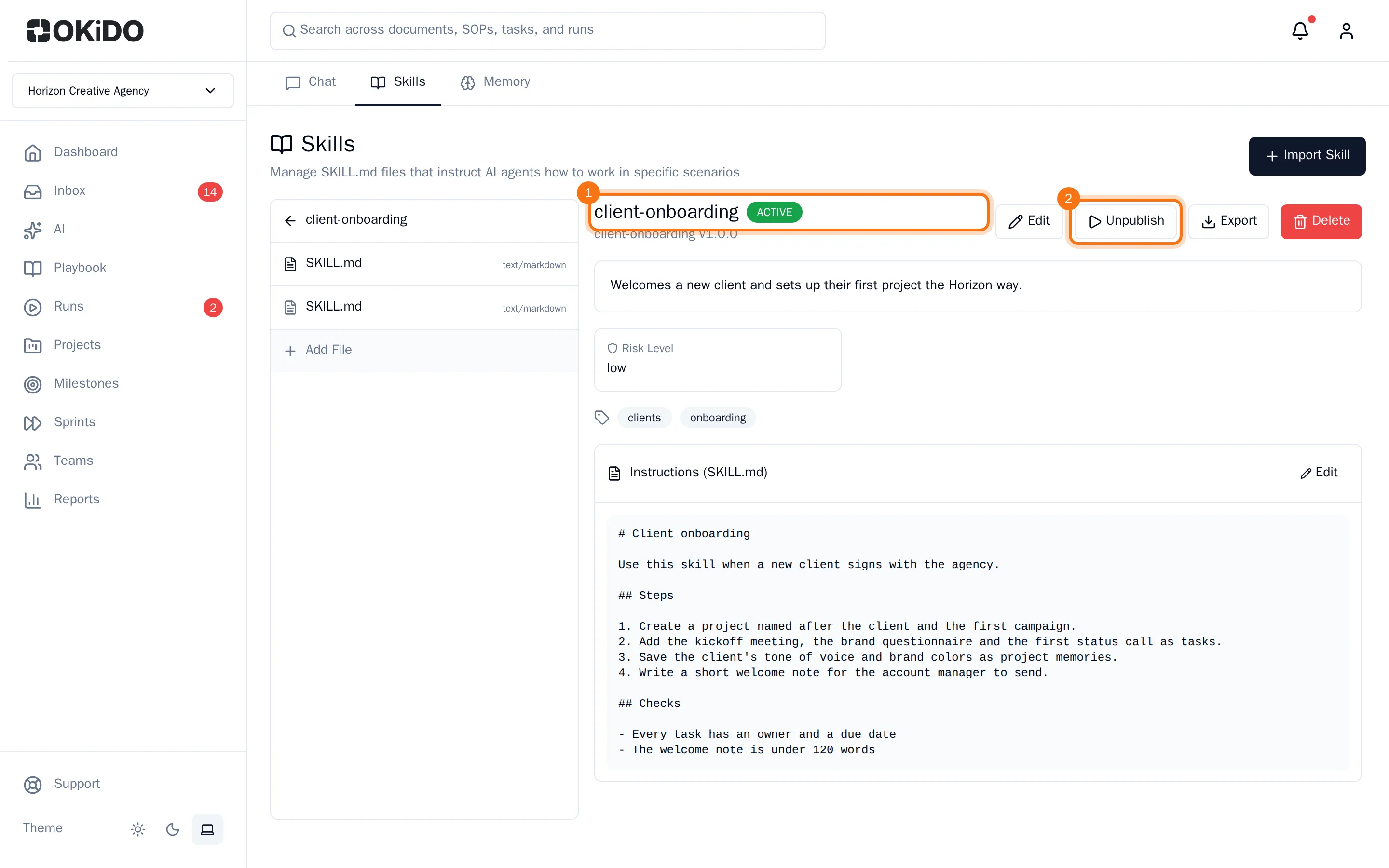
You can change a skill you imported yourself until an agent uses it. After that, owners, admins and members with the Advanced AI features can change it.
Give a skill to an agent
- Open the agent: AI, the Agents tab, then the agent.
- Choose the Capabilities tab, then Add Skill.
- Choose the skill in the list.
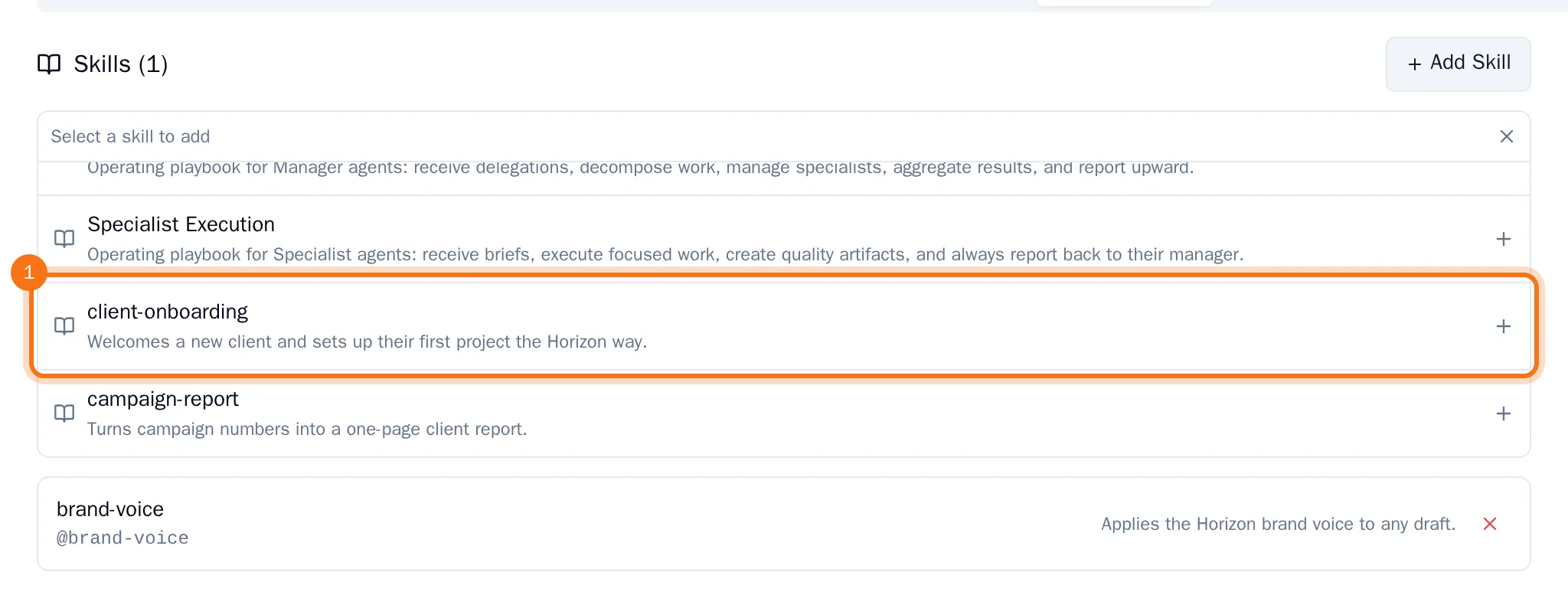
The agent's page loads again on Overview; on the Capabilities tab the skill is now listed under the agent's skills. The agent follows it from its next run on. To take a skill away from an agent, choose the cross next to it.
Tip: Export on a skill's page downloads it as a file, so you can use it in another organization.