Connect an MCP server
Add an app from the MCP catalog or a server of your own, and give agents access to its tools.
Who can do this: Owner, Admin
MCP servers give your agents tools in other apps: send a newsletter in Mailchimp, post a message in Slack, look something up in your CRM. OKiDO has a catalog of ready-made app connections; you can also connect an MCP server you host yourself. Then you choose which agents may use it.
Most apps need a login. Store it first as a credential for that app (see Give agents credentials for other apps).
Add an app from the catalog
- In the menu on the left, choose AI, then the MCP Servers tab.
- On the Catalog tab, search for the app. Each app shows how many tools it has and how it signs in; the apps you already added are marked Enabled.
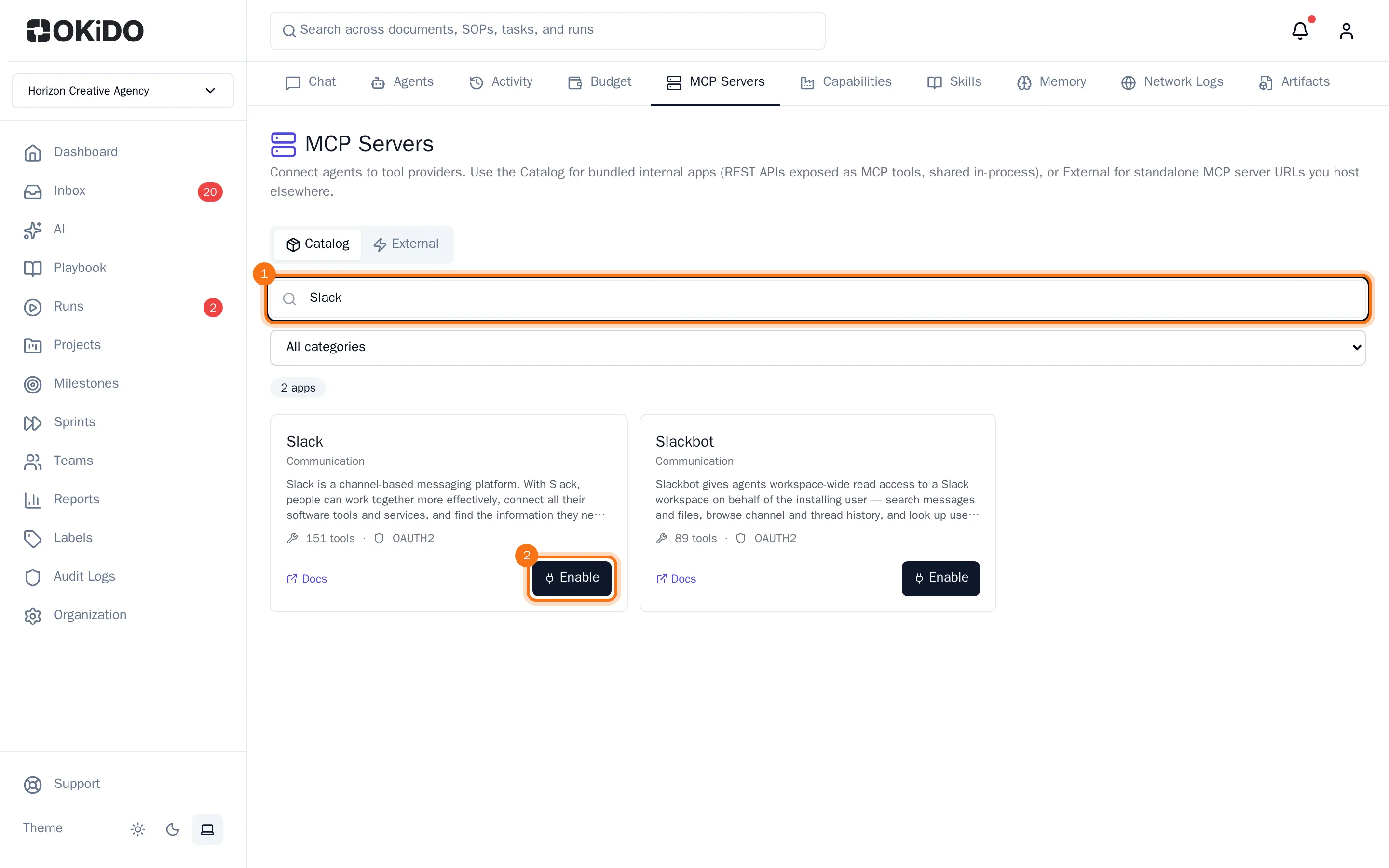
- Choose Enable on the app.
- Check the Server Name and choose the credential it signs in with.
- Choose Enable.
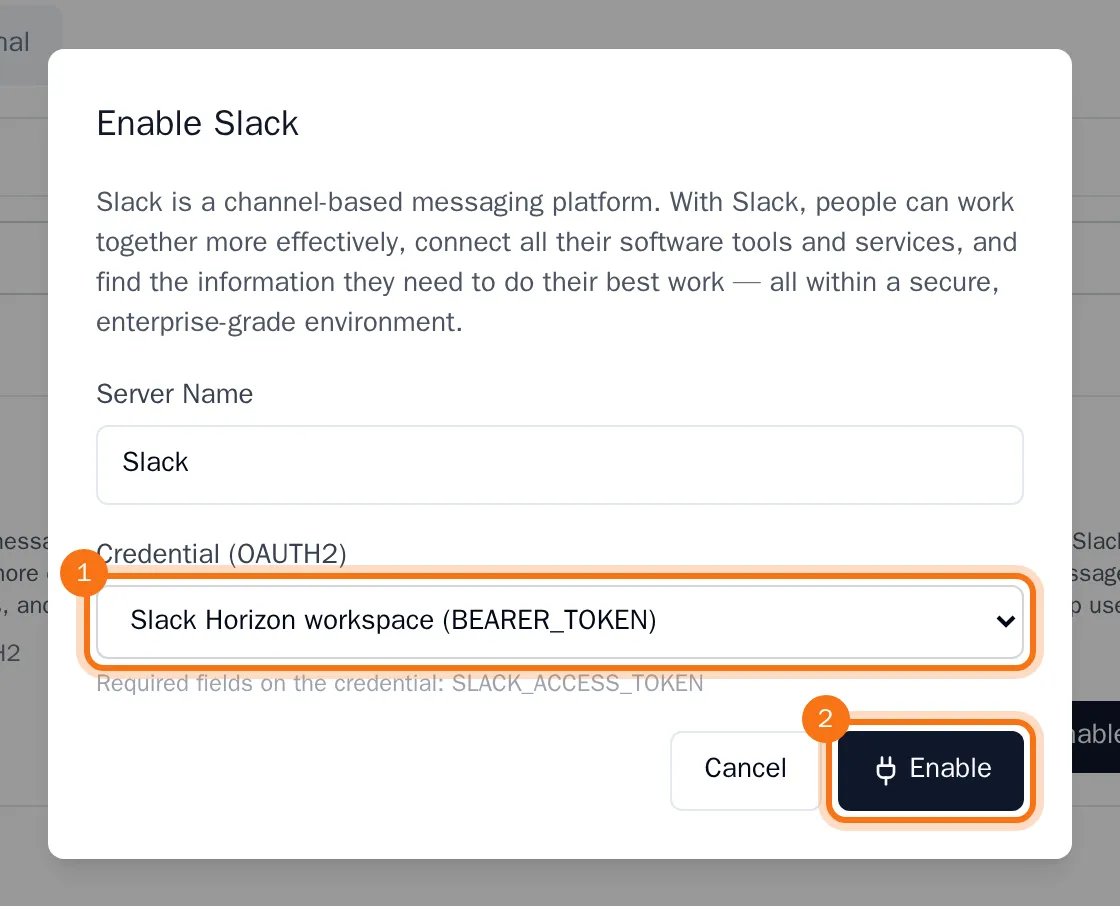
The app is marked Enabled in the catalog, and its tools are ready for your agents.
Give an agent access
- Open the agent: AI, the Agents tab, then the agent.
- Choose the MCP Servers tab.
- Pick the server in Select an MCP server to add… and choose Bind.
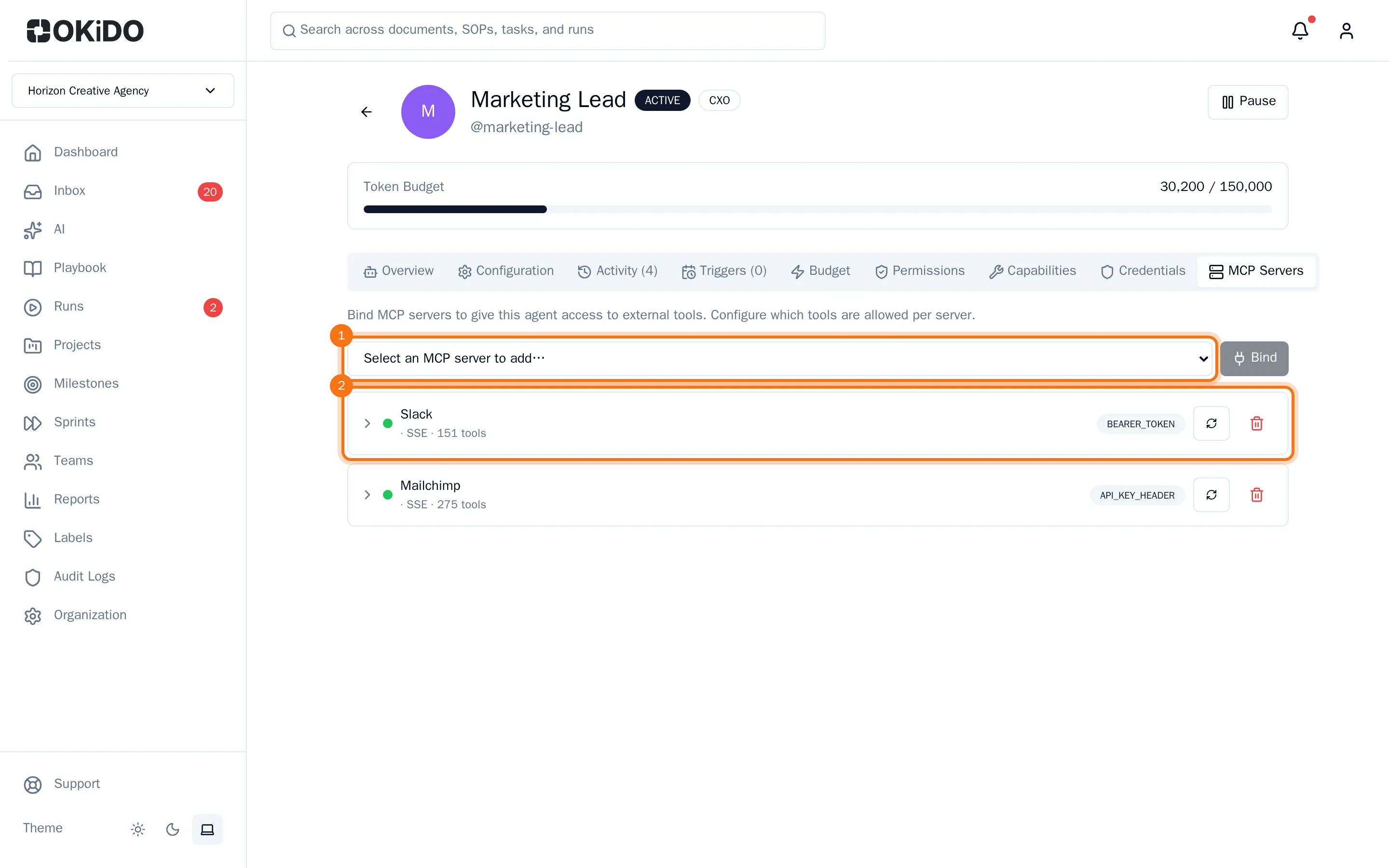
The agent can now use the server's tools. Choose the server in the list to see them. Tools that only read run without asking. Tools that write leave OKiDO, so they wait for a person's approval unless you tick Run without approval next to the tool. Untick a tool to keep the agent away from it. To take the server away from the agent, choose the bin next to it.
Connect a server you host yourself
On the External tab, choose Add Server, fill in the Server Name, the URL / Endpoint and the Transport, pick a credential if the server needs one, and choose Connect. Then choose the refresh button next to the server to find its tools. OKiDO only connects to addresses on the public internet.